
Best 11-Inch-or-Less Chromebooks in 2026: 12 Picks Compared
Chromebooks with screens 11 inches or smaller are compact by their dimensions, but their specs vary more than their sizes. The Lenovo Chromebook Duet Gen 9 with 8GB of RAM and 256GB of storage is our top pick because it is the only machine in this list with that much local storage. These 12 picks come from a pool of 22 small-screen models and are compared using only their published specifications.
12 picks from 6 Chromebooks that match this guide with a price we can quote today, made by 6 makers. Each price below is read live and stamped with the time it was read.
The short list
Who each pick suits
- For a small detachable with lots of storage: Choose the Lenovo Chromebook Duet Gen 9 (8GB/256GB) if you want a tablet that detaches from its keyboard and has more local storage than any other pick here. See pick 1
- For a portable touchscreen: The ASUS Chromebook 10.5 gives you an 8GB touchscreen in a 10.5-inch body, which keeps the touch display at the compact end of the category. See pick 2
- For classroom basics: The Lenovo 500e Chromebook Gen 4s pairs an Intel N-series processor with a touchscreen and 64GB of storage for schoolwork and web apps. See pick 3
- For a simple clamshell: If you prefer a fixed keyboard and no touch screen, the Acer Chromebook 311 CBOA311-1H is a straightforward 11.6-inch clamshell with 64GB of storage. See pick 5
The 12 picks, one by one
1 Best overall
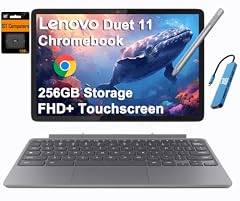
Lenovo Chromebook Duet Gen 9 11" Tablet
- Screen size
- 11 in or less
- Memory
- 6 to 8 GB
- Storage
- 256 GB
- 2-in-1
- Yes
The Duet Gen 9 is a detachable 11-inch tablet with 8GB of RAM and 256GB of storage, the most storage stated by any pick in this list. Only the ASUS 10.5 matches its 8GB RAM in the structured specs, and the Duet combines that memory with more local storage than any other small Chromebook here.
Pros
- 256GB of storage, the most of any pick in this list
- 8GB of RAM, tied for the most stated here
- Detachable design works as a tablet or with the keyboard attached
- 11-inch screen keeps it in the small-screen category
Cons
- No display resolution or weight stated by the seller
- Detachable keyboard is separate rather than a fixed clamshell base
Good fit if
- Anyone who wants a small machine with room for Android apps, media, and downloaded files
- Travelers who value a tablet mode more than a fixed keyboard
Skip if
- You prefer a fixed, lap-friendly clamshell keyboard
- You need a larger screen for side-by-side windows
Verdict: The Lenovo Chromebook Duet Gen 9 (8GB/256GB) leads this group on storage and matches its best RAM, making it the strongest all-around 11-inch-or-less pick.
2 Best compact performer

ASUS Chromebook 10.5" WUXGA Touch Laptop MediaTek Kompanio 520 2.0 GHz
- Screen size
- 11 in or less
- Memory
- 6 to 8 GB
- Storage
- 128 GB
- Processor
- MediaTek
- Touchscreen
- Yes
The ASUS Chromebook 10.5 is smaller than the 11.6-inch clamshells while keeping 8GB of RAM and 128GB of storage. It gives up the detachable design of the top pick but keeps a touchscreen in a package that is easy to carry.
Pros
- 8GB of RAM, tied for the most in the structured specs of these picks
- 128GB of storage, second only to the top pick's 256GB
- 10.5-inch touchscreen is one of the smallest displays in this list
- MediaTek Kompanio 520 processor named in the listing
Cons
- No stated convertible hinge, so it is a touch laptop rather than a 2-in-1
- No weight stated by the seller
- 128GB of storage still falls short of the 256GB top pick
Good fit if
- Travelers who want a compact touchscreen with high RAM
- Users who want more storage than the 64GB convertibles in this list
Skip if
- You need a detachable keyboard or a folding hinge
- You prefer a fixed clamshell keyboard in the base
Verdict: The ASUS Chromebook 10.5 is the best compact pick here for buyers who want 8GB of RAM without moving to the larger top pick.
3 Best touchscreen with 64GB

Lenovo 500e Chromebook Gen 4s 83N8000GUS 11.6" Touchscreen Chromebook
- Screen size
- 11 in or less
- Storage
- 64 GB
- Processor
- Intel N-series
- Touchscreen
- Yes
The 500e Chromebook Gen 4s is a touchscreen 11.6-inch model with an Intel N-series processor and 64GB of storage. The model name lists an 8GB RAM configuration, but the structured listing does not call that field out, so it should be confirmed before purchase.
Pros
- Intel N-series processor, with N150 named in the listing
- 11.6-inch touchscreen display
- 64GB of storage
Cons
- RAM is not stated as a separate spec; the model name lists 8GB
- No convertible hinge is listed in the structured specs
- No weight stated by the seller
Good fit if
- Students and teachers who want a touchscreen with 64GB for classroom apps
- Buyers who want an Intel N-series CPU in a compact Chromebook
Skip if
- You need RAM and convertible status spelled out in the spec sheet
- You want 128GB or more local storage
Verdict: The Lenovo 500e Chromebook Gen 4s is the touchscreen-priced pick to compare when 64GB of storage and an Intel N-series processor are the deciding specs.
4 Best folding convertible

acer Chromebook Spin 511 R756T R756T-C9R9 11.6" Touchscreen 2
- Screen size
- 11 in or less
- Storage
- 32 GB or less
- Processor
- Intel N-series
- Touchscreen
- Yes
- 2-in-1
- Yes
$398.95 price as of 2026-10-09 05:24 UTC (Details)
The Spin 511 combines an 11.6-inch touchscreen, a stated 360-degree convertible design, and an Intel N100 quad-core processor named in the listing. It is a current small travel or classroom convertible, though its storage is at the low end of this group.
Pros
- Intel N100 quad-core processor
- 11.6-inch touchscreen
- Stated 2-in-1 convertible design
Cons
- 32GB of storage, below the 64GB found on several picks
- 4GB of RAM, the lower tier in this list
- No weight stated by the seller
Good fit if
- Classrooms that want a convertible with a newer Intel chip
- Users who want to fold the touchscreen back for tablet-style use
Skip if
- You need 64GB or more local storage
- You want a detachable tablet or a fixed clamshell
Verdict: The Acer Chromebook Spin 511 is the most current folding convertible in this comparison, with the main trade being its 32GB storage.
5 Best basic clamshell

acer Chromebook 311 CBOA311-1H-C90F 11.6" HD Display
- Screen size
- 11 in or less
- Memory
- 4 GB or less
- Storage
- 64 GB
- Processor
- Intel Celeron or Pentium
$240.00 price as of 2026-10-09 05:24 UTC (Details)
This Acer Chromebook 311 is a simple 11.6-inch clamshell with a Celeron N4500 processor, 4GB of RAM, and 64GB of storage. It gives the fixed-keyboard buyer the same 64GB storage class as several touchscreen convertibles without the extra hardware.
Pros
- 64GB of storage
- Celeron N4500 dual-core processor
- Fixed clamshell design with an 11.6-inch HD display
Cons
- 4GB of RAM, the lower tier in this list
- No touchscreen
- No weight stated by the seller
Good fit if
- Students and office workers who mostly use web apps and Google Workspace
- Buyers who do not need tablet or touch features
Skip if
- You want a touchscreen or 2-in-1 mode
- You plan to store many large files locally
Verdict: The Acer Chromebook 311 CBOA311-1H is the best plain clamshell pick here for anyone who wants 64GB of storage and a fixed keyboard.
6 Best Samsung clamshell

Samsung Chromebook 4 Chrome OS 11.6" HD Intel Celeron Processor N4000
- Screen size
- 11 in or less
- Memory
- 6 to 8 GB
- Storage
- 64 GB
- Processor
- Intel Celeron or Pentium
The Samsung Chromebook 4 in its 6GB/64GB configuration is a compact 11.6-inch clamshell that steps above the 4GB baseline common in this pool. It keeps the simple Celeron design while offering more memory than many of the 4GB clamshells here.
Pros
- 6GB of RAM, above the 4GB level seen on most clamshells here
- 64GB of storage
- Gigabit Wi-Fi and an 11.6-inch HD display named in the listing
Cons
- Celeron N4000 processor is not in the newer N-series family
- No touchscreen
- No weight stated by the seller
Good fit if
- Samsung users who want a small clamshell with more than 4GB RAM
- Buyers who want 64GB storage without moving to a convertible
Skip if
- You need a touchscreen or Intel N-series processor
- You want a detachable or folding design
Verdict: The Samsung Chromebook 4 6GB/64GB is the Samsung clamshell to beat in this list for buyers who want 6GB of RAM and 64GB of storage.
7 Best detachable with stylus
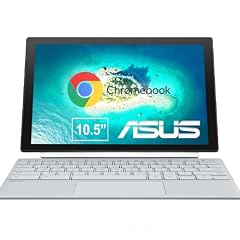
ASUS Chromebook CM30 Detachable 10.5 Inch 2-in-1 Laptop and Tablet
- Screen size
- 11 in or less
- Memory
- 4 GB or less
- Storage
- 64 GB
- Touchscreen
- Yes
- 2-in-1
- Yes
The CM30 is a 10.5-inch detachable 2-in-1 with an FHD touchscreen and a fast-charging stylus in the listing name. It offers a pen-ready tablet mode in the small-screen category, with 64GB of storage and 4GB of RAM.
Pros
- 10.5-inch FHD touchscreen
- Detachable 2-in-1 design
- Fast-charging stylus named in the listing
- 64GB of storage
Cons
- 4GB of RAM, the lower tier in this list
- No processor family is stated in the structured specs
- No weight stated by the seller
Good fit if
- Note-takers who want pen input in a compact Chromebook
- Users who want a tablet that can attach a keyboard
Skip if
- You need the processor family listed before you buy
- You prefer a fixed clamshell keyboard
Verdict: The ASUS Chromebook CM30 is the best pick here for a small detachable with a stylus, provided you are comfortable with 4GB of RAM.
8 Best 10.1-inch detachable

Lenovo Chromebook Duet
- Screen size
- 11 in or less
- Memory
- 4 GB or less
- Storage
- 64 GB
- Processor
- MediaTek
- 2-in-1
- Yes
The original Lenovo Chromebook Duet has the smallest screen in this selection at 10.1 inches, a WUXGA display, and a detachable keyboard. Its 64GB storage and MediaTek Helio P60T processor make it a compact media-and-reading pick rather than a heavy-work clamshell.
Pros
- 10.1-inch screen, the smallest in this list
- WUXGA display and detachable 2-in-1 design
- 64GB of storage
Cons
- 4GB of RAM, the lower tier here
- MediaTek Helio P60T processor is a tablet-class chip
- No weight stated by the seller
Good fit if
- Readers and media viewers who want a very small detachable
- Travelers who want the smallest screen in this comparison
Skip if
- You need more than 4GB of RAM
- You want an 11.6-inch screen or a fixed-base clamshell
Verdict: The Lenovo Chromebook Duet 2-in-1 is the smallest practical detachable in this list, with the RAM and processor set toward light use.
9 Best no-frills HP clamshell

HP Chromebook 11-inch Laptop
- Screen size
- 11 in or less
- Memory
- 4 GB or less
- Storage
- 32 GB or less
- Processor
- MediaTek
The HP 11-inch is a simple MediaTek clamshell with 4GB of RAM and 32GB of storage. It is a useful baseline for small-screen buyers who want a fixed keyboard and do not plan to store large media libraries on the device.
Pros
- 11.6-inch HD display from HP
- MediaTek processor, an ARM alternative in this list
- Simple clamshell design
Cons
- 4GB RAM and 32GB storage, the lowest storage tier in this list
- No touchscreen
- No weight stated by the seller
Good fit if
- Basic web, email, and document work
- Users who want a compact laptop from a major maker without touch or tablet features
Skip if
- You need 64GB or more storage
- You want a touchscreen or convertible design
Verdict: The HP 11-inch is the pick to compare when you want a straightforward, small Chromebook with the least storage and no touch hardware.
10 Best Celeron convertible

Acer Chromebook Spin 311 Convertible Laptop
- Screen size
- 11 in or less
- Memory
- 4 GB or less
- Storage
- 32 GB or less
- Processor
- Intel Celeron or Pentium
- Touchscreen
- Yes
- 2-in-1
- Yes
$382.00 price as of 2026-10-09 05:24 UTC (Details)
The Spin 311 is an 11.6-inch touchscreen convertible with a Celeron N4020 processor, 4GB of RAM, and 32GB of storage. It is a lower-spec alternative to the Spin 511 for buyers who still want the folding keyboard design.
Pros
- 11.6-inch touchscreen with a stated 2-in-1 hinge
- Celeron N4020 processor
- Gigabit Wi-Fi listed in the model name
Cons
- 4GB RAM and 32GB storage combine for the low end of this list
- Celeron processor rather than a newer Intel N-series chip
- No weight stated by the seller
Good fit if
- Buyers who want a folding touchscreen at a lower spec level
- Classrooms that use lightweight web apps
Skip if
- You need 64GB or more storage
- You want the Intel N100 processor of the Spin 511
Verdict: The Acer Chromebook Spin 311 is a reasonable folding touchscreen pick when the newer Spin 511 specs are more than you need.
11 Best AMD clamshell

Lenovo Chromebook 3 11 11.6" Laptop Computer for Business Student
- Screen size
- 11 in or less
- Memory
- 4 GB or less
- Storage
- 32 GB or less
- Processor
- AMD
- For students
- Yes
- For business
- Yes
The Lenovo Chromebook 3 11 is the only AMD-powered pick in this selection, with an A6-9220C processor, 4GB of RAM, and 32GB of storage. It rounds out the list with an alternative to the Intel and MediaTek chips found elsewhere.
Pros
- AMD A6-9220C processor, the only AMD model in this list
- 11.6-inch clamshell with student and business use named in the listing
- 4GB LPDDR4 RAM listed in the model description
Cons
- 32GB of storage, at the low end of this list
- No touchscreen
- No weight stated by the seller
Good fit if
- Buyers who prefer an AMD-based small Chromebook
- Students and business users who want a simple fixed-keyboard laptop
Skip if
- You want touch or convertible hardware
- You need more than 32GB of local storage
Verdict: The Lenovo Chromebook 3 11 is the one AMD-powered small-screen pick here, best suited to basic clamshell use.
12 Best basic ASUS clamshell

ASUS Chromebook CX1
- Screen size
- 11 in or less
- Memory
- 4 GB or less
- Storage
- 32 GB or less
- Processor
- Intel Celeron or Pentium
The CX1 is a straightforward 11.6-inch clamshell with a Celeron N3350 processor, 4GB of RAM, and 32GB of storage. It is the simplest of the three ASUS models picked and a useful fixed-keyboard alternative in the low storage tier.
Pros
- 11.6-inch HD NanoEdge display named in the listing
- Intel Celeron N3350 processor
- Compact clamshell body
Cons
- 32GB of storage, at the low end of this list
- 4GB of RAM, the lower tier here
- No touchscreen
Good fit if
- Buyers who want a small ASUS clamshell for everyday tasks
- Users who do not need tablet, touch, or 2-in-1 features
Skip if
- You need 64GB or more storage
- You want a newer Intel Celeron or N-series processor
Verdict: The ASUS Chromebook CX1 is the pick to check if you want an entry ASUS clamshell in the 11-inch-or-less class.
Comparison table
| # | Chromebook | Screen size | Memory | Storage | Processor | Touchscreen | 2-in-1 |
|---|---|---|---|---|---|---|---|
| 1 | Lenovo Chromebook Duet Gen 9 11" Tablet | 11 in or less | 6 to 8 GB | 256 GB | not stated | not stated | Yes |
| 2 | ASUS Chromebook 10.5" WUXGA Touch Laptop MediaTek Kompanio 520 2.0 GHz | 11 in or less | 6 to 8 GB | 128 GB | MediaTek | Yes | not stated |
| 3 | Lenovo 500e Chromebook Gen 4s 83N8000GUS 11.6" Touchscreen Chromebook | 11 in or less | not stated | 64 GB | Intel N-series | Yes | not stated |
| 4 | acer Chromebook Spin 511 R756T R756T-C9R9 11.6" Touchscreen 2 | 11 in or less | not stated | 32 GB or less | Intel N-series | Yes | Yes |
| 5 | acer Chromebook 311 CBOA311-1H-C90F 11.6" HD Display | 11 in or less | 4 GB or less | 64 GB | Intel Celeron or Pentium | not stated | not stated |
| 6 | Samsung Chromebook 4 Chrome OS 11.6" HD Intel Celeron Processor N4000 | 11 in or less | 6 to 8 GB | 64 GB | Intel Celeron or Pentium | not stated | not stated |
| 7 | ASUS Chromebook CM30 Detachable 10.5 Inch 2-in-1 Laptop and Tablet | 11 in or less | 4 GB or less | 64 GB | not stated | Yes | Yes |
| 8 | Lenovo Chromebook Duet | 11 in or less | 4 GB or less | 64 GB | MediaTek | not stated | Yes |
| 9 | HP Chromebook 11-inch Laptop | 11 in or less | 4 GB or less | 32 GB or less | MediaTek | not stated | not stated |
| 10 | Acer Chromebook Spin 311 Convertible Laptop | 11 in or less | 4 GB or less | 32 GB or less | Intel Celeron or Pentium | Yes | Yes |
| 11 | Lenovo Chromebook 3 11 11.6" Laptop Computer for Business Student | 11 in or less | 4 GB or less | 32 GB or less | AMD | not stated | not stated |
| 12 | ASUS Chromebook CX1 | 11 in or less | 4 GB or less | 32 GB or less | Intel Celeron or Pentium | not stated | not stated |
How this list was made
We started with a pool of 22 Chromebooks whose listings specify screens of 11 inches or less. We removed near-duplicate configurations of the same model, concentrated on models from established makers, and judged each remaining machine on RAM, storage, touch support, convertible format, and processor family. Prices are shown as live values on this page; they were read from the catalog when the guide was assembled and can change, so we do not repeat them in the text. No one on the site has used these Chromebooks. Every choice is based on the seller's specifications and on maker or Google documentation such as the Auto Update policy linked in sources.
Choosing the right one
Screen size: what 11 in or less really covers
All of the picks in this guide have screens between 10.1 and 11.6 inches. A 10.1-inch detachable such as the Lenovo Chromebook Duet is more tablet-like, while an 11.6-inch clamshell behaves like a small laptop. ENERGY STAR's computer guidance lists 11- to 13-inch laptops as a good match for people who carry the laptop often, so the small screen is usually a portability trade rather than a performance trade.
RAM and storage: the two numbers that set these picks apart
Of the 22 listings in the pool, 17 state 4GB of RAM, two state 8GB, one states 6GB, and two do not list RAM in the structured specs. That makes RAM the first differentiator among these small Chromebooks. Storage is the second: many listings are 32GB or 64GB, while the 128GB and 256GB configurations are much less common. Look for at least 64GB if you want to install Android games or keep files offline.
Processors: Celeron, N-series, MediaTek, and AMD
Processors in this group come from four families: Intel Celeron, Intel N-series, MediaTek, and AMD. The listing names give more detail, such as Celeron N4500, Intel N100, MediaTek Kompanio 520, or AMD A6-9220C. If a seller does not state a processor family, treat the machine as a basic option and rely on RAM, storage, and screen features instead.
Clamshell, convertible, or detachable
Clamshell Chromebooks have a fixed keyboard and are the simplest small laptops. Convertibles such as the Acer Spin 511 fold the touchscreen back 360 degrees. Detachables such as the Lenovo Duet models separate the screen from the keyboard entirely. ENERGY STAR's buying guidance identifies 11- to 13-inch laptops as a common choice for frequent travel; within that size, a detachable is the most tablet-like and a clamshell is the most laptop-like.
Check the update date before you buy
ChromeOS devices receive 10 years of automatic updates from their platform release date, according to Google's Auto Update policy. An older small Chromebook can still be usable, but a machine that has passed its Auto Update Expiration date will stop getting security and feature updates. You can find the date in Settings, under About ChromeOS and Additional details. See the Google update pages in sources for the steps.
Questions
What does 11 in or less mean for a Chromebook screen?
It means the display diagonal measures 11 inches or less. In this guide that size class includes 10.1-inch, 10.5-inch, and 11.6-inch screens. Smaller screens make the Chromebook easier to carry, but they also reduce the space available for side-by-side windows and for full-size keyboards.
Are 11-inch Chromebooks powerful enough for everyday work?
For web browsing, email, Google Docs, and Android apps, the main trade is memory and storage, not the screen size. Most of the pool lists 4GB of RAM, while the 6GB and 8GB models offer more headroom. If your work stays in the browser, an 11-inch model with 64GB storage is a reasonable starting point; if you plan many local files, choose one of the 128GB or 256GB picks.
Can I use Linux on a Chromebook this small?
Linux is available on many Chromebooks through Settings, About ChromeOS, and Developers, according to Google's Linux setup documentation. The small-screen models in this guide typically carry 4GB to 8GB of RAM, so Linux command-line tools and small projects are possible, but heavier development work will be limited by memory and storage. Confirm Linux support for your specific model before relying on it.
How long will an 11-inch Chromebook keep getting updates?
Google's ChromeOS update policy gives devices 10 years of automatic updates from the platform release date. Older models may have already passed their Auto Update Expiration, so check the date under Settings, About ChromeOS, and Additional details before you buy a used or clearance 11-inch model. The same page tells you when the device will stop receiving updates.
Which 11-inch-or-less Chromebook has the most RAM and storage?
In this guide, the Lenovo Chromebook Duet Gen 9 in the 8GB/256GB configuration has the most storage and shares the top RAM amount with the ASUS Chromebook 10.5. The ASUS has 8GB of RAM and 128GB of storage. If you want the best combination in one pick, the Lenovo Duet Gen 9 is the one to look at.
What changed
- : First published.