
Best 32GB or Less Chromebooks (2026): 15 Picks Compared
The HP Chromebook 14 is our top pick for a Chromebook with 32GB or less storage. Its 14-inch display and Intel Celeron N4000 processor make it a capable everyday machine for web browsing, document editing, and video calls. We selected 15 models from a pool of 26, based solely on their published specs, screen sizes, and form factors. All picks have 32GB or less internal storage. Live prices appear with each listing.
15 picks from 6 Chromebooks that match this guide with a price we can quote today, made by 6 makers. Each price below is read live and stamped with the time it was read.
The short list
Who each pick suits
- For students: A durable 11.6-inch convertible like the Lenovo 500e is ideal for classroom use with its touchscreen and flexible hinge. See pick 15
- For home users: An affordable 14-inch model like the HP Chromebook 14 handles web browsing, email, and streaming with a larger display. See pick 1
- For frequent travelers: A compact 11.6-inch Chromebook such as the Samsung Chromebook 4 is easy to slip into a bag and carry anywhere. See pick 11
- For full HD screen enthusiasts: The Samsung XE350XBA offers a 15.6-inch Full HD display, a rarity among Chromebooks with 32GB storage, for crisp text and visuals. See pick 2
The 15 picks, one by one
1 Best overall

HP Chromebook 14 Laptop
- Screen size
- 14 in
- Memory
- 4 GB or less
- Storage
- 32 GB or less
- Processor
- Intel Celeron or Pentium
- For students
- Yes
The HP Chromebook 14 combines a 14-inch HD display, a newer Intel Celeron N4000 processor, and 4GB of RAM in a straightforward clamshell design. It offers more screen space than most 11.6-inch models while keeping the entry-level price that fits the 32GB storage category.
Pros
- 14-inch HD display is larger than the 11.6-inch panels on many picks
- Intel Celeron N4000 is newer than the N3350 found on several rivals
- 4GB RAM supports basic multitasking
- Plain clamshell design avoids the added cost of touch
Cons
- No touchscreen or convertible hinge
- Only 32GB storage, as expected but limited for offline media
- Display resolution is HD (1366x768), not Full HD
Good fit if
- Users who want a simple, large-screen Chromebook for browsing and streaming
- Budget-conscious buyers who prioritize screen size over portability
Skip if
- You need touch input or a tablet mode
- You require a Full HD display for detailed work
Verdict: A well-rounded 14-inch Chromebook that covers the essentials without extra cost.
2 Best large screen

SAMSUNG XE350XBA-K01US Chromebook 4 + Chrome OS 15.6" Full HD Intel
- Screen size
- 15 in or more
- Memory
- 4 GB or less
- Storage
- 32 GB or less
- Processor
- Intel Celeron or Pentium
The Samsung XE350XBA is the only pick with a 15.6-inch Full HD display, making it stand out for users who want a roomy, crisp screen. It also includes the same Intel Celeron N4000 processor as our top pick, ensuring smooth everyday performance.
Pros
- 15.6-inch Full HD (1920x1080) display is the sharpest among the picks
- Intel Celeron N4000 provides adequate processing power
- 4GB RAM and 32GB eMMC match the standard for this class
- Full-size keyboard and ample trackpad for comfortable typing
Cons
- Larger chassis makes it less portable than 11.6-inch options
- No touchscreen or 2-in-1 flexibility
- 32GB storage may fill quickly with downloaded games
Good fit if
- Users who want a desktop-replacement Chromebook with a high-resolution screen
- People who watch videos or work with spreadsheets and need more real estate
Skip if
- You travel frequently and need a compact device
- You prefer touch input or a convertible design
Verdict: The best choice for a big, sharp Full HD display in a 32GB Chromebook.
3 Best 2-in-1

Lenovo 500e Yoga Chromebook Gen 4 82W40009US 12.2" Touchscreen
- Screen size
- 12 to 13 in
- Storage
- 32 GB or less
- Processor
- Intel N-series
- Touchscreen
- Yes
- 2-in-1
- Yes
The Lenovo 500e Yoga Gen 4 offers a 12.2-inch WUXGA touchscreen, a convertible hinge, and an Intel N-series processor, giving it a balance of versatility and performance. Its display resolution (1920x1200) is higher than the HD panels found on most compact convertibles.
Pros
- 12.2-inch WUXGA (1920x1200) touchscreen delivers sharp, clear images
- Convertible design supports tablet, tent, and stand modes
- Intel N-series CPU is a step above older Celeron processors
- 32GB storage is the expected capacity for this class
Cons
- Screen is smaller than 14-inch clamshells
- No stylus is included with the device
- Convertible build may cost more than equivalent clamshells
Good fit if
- Students or professionals who need a touchscreen and flexible form factor
- Users who want a compact device for note-taking or presentations
Skip if
- You prefer a traditional laptop shape
- You need a larger display for extended work sessions
Verdict: A versatile 2-in-1 with a high-resolution touchscreen and capable processor.
4 Best performance

acer Chromebook Spin 511 R756T R756T-C9R9 11.6" Touchscreen 2
- Screen size
- 11 in or less
- Storage
- 32 GB or less
- Processor
- Intel N-series
- Touchscreen
- Yes
- 2-in-1
- Yes
$398.95 price as of 2026-10-09 05:24 UTC (Details)
The Acer Chromebook Spin 511 is the only pick with an Intel N100 quad-core processor, which provides a meaningful performance boost over dual-core Celeron chips. Its 11.6-inch touchscreen and 360-degree hinge make it both fast and flexible.
Pros
- Intel N100 quad-core processor is the fastest in this selection
- 11.6-inch touchscreen with HD resolution
- Convertible design allows multiple usage modes
- 32GB storage and 4GB RAM (not stated but typical) provide a balanced configuration
Cons
- Screen size is limited to 11.6 inches
- Display resolution is HD (1366x768), not Full HD
- No specific RAM amount is listed, so performance may vary by configuration
Good fit if
- Users who need a responsive Chromebook for multitasking and light productivity
- Students who want a convertible that can handle educational apps
Skip if
- You require a larger screen for immersive work
- You prioritize full HD resolution over raw processing speed
Verdict: The fastest processor in this list, ideal for users who want snappy performance in a small convertible.
5 Best 14-inch convertible
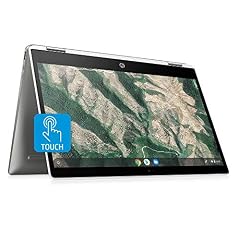
HP Chromebook x360 14-inch HD Touchscreen Laptop
- Screen size
- 14 in
- Memory
- 4 GB or less
- Storage
- 32 GB or less
- Processor
- Intel Celeron or Pentium
- Touchscreen
- Yes
- 2-in-1
- Yes
The HP Chromebook x360 14 combines a 14-inch HD touchscreen with a 360-degree hinge, offering a large convertible display that few 32GB Chromebooks match. Its Intel Celeron N4000 processor keeps everyday tasks smooth.
Pros
- 14-inch touchscreen is larger than most convertible displays in this list
- Convertible design supports laptop, tablet, tent, and stand modes
- Intel Celeron N4000 provides reliable performance
- 4GB RAM and 32GB storage are standard for this class
Cons
- HD resolution (1366x768) is not Full HD
- Heavier and bulkier than 11.6-inch convertibles
- No stylus is included for drawing or note-taking
Good fit if
- Users who want a large touchscreen with the flexibility of a 2-in-1
- Students or professionals who give presentations and need a foldable design
Skip if
- You need a full HD display or higher pixel density
- You want a lightweight, ultra-portable device
Verdict: A roomy 2-in-1 that brings the benefits of a convertible to a 14-inch screen.
6 Best for portability

SAMSUNG Galaxy Chromebook Go 14" Laptop Computer
- Screen size
- 14 in
- Memory
- 4 GB or less
- Storage
- 32 GB or less
The Samsung Galaxy Chromebook Go 14 is designed for mobility, with a slim, lightweight chassis that is easy to carry. Its 14-inch display and 4GB RAM make it a practical travel companion, though the exact weight is not stated by the seller.
Pros
- 14-inch display in a slim, lightweight chassis (weight not specified)
- 4GB RAM sufficient for web-based work
- 32GB storage matches the category
- Manufacturer claims up to 12 hours of battery life (not verified by us)
Cons
- Display resolution is HD (1366x768), not Full HD
- No touchscreen or convertible option
- Exact weight and battery life not stated in the listing, so claims are from the manufacturer
Good fit if
- Travelers who need a light, durable Chromebook
- Users who value battery life over screen quality
Skip if
- You need a touchscreen or 2-in-1 functionality
- You require a Full HD display for detailed graphics work
Verdict: A portable 14-inch Chromebook that prioritizes mobility without sacrificing essential features.
7 Best for students

Lenovo Chromebook 3 11 11.6" Laptop Computer for Business Student
- Screen size
- 11 in or less
- Memory
- 4 GB or less
- Storage
- 32 GB or less
- Processor
- AMD
- For students
- Yes
- For business
- Yes
The Lenovo Chromebook 3 11 is built for education, with a compact 11.6-inch screen, an AMD A6-9220C processor, and 4GB of RAM. Its classroom-friendly features make it a solid choice for younger users.
Pros
- 11.6-inch size is ideal for small desks and backpacks
- AMD A6-9220C processor offers dual-core performance
- Marked as a student and business model, indicating broad compatibility
- 32GB storage and 4GB RAM are typical for school work
Cons
- Display resolution is HD (1366x768)
- No touchscreen or convertible design
- AMD processor may not be as efficient as newer Intel N-series chips
Good fit if
- School-age children who need a basic, durable Chromebook
- Parents looking for an affordable device for homework and web browsing
Skip if
- You need a touchscreen for interactive learning
- You want a larger display for video editing or multitasking
Verdict: A dependable, student-friendly Chromebook with a proven processor and sturdy design.
8 Best budget touch

Acer Chromebook R11 CB5-132T-C67Q Touch Screen Chromebook
- Screen size
- 11 in or less
- Memory
- 4 GB or less
- Storage
- 32 GB or less
- Processor
- Intel Celeron or Pentium
- Touchscreen
- Yes
$275.00 price as of 2026-10-09 05:24 UTC (Details)
The Acer Chromebook R11 offers an 11.6-inch IPS touchscreen with a 360-degree hinge, all at a price that makes it one of the most affordable convertible Chromebooks in this selection. Its Intel Celeron N3060 processor is adequate for basic tasks.
Pros
- Touchscreen with IPS panel for wider viewing angles
- Convertible design supports multiple modes
- 4GB RAM and 32GB storage are standard
- Celeron N3060 is a reliable entry-level processor
Cons
- Screen size is only 11.6 inches
- Display resolution is HD (1366x768)
- Older processor compared to N4000 or N100 options
Good fit if
- Budget-conscious users who want touch input and a foldable design
- Children or young students who benefit from interactive learning
Skip if
- You need a faster processor for intensive apps
- You prefer a larger screen for work or media consumption
Verdict: An affordable touchscreen convertible that delivers core functionality without breaking the bank.
9 Best 15.6-inch value
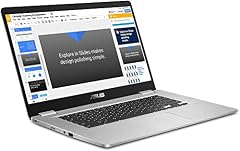
ASUS Chromebook C523 Laptop
- Screen size
- 15 in or more
- Memory
- 4 GB or less
- Storage
- 32 GB or less
- Processor
- Intel Celeron or Pentium
The ASUS Chromebook C523 provides a 15.6-inch HD display at a price that undercuts many smaller competitors. With a dual-core Celeron processor and 4GB RAM, it offers a cost-effective way to get a large-screen Chromebook.
Pros
- 15.6-inch HD display is among the largest in this list
- 180-degree hinge allows flexible viewing angles
- 4GB RAM and 32GB storage are sufficient for everyday web tasks
- Weighs less than many 15.6-inch models (exact weight not stated)
Cons
- Display resolution is HD (1366x768), not Full HD
- No touchscreen or convertible functionality
- Celeron processor is entry-level, limiting performance
Good fit if
- Users who want a large screen for movies and spreadsheets
- Shoppers looking for an affordable desktop replacement
Skip if
- You need full HD resolution for photo or video editing
- You prefer a compact, portable device
Verdict: A spacious 15.6-inch Chromebook that offers great value for users who prioritize screen size.
10 Best MediaTek option

HP Chromebook 11-inch Laptop
- Screen size
- 11 in or less
- Memory
- 4 GB or less
- Storage
- 32 GB or less
- Processor
- MediaTek
The HP Chromebook 11 is the only pick powered by a MediaTek MT8183 processor, which is an octa-core chip designed for efficiency. Its 11.6-inch HD display and 4GB RAM make it a compact, energy-efficient choice.
Pros
- MediaTek MT8183 octa-core processor is a high core-count chip
- 11.6-inch HD display is compact and sharp
- 4GB RAM and 32GB storage are typical for this class
- ARM architecture may offer longer battery life (manufacturer claim not verified)
Cons
- MediaTek chips may have limited compatibility with some x86-optimized apps
- Screen is only 11.6 inches, which might be small for some users
- No touchscreen or convertible option
Good fit if
- Users who prefer ARM-based Chromebooks for battery efficiency
- Students who need a lightweight, quiet device for classes
Skip if
- You rely on x86-specific applications or Linux tools that require Intel/AMD
- You need a larger display or touch functionality
Verdict: A capable 11.6-inch Chromebook that leverages ARM efficiency for daily tasks.
11 Best compact
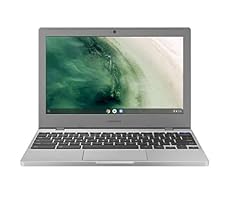
Samsung Chromebook 4 Chrome OS 11.6" HD Intel Celeron Processor N4000
- Screen size
- 11 in or less
- Memory
- 4 GB or less
- Storage
- 32 GB or less
- Processor
- Intel Celeron or Pentium
The Samsung Chromebook 4 lives up to its name as a compact 11.6-inch model with a sleek, durable design. Its Intel Celeron N4000 processor and 4GB RAM keep things running smoothly, making it an ideal travel companion.
Pros
- 11.6-inch HD display is highly portable
- Intel Celeron N4000 offers modern performance
- 4GB RAM and 32GB storage are the baseline for this category
- Gigabit Wi-Fi ensures fast connectivity
Cons
- Small screen limits multitasking
- No touchscreen or 2-in-1 flexibility
- Display resolution is HD (1366x768)
Good fit if
- Travelers who need a small, lightweight laptop
- Users who want a basic, reliable Chromebook for on-the-go browsing
Skip if
- You need a larger screen for work or entertainment
- You require touch input or a convertible design
Verdict: A compact and dependable Chromebook that fits easily in any bag.
12 Best standard 14-inch

Asus 14.0" HD Chromebook Laptop PC
- Screen size
- 14 in
- Memory
- 4 GB or less
- Storage
- 32 GB or less
- Processor
- Intel Celeron or Pentium
The ASUS 14.0 HD Chromebook is a no-nonsense, straightforward 14-inch laptop with an Intel Celeron N3350 processor and 4GB RAM. It provides a balanced middle ground between screen size and portability.
Pros
- 14-inch HD display offers a comfortable viewing area
- Intel Celeron N3350 is a proven dual-core processor
- 4GB RAM and 32GB storage are sufficient for web-based work
- Classic clamshell design is simple and reliable
Cons
- Display resolution is HD (1366x768)
- N3350 is older than N4000 on some rivals
- No touchscreen or convertible option
Good fit if
- Users who want a no-frills 14-inch Chromebook for everyday use
- People who prefer a traditional laptop shape without extra cost
Skip if
- You need touch input or a 2-in-1 functionality
- You want a Full HD display or faster processor
Verdict: A solid, conventional 14-inch Chromebook that does the job without extras.
13 Best 11.6-inch convertible

Acer Chromebook Spin 311 Convertible Laptop
- Screen size
- 11 in or less
- Memory
- 4 GB or less
- Storage
- 32 GB or less
- Processor
- Intel Celeron or Pentium
- Touchscreen
- Yes
- 2-in-1
- Yes
$382.00 price as of 2026-10-09 05:24 UTC (Details)
The Acer Chromebook Spin 311 brings a touchscreen and 360-degree hinge to a compact 11.6-inch body, powered by an Intel Celeron N4020. It’s a well-rounded convertible for users who want flexibility in a small package.
Pros
- 11.6-inch touchscreen with HD resolution
- Convertible design supports four usage modes
- Intel Celeron N4020 is a slight upgrade over N3350
- 4GB LPDDR4 RAM and 32GB eMMC storage are standard
Cons
- Small screen may feel cramped for split-screen work
- Display is not Full HD
- No included stylus for precise input
Good fit if
- Students who need a compact, touch-enabled device
- Users who want to switch between laptop and tablet modes
Skip if
- You need a larger display for productivity
- You prefer a full HD screen or faster processor
Verdict: A nimble 11.6-inch convertible that balances versatility and portability.
14 Best AMD-powered

HP Chromebook 14-inch Laptop AMD Dual-Core A4-9120C Processor
- Screen size
- 14 in
- Memory
- 4 GB or less
- Storage
- 32 GB or less
- Processor
- AMD
The HP Chromebook 14 is the only pick with an AMD A4-9120C dual-core processor, offering an alternative to Intel-based Chromebooks. Its 14-inch HD display and 4GB RAM make it a capable everyday machine.
Pros
- AMD A4-9120C processor provides dual-core performance
- 14-inch HD display is larger than many compact models
- 4GB RAM and 32GB storage are standard
- Classic clamshell design is straightforward
Cons
- AMD processor may be less efficient than newer Intel N-series
- Display resolution is HD (1366x768)
- No touchscreen or convertible option
Good fit if
- Users who prefer AMD processors or want to avoid Intel in this price range
- Budget buyers who need a 14-inch screen for daily tasks
Skip if
- You require a touchscreen or 2-in-1 functionality
- You want a full HD display or higher performance
Verdict: A reliable 14-inch Chromebook with an AMD chip that covers the basics.
15 Best for education

Lenovo 500e Chromebook 2nd Gen 81MC001EUS 11.6" Touchscreen 2
- Screen size
- 11 in or less
- Memory
- 4 GB or less
- Storage
- 32 GB or less
- Processor
- Intel Celeron or Pentium
- Touchscreen
- Yes
- 2-in-1
- Yes
The Lenovo 500e Chromebook 2nd Gen is designed for educational environments, with a 11.6-inch touchscreen and 360-degree hinge. Its Intel Celeron N4120 processor provides smooth performance for classroom apps, making it a practical choice for students.
Pros
- 11.6-inch touchscreen with HD resolution
- Convertible design supports multiple modes
- Intel Celeron N4120 is a modern quad-core processor
- 4GB RAM and 32GB storage are typical for education
Cons
- Small screen may limit multitasking
- Display resolution is HD (1366x768)
- No stylus included
Good fit if
- Schools and parents looking for a durable student Chromebook
- Younger users who need a flexible, touch-enabled device
Skip if
- You need a larger display for work or entertainment
- You prefer a standard clamshell design
Verdict: A capable and versatile 2-in-1 that excels in educational settings.
Comparison table
| # | Chromebook | Screen size | Memory | Storage | Processor | Touchscreen | 2-in-1 |
|---|---|---|---|---|---|---|---|
| 1 | HP Chromebook 14 Laptop | 14 in | 4 GB or less | 32 GB or less | Intel Celeron or Pentium | not stated | not stated |
| 2 | SAMSUNG XE350XBA-K01US Chromebook 4 + Chrome OS 15.6" Full HD Intel | 15 in or more | 4 GB or less | 32 GB or less | Intel Celeron or Pentium | not stated | not stated |
| 3 | Lenovo 500e Yoga Chromebook Gen 4 82W40009US 12.2" Touchscreen | 12 to 13 in | not stated | 32 GB or less | Intel N-series | Yes | Yes |
| 4 | acer Chromebook Spin 511 R756T R756T-C9R9 11.6" Touchscreen 2 | 11 in or less | not stated | 32 GB or less | Intel N-series | Yes | Yes |
| 5 | HP Chromebook x360 14-inch HD Touchscreen Laptop | 14 in | 4 GB or less | 32 GB or less | Intel Celeron or Pentium | Yes | Yes |
| 6 | SAMSUNG Galaxy Chromebook Go 14" Laptop Computer | 14 in | 4 GB or less | 32 GB or less | not stated | not stated | not stated |
| 7 | Lenovo Chromebook 3 11 11.6" Laptop Computer for Business Student | 11 in or less | 4 GB or less | 32 GB or less | AMD | not stated | not stated |
| 8 | Acer Chromebook R11 CB5-132T-C67Q Touch Screen Chromebook | 11 in or less | 4 GB or less | 32 GB or less | Intel Celeron or Pentium | Yes | not stated |
| 9 | ASUS Chromebook C523 Laptop | 15 in or more | 4 GB or less | 32 GB or less | Intel Celeron or Pentium | not stated | not stated |
| 10 | HP Chromebook 11-inch Laptop | 11 in or less | 4 GB or less | 32 GB or less | MediaTek | not stated | not stated |
| 11 | Samsung Chromebook 4 Chrome OS 11.6" HD Intel Celeron Processor N4000 | 11 in or less | 4 GB or less | 32 GB or less | Intel Celeron or Pentium | not stated | not stated |
| 12 | Asus 14.0" HD Chromebook Laptop PC | 14 in | 4 GB or less | 32 GB or less | Intel Celeron or Pentium | not stated | not stated |
| 13 | Acer Chromebook Spin 311 Convertible Laptop | 11 in or less | 4 GB or less | 32 GB or less | Intel Celeron or Pentium | Yes | Yes |
| 14 | HP Chromebook 14-inch Laptop AMD Dual-Core A4-9120C Processor | 14 in | 4 GB or less | 32 GB or less | AMD | not stated | not stated |
| 15 | Lenovo 500e Chromebook 2nd Gen 81MC001EUS 11.6" Touchscreen 2 | 11 in or less | 4 GB or less | 32 GB or less | Intel Celeron or Pentium | Yes | Yes |
How this list was made
We started with 26 Chromebooks that have 32GB or less storage. We eliminated near-duplicate models and configurations with identical specs. From the remaining units, we chose 15 that represent the range: clamshells and convertibles, screen sizes from 11.6 to 15.6 inches, and processors from Intel Celeron to N-series and MediaTek. We prioritized established manufacturers and preferred models with clearly stated specifications. We did not test these devices; all specifications come from the seller's catalog. Prices are shown as read at the time of writing and may change.
Choosing the right one
Processor: Matching performance to your tasks
The processor is the engine of your Chromebook. For basic browsing, email, and document editing, a dual-core Intel Celeron like the N3350 or N4000 is sufficient. For smoother multitasking or Android apps, consider a newer Intel N-series chip, such as the N4020 or N100. The Acer Chromebook Spin 511 with its N100 is the fastest in this list. If you prefer ARM-based efficiency, the MediaTek MT8183 in the HP Chromebook 11 offers good battery life but may have limited compatibility with x86-specific apps.
Screen size and resolution
Screen size affects portability and productivity. 11.6-inch models are lightweight and easy to carry, ideal for students or travel. 14-inch and 15.6-inch screens offer more workspace but add bulk. Resolution matters: most picks have HD (1366x768) panels, which are fine for basic use. If you want crisper text and more detail, look for Full HD (1920x1080) displays, like the Samsung XE350XBA. Keep in mind that higher resolution often comes at a higher price, but within this category, the Samsung is the only Full HD option.
Storage: Understanding 32GB limitations
All Chromebooks here have 32GB or less of eMMC storage. This is enough for ChromeOS, apps, and some offline files, but you'll rely on cloud storage for large media. Google Drive offers 15GB free, and you can expand with SD cards if the device has a slot. Since 32GB is small, avoid downloading large games or storing extensive video libraries locally. Instead, stream content and keep your important files in the cloud. If you need more storage, consider an external drive, but remember that portability is often the trade-off.
RAM: Why 4GB is the baseline
Every pick has 4GB of RAM, which is the minimum for a smooth ChromeOS experience. With 4GB, you can have several tabs open and run Android apps, but heavy multitasking may slow things down. ChromeOS is efficient, so 4GB is acceptable for most users. If you plan to use Linux apps or run virtual machines, you might want more RAM, but those options are rare in this price range. Stick to 4GB and close unused tabs to keep performance steady.
Connectivity and ports
Check the ports before buying. Most Chromebooks include USB-A and USB-C connectors, an HDMI port, and a headphone jack. USB-C is important for charging and connecting to modern peripherals. Wi-Fi 5 (802.11ac) or Wi-Fi 6 ensures fast internet speeds. Some models, like the Samsung Chromebook 4, feature Gigabit Wi-Fi for better throughput. Also, consider the number of USB ports: two or more USB-A ports are handy for a mouse and a storage drive simultaneously. Look for models that match your peripherals.
Warranty and update support
ChromeOS devices receive automatic updates for 10 years from the platform release, as stated by Google's Auto Update policy. This long-term support ensures your Chromebook remains secure with the latest features. Warranty terms vary by manufacturer and model, so check the seller's listing for warranty duration and coverage. Some models may include additional services, but the standard is one year. For long-term reliability, consider the update end date and the availability of replacement parts.
Questions
Can I expand the storage on a 32GB Chromebook?
Yes, most Chromebooks have a microSD card slot that supports cards up to 256GB or more. You can also use external drives via USB, but they add bulk. Cloud storage is another option: Google Drive offers 15GB free, and you can subscribe to Google One for more. Remember that apps and extensions are installed to internal storage, so keep only essential ones and stream media instead of downloading.
Will a 32GB Chromebook get the latest updates?
ChromeOS updates are tied to the device's age and model, not storage capacity. Google provides automatic updates for Chromebooks for up to 10 years from the platform release date. Check the Auto Update policy page to see when your specific model stops receiving updates. Even after that, your Chromebook will still work, but you may miss new features and security patches. For a device in this price range, you can expect support for many years, but verify the exact date.
Can I run Linux apps on a 32GB Chromebook?
Yes, ChromeOS includes a Linux development environment that you can enable in Settings. This allows you to install command-line tools, code editors, and IDEs. However, 32GB of storage is limited, and Linux apps can consume space. It's recommended to use lightweight tools and clean up regularly. Also, note that hardware acceleration for Linux is not yet supported, so graphics-intensive apps may run slowly. For basic development, it's a great way to extend your Chromebook's capabilities.
Is 4GB RAM enough for a Chromebook?
For most users, 4GB RAM is sufficient. ChromeOS is designed to be lightweight, and you can effectively manage multiple tabs and apps. If you plan to keep dozens of tabs open or run Android games, you might experience slowdowns, but you can mitigate this by using tab management extensions. For general web browsing, streaming, and productivity suites like Google Docs, 4GB is adequate. If you intend to do heavy multitasking, consider a model with more RAM, but those are outside this selection.
What changed
- : First published.