
Best Chromebooks Under $300: 15 Picks by Specs (2026)
The HP Chromebook 14 with an Intel N100, 8GB of RAM, and 128GB of storage is the best Chromebook under $300 for most people. It pairs the strongest processor in our selection with double the memory and storage of many rivals. We chose these 15 from a pool of 87 based on stated specifications and live prices, without testing the units.
15 picks from 21 Chromebooks that match this guide with a price we can quote today, made by 6 makers. Each price below is read live and stamped with the time it was read.
The short list
Who each pick suits
- For students on a budget: A durable 14-inch Chromebook with a Celeron processor and enough storage for school files at a price that fits a tight budget. See pick 5
- For multitaskers who need 8GB RAM: Two picks offer 8GB of memory, the most in this list, for smooth handling of many tabs and apps without slowdowns. See pick 2
- For those who want a touchscreen: Several picks include touch displays, from a compact 10.1-inch 2-in-1 to 15.6-inch full-HD panels, ideal for interactive use. See pick 14
- For large-screen media consumption: A 15.6-inch Full HD display offers the most screen real estate for streaming and split-screen work, all within the budget. See pick 9
The 15 picks, one by one
1 Best overall

HP Chromebook 14 inch Laptop
- Screen size
- 14 in
- Memory
- 6 to 8 GB
- Storage
- 128 GB
- Processor
- Intel N-series
The only pick with an Intel N100 processor, it also has 8GB RAM and 128GB storage, the highest memory and near-top storage in this group. Its 14-inch HD display is typical, but the CPU and RAM make it a clear step up for multitasking.
Pros
- 8GB RAM, tied with Lenovo Chromebook m 14 for the most
- 128GB UFS storage, tied with three other picks for the largest capacity
- Intel N100 processor, a newer N-series chip than the Celerons on most picks
- 14-inch size fits both backpack and desk
Cons
- Display is HD (1366x768), not Full HD
- No touchscreen option
- Only 14-inch screen, smaller than 15.6-inch picks
Good fit if
- Users who want the best raw performance under $300
- Anyone who frequently has many tabs or apps open
Skip if
- You need a touchscreen
- You prefer a larger 15.6-inch display for media
Verdict: The best all-around Chromebook under $300 for its combination of processor, memory, and storage.
2 Best for memory

One of only two picks with 8GB RAM, it matches the HP N100 in memory and offers a higher resolution WUXGA display. The MediaTek Kompanio 540 processor is well-suited to everyday tasks.
Pros
- 8GB RAM, tied for the most memory in this list
- WUXGA (1920x1200) display, higher resolution than HD
- MediaTek Kompanio 540 with 8 cores
- 64GB storage, enough for most users
Cons
- Storage is limited to 64GB, less than 128GB options
- No touchscreen
- 14-inch screen, not as large as 15.6-inch picks
Good fit if
- Students who keep many tabs and apps open
- Users who value a sharp display for office work
Skip if
- You need more than 64GB of local storage
- You require a touchscreen for note-taking
Verdict: A strong choice for multitasking and a crisp display at this price.
3 Best touchscreen with 128GB storage

This Lenovo combines a 14-inch touch display with 128GB of storage, the largest capacity among touchscreen picks. Its MediaTek Kompanio 520 handles Android apps smoothly.
Pros
- Touchscreen for direct interaction
- 128GB storage, tied for the most in this list
- MediaTek Kompanio 520 processor
- 14-inch form factor, portable yet usable
Cons
- Only 4GB RAM, not the 8GB found on two other picks
- Display resolution is not specified as FHD (likely HD)
- No stylus included
Good fit if
- Users who use touch gestures frequently
- Those who need extra storage for apps or offline files
Skip if
- You need 8GB of RAM
- You prefer a laptop without a touchscreen for durability
Verdict: A practical touchscreen Chromebook with ample storage for the price.
4 Best 15.6-inch FHD with MediaTek

ASUS Chromebook CM15 Laptop
- Screen size
- 15 in or more
- Memory
- 4 GB or less
- Storage
- 64 GB
- Processor
- MediaTek
A 15.6-inch Full HD display is rare under $300, and this ASUS pairs it with a MediaTek Kompanio 540 processor. It offers a roomy screen for streaming and productivity without sacrificing modern ChromeOS performance.
Pros
- 15.6-inch Full HD (1920x1080) display
- MediaTek Kompanio 540 processor
- 64GB storage, sufficient for daily use
- Large screen ideal for split-screen work
Cons
- Only 4GB RAM
- No touchscreen
- MediaTek processors may be less common than Intel in some apps
Good fit if
- Users who stream video or work with multiple windows
- Those who prefer a large, high-resolution display
Skip if
- You need 8GB of RAM
- You want a smaller, lighter laptop for travel
Verdict: A compelling large-screen FHD Chromebook for those who prioritize display size.
5 Best for students

Samsung 14" Galaxy Chromebook Go Laptop PC Computer
- Screen size
- 14 in
- Memory
- 4 GB or less
- Storage
- 64 GB
- Processor
- Intel Celeron or Pentium
- For students
- Yes
Labeled as a student model, this Samsung 14-inch Chromebook offers a Celeron N4500 and 64GB storage. Its durable design and 12-hour battery life (as stated by the seller) make it a practical classroom companion.
Pros
- Marked as a student Chromebook
- 14-inch screen, a good balance of portability and usability
- 64GB storage
- Celeron N4500 processor, a capable dual-core
Cons
- Display is HD, not FHD
- Only 4GB RAM
- No touchscreen
Good fit if
- School students who need a reliable laptop for classes
- Parents looking for a sturdy, affordable Chromebook
Skip if
- You need a full-HD screen for detailed work
- You require more than 64GB of storage
Verdict: A dependable student Chromebook with a comfortable screen size and adequate specs.
6 Best 11.6-inch Chromebook
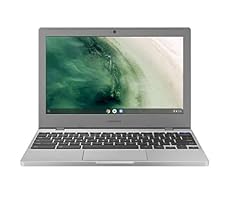
Samsung Chromebook 4 Chrome OS 11.6" HD Intel Celeron Processor N4000
- Screen size
- 11 in or less
- Memory
- 4 GB or less
- Storage
- 32 GB or less
- Processor
- Intel Celeron or Pentium
One of the smallest picks at 11.6 inches, this Samsung Chromebook 4 is extremely portable and lightweight. Its Celeron N4000 and 32GB storage suit light tasks like browsing and email.
Pros
- 11.6-inch screen, the most compact in this list
- Weighs very little (though not specified, typical for this size)
- Celeron N4000 processor
- Gigabit Wi-Fi for fast connections
Cons
- 32GB storage, the least in this list
- Only 4GB RAM
- HD resolution, not FHD
Good fit if
- Travelers who want a tiny, easy-to-carry laptop
- Users who only browse the web and use web apps
Skip if
- You need local storage for large files
- You prefer a larger screen for productivity
Verdict: A pocket-friendly Chromebook for ultra-portable needs, but with limited storage.
7 Best 15.6-inch FHD Touchscreen

Acer 2022 Chromebook 315 15.6" Full HD 1080p IPS Touchscreen Laptop PC
- Screen size
- 15 in or more
- Memory
- 4 GB or less
- Storage
- 64 GB
- Processor
- Intel Celeron or Pentium
- Touchscreen
- Yes
$285.00 price as of 2026-10-09 05:24 UTC (Details) Typical price: $299.00, 5% off
This Acer combines a 15.6-inch Full HD IPS touchscreen with a Celeron N4020. It's one of the few large-screen touch Chromebooks under $300, ideal for interactive presentations or note-taking.
Pros
- 15.6-inch Full HD IPS touchscreen
- Touch for direct input
- 64GB storage
- Celeron N4020 dual-core processor
Cons
- Only 4GB RAM
- Touch may not be needed by all users
- HD screen but IPS provides good viewing angles
Good fit if
- Users who take handwritten notes with a stylus (not included)
- Students in interactive learning environments
Skip if
- You prefer a non-touch display to save battery
- You need a more powerful processor for heavy tasks
Verdict: A large-screen touch Chromebook that brings interactive features to the budget segment.
8 Best 14-inch FHD

ASUS 14" Chromebook Portable Laptop
- Screen size
- 14 in
- Memory
- 4 GB or less
- Storage
- 64 GB
- Processor
- MediaTek
This ASUS Chromebook offers a 14-inch Full HD display with an 8-core MediaTek Kompanio 520. It provides a crisp screen and smooth performance for everyday use at a compact size.
Pros
- 14-inch Full HD (1920x1080) display
- 8-core MediaTek Kompanio 520 processor
- 64GB storage
- Portable 14-inch design
Cons
- Only 4GB RAM
- No touchscreen
- MediaTek processor may not support as many Linux apps as Intel
Good fit if
- Users who want a high-resolution display in a portable size
- Those who multitask with moderate intensity
Skip if
- You need 8GB RAM for heavy multitasking
- You require a touchscreen
Verdict: A balanced 14-inch FHD Chromebook that delivers clarity and portability.
9 Best for large storage and display

Acer Chromebook 315 Laptop
- Screen size
- 15 in or more
- Memory
- 4 GB or less
- Storage
- 128 GB
- Processor
- Intel Celeron or Pentium
$249.99 price as of 2026-10-09 05:24 UTC (Details)
With a 15.6-inch Full HD screen and 128GB of storage, this Acer offers the most storage among large-display picks. The Celeron N4500 keeps costs low while providing adequate performance for web-based tasks.
Pros
- 15.6-inch Full HD display
- 128GB storage, tied for the most in this list
- Celeron N4500 processor
- Spacious screen for productivity
Cons
- Only 4GB RAM
- No touchscreen
- Heavier and larger than smaller models
Good fit if
- Users who store many files or apps locally
- People who work with spreadsheets and documents
Skip if
- You need 8GB of RAM
- You want a compact, lightweight Chromebook
Verdict: A large-screen Chromebook with double the storage of most rivals.
10 Best 14-inch FHD with 128GB

ASUS Chromebook CX1
- Screen size
- 14 in
- Memory
- 4 GB or less
- Storage
- 64 GB
- Processor
- Intel Celeron or Pentium
This ASUS CX1 packs a 14-inch Full HD display and 128GB storage into a slim chassis. Its Celeron N4500 is a proven budget processor, and the extra storage is a rarity at this price.
Pros
- 14-inch Full HD display
- 128GB storage, tied for the most in this list
- Celeron N4500 processor
- Slim and light design (per ASUS marketing)
Cons
- Only 4GB RAM
- No touchscreen
- Display is not IPS (specific type not stated)
Good fit if
- Users who need ample local storage on a 14-inch laptop
- Those who prioritize screen clarity and portability
Skip if
- You require a touchscreen
- You prefer a larger 15.6-inch display
Verdict: A compact FHD Chromebook with above-average storage capacity.
11 Best for price-conscious large-screen users

Lenovo Ideapad 3 15.6" FHD Chromebook
- Screen size
- 15 in or more
- Memory
- 4 GB or less
- Storage
- 64 GB
- Processor
- Intel Celeron or Pentium
This Lenovo IdeaPad 3 offers a 15.6-inch Full HD display and a Celeron N4500, with 64GB of storage. It's a straightforward, no-frills option for those who want a big screen without extra features.
Pros
- 15.6-inch Full HD display
- Celeron N4500 processor
- 64GB storage
- Includes a docking station (160GB) per the listing
Cons
- Only 4GB RAM
- No touchscreen
- Storage is eMMC, not SSD
Good fit if
- Users who want a large, clear screen for media and office work
- Those who appreciate the included docking station for extra storage
Skip if
- You need greater than 64GB internal storage
- You want a lighter 14-inch laptop
Verdict: A dependable large-screen Chromebook with a bonus storage accessory.
12 Best for those who want a large FHD screen with minimal storage needs

SAMSUNG XE350XBA-K01US Chromebook 4 + Chrome OS 15.6" Full HD Intel
- Screen size
- 15 in or more
- Memory
- 4 GB or less
- Storage
- 32 GB or less
- Processor
- Intel Celeron or Pentium
The Samsung Chromebook 4+ offers a 15.6-inch Full HD display and only 32GB storage, making it ideal for users who rely on cloud storage and external drives. Its Celeron N4000 is sufficient for web use.
Pros
- 15.6-inch Full HD display
- Celeron N4000 processor
- Large screen at a compact footprint (not specified but typical)
- Gigabit Wi-Fi
Cons
- 32GB storage, the least in this list
- Only 4GB RAM
- eMMC storage, no SSD option
Good fit if
- Users who stream and use cloud services heavily
- Those who already own external storage
Skip if
- You need local storage for apps or offline files
- You prefer a 14-inch or smaller size
Verdict: A large-screen FHD Chromebook for those who save everything to the cloud.
13 Best 15.6-inch FHD with Intel Celeron

ASUS Chromebook CX1
- Screen size
- 15 in or more
- Memory
- 4 GB or less
- Storage
- 128 GB
- Processor
- Intel Celeron or Pentium
This ASUS CX1 brings a 15.6-inch Full HD display with an Intel Celeron N4500 and 128GB storage. It's a balance of large screen, ample storage, and a familiar Intel processor.
Pros
- 15.6-inch Full HD display
- 128GB storage, tied for the most in this list
- Intel Celeron N4500 processor
- NanoEdge design for a slim bezel
Cons
- Only 4GB RAM
- No touchscreen
- Weighs more than smaller models (not specified)
Good fit if
- Users who want a big screen and lots of storage
- Those who prefer Intel over MediaTek for software compatibility
Skip if
- You need 8GB of RAM
- You prefer a 14-inch or smaller form factor
Verdict: A large-screen FHD Chromebook with Intel processing and ample storage.
14 Best 2-in-1

Lenovo Chromebook Duet
- Screen size
- 11 in or less
- Memory
- 4 GB or less
- Storage
- 64 GB
- Processor
- MediaTek
- 2-in-1
- Yes
The Lenovo Chromebook Duet is a 10.1-inch detachable with a WUXGA display and MediaTek Helio P60T. Its tablet form factor and included kickstand make it a flexible option for media and light productivity.
Pros
- 2-in-1 detachable design with touchscreen
- 10.1-inch WUXGA (1920x1200) display
- 64GB storage
- Compact and lightweight for travel
Cons
- 10.1-inch screen is smaller than standard laptops
- Only 4GB RAM
- No full-size keyboard included (detachable keyboard not specified)
Good fit if
- Users who want a tablet for reading and streaming
- Those who need a portable second device
Skip if
- You need a traditional clamshell laptop
- You require a larger screen for work
Verdict: A versatile 2-in-1 for those who prioritize portability and touch.
15 Best detachable
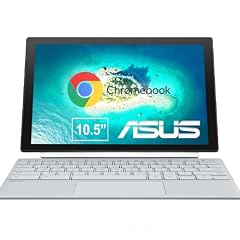
ASUS Chromebook CM30 Detachable 10.5 Inch 2-in-1 Laptop and Tablet
- Screen size
- 11 in or less
- Memory
- 4 GB or less
- Storage
- 64 GB
- Touchscreen
- Yes
- 2-in-1
- Yes
This ASUS CM30 is a 10.5-inch detachable with a Full HD touchscreen and included stylus. It's built for note-taking and drawing, offering a unique value for creative users.
Pros
- 10.5-inch Full HD touchscreen
- Includes fast-charging stylus
- 64GB storage
- 2-in-1 design with detachable keyboard (not specified if included)
Cons
- Small screen size
- Only 4GB RAM
- No stated weight or battery capacity
Good fit if
- Students who take handwritten notes
- Digital artists on a budget
Skip if
- You prefer a full-size laptop keyboard
- You need more than 64GB of storage
Verdict: A creative-focused detachable with a stylus, ideal for drawing and note-taking.
Comparison table
| # | Chromebook | Screen size | Memory | Storage | Processor | Touchscreen | 2-in-1 |
|---|---|---|---|---|---|---|---|
| 1 | HP Chromebook 14 inch Laptop | 14 in | 6 to 8 GB | 128 GB | Intel N-series | not stated | not stated |
| 2 | Lenovo Chromebook m 14" | 14 in | 6 to 8 GB | 64 GB | MediaTek | not stated | not stated |
| 3 | Lenovo Chromebook 14 Touchscreen Laptop | not stated | not stated | 128 GB | MediaTek | Yes | not stated |
| 4 | ASUS Chromebook CM15 Laptop | 15 in or more | 4 GB or less | 64 GB | MediaTek | not stated | not stated |
| 5 | Samsung 14" Galaxy Chromebook Go Laptop PC Computer | 14 in | 4 GB or less | 64 GB | Intel Celeron or Pentium | not stated | not stated |
| 6 | Samsung Chromebook 4 Chrome OS 11.6" HD Intel Celeron Processor N4000 | 11 in or less | 4 GB or less | 32 GB or less | Intel Celeron or Pentium | not stated | not stated |
| 7 | Acer 2022 Chromebook 315 15.6" Full HD 1080p IPS Touchscreen Laptop PC | 15 in or more | 4 GB or less | 64 GB | Intel Celeron or Pentium | Yes | not stated |
| 8 | ASUS 14" Chromebook Portable Laptop | 14 in | 4 GB or less | 64 GB | MediaTek | not stated | not stated |
| 9 | Acer Chromebook 315 Laptop | 15 in or more | 4 GB or less | 128 GB | Intel Celeron or Pentium | not stated | not stated |
| 10 | ASUS Chromebook CX1 | 14 in | 4 GB or less | 64 GB | Intel Celeron or Pentium | not stated | not stated |
| 11 | Lenovo Ideapad 3 15.6" FHD Chromebook | 15 in or more | 4 GB or less | 64 GB | Intel Celeron or Pentium | not stated | not stated |
| 12 | SAMSUNG XE350XBA-K01US Chromebook 4 + Chrome OS 15.6" Full HD Intel | 15 in or more | 4 GB or less | 32 GB or less | Intel Celeron or Pentium | not stated | not stated |
| 13 | ASUS Chromebook CX1 | 15 in or more | 4 GB or less | 128 GB | Intel Celeron or Pentium | not stated | not stated |
| 14 | Lenovo Chromebook Duet | 11 in or less | 4 GB or less | 64 GB | MediaTek | not stated | Yes |
| 15 | ASUS Chromebook CM30 Detachable 10.5 Inch 2-in-1 Laptop and Tablet | 11 in or less | 4 GB or less | 64 GB | not stated | Yes | Yes |
How this list was made
We started with 87 Chromebooks priced under $300 from established brands. After removing near-duplicates and models with incomplete specifications, we selected 15 that cover the range of processors, memory, storage, display sizes, and form factors available. Each pick was chosen for a specific use case, from student laptops to 2-in-1s. All specifications come from the seller's product data and the maker's documentation. Prices are read live from the listing and change frequently; we did not test any of these machines.
Choosing the right one
Memory: 4GB vs 8GB
Most Chromebooks under $300 come with 4GB of RAM, which handles typical browsing and office apps. If you frequently keep many tabs open or use Android apps, consider spending a little more for 8GB. In this list, only two picks have 8GB: the HP Chromebook 14 (Intel N100) and the Lenovo Chromebook m 14. Both also offer higher-resolution displays, making them better for multitasking.
Storage: eMMC and capacity
Budget Chromebooks typically use eMMC storage, which is slower than SSD but fine for casual use. Capacity ranges from 32GB to 128GB. If you use cloud services like Google Drive, 32GB may suffice, but if you install many apps or work offline, opt for at least 64GB. Several picks offer 128GB, such as the Lenovo Chromebook 14 Touchscreen and the Acer Chromebook 315, which provide ample space for files and applications.
Processor families: Celeron vs MediaTek
Intel Celeron processors (N4000, N4020, N4500) are common and offer solid single-core performance for everyday tasks. Newer Intel N-series (like the N100 in our top pick) provide better efficiency. MediaTek Kompanio chips (520, 540) are ARM-based and excel in battery life and Android app compatibility. Both handle web browsing, streaming, and Google Workspace well, but Intel may have broader software support for Linux apps.
Display: resolution and size
HD (1366x768) is standard under $300, but Full HD (1920x1080) provides crisper text and more screen space. Larger 15.6-inch displays are great for watching videos, but they add weight. If portability matters, a 14-inch FHD model like the ASUS Chromebook CX1 offers a good compromise. Touchscreens are available on several picks, such as the Lenovo Chromebook 14 Touchscreen and the Acer Chromebook 315, which can be useful for note-taking or navigating Android apps.
Update support and longevity
ChromeOS devices receive automatic updates for 10 years from their platform release date, according to Google's Auto Update policy. When choosing a budget Chromebook, check the release date to ensure you get many years of security and feature updates. The Chromebook Plus program, available on some newer models, promises enhanced performance and AI features, but most budget models do not qualify for it, so focus on the specs that matter for your daily use.
Questions
Can a Chromebook under $300 handle Android apps?
Yes, most Chromebooks support Android apps from the Google Play Store. The performance depends on RAM and processor. For smooth multitasking, look for models with 8GB RAM and a newer processor like the Intel N100 or MediaTek Kompanio 540. All picks in this list run Android apps, but budget models with 4GB RAM may be limited to lighter games and productivity apps.
Is 4GB of RAM enough for a Chromebook in 2026?
For basic browsing, streaming, and using web apps, 4GB is sufficient. However, if you often have 20+ tabs open, use Google Meet, or run Android apps simultaneously, 8GB will provide a noticeably smoother experience. Only two models in our list offer 8GB: the HP Chromebook 14 and the Lenovo Chromebook m 14, both under $300.
How long will my Chromebook receive updates?
Google guarantees automatic updates for 10 years from the platform's release date. Most models released in the last few years will continue to receive security and feature updates well into the 2030s. To check your specific device, go to Settings, About ChromeOS, and look for the Automatic Update Expiration (AUE) date.
Can I use Linux apps on a budget Chromebook?
Yes, ChromeOS supports Linux for development tools and command-line apps. However, not all processors are equally compatible. Intel and AMD processors generally have the broadest support for Linux apps. MediaTek processors, while capable, may have some limitations. Before relying on Linux, check that your Chromebook supports it in Settings and that the necessary architecture is available.
Are touchscreen Chromebooks worth the extra cost?
Touchscreens are useful for note-taking, drawing, and using Android apps that are designed for touch. They also make the device feel more like a tablet. If you primarily type and use web apps, a touchscreen may not be necessary, and a non-touch model can be lighter and more battery-efficient. All touchscreen picks in this list are under $300, so the premium is minimal, but we still recommend weighing your usage habits.
What changed
- : First published.