
Best 12 to 13 Inch Chromebooks in 2026: 12 Picks Compared on Specs
The Samsung Galaxy Chromebook stands out as the most powerful choice in this roundup, with an Intel Core processor, 8GB of RAM, and a 4K AMOLED display. To build this list, we compared 12 Chromebooks with screens between 12 and 13 inches from the current catalogue, looking at processors, memory, storage, and design features. Prices are live from the store listing, so they stay current.
12 picks from 1 Chromebooks that match this guide with a price we can quote today, made by 6 makers. Each price below is read live and stamped with the time it was read.
The short list
Who each pick suits
- For students on a budget: These Chromebooks handle writing, research, and video calls without breaking the bank. Look for at least 4GB of RAM and a touchscreen for classwork. See pick 10
- For frequent travelers: If you carry your Chromebook everywhere, a detachable design like the IdeaPad Duet 5 is light and easy to pack, with an OLED display that is great for movies. See pick 9
- For creative professionals: For editing photos or running Android apps side by side, the Galaxy Chromebook's 8GB of RAM and 256GB of storage give you room to work. See pick 1
- For classrooms: Schools often prefer rugged convertibles with touchscreens; the Lenovo 500e Gen 5 has a 12.2-inch display and 64GB of storage for assignments. See pick 5
The 12 picks, one by one
1 Best overall

SAMSUNG 13.3" Galaxy Chromebook Laptop Computer w/ 256GB Storage
- Screen size
- 12 to 13 in
- Memory
- 6 to 8 GB
- Storage
- 256 GB
- Processor
- Intel Core
- Touchscreen
- Yes
The Galaxy Chromebook is the most powerful pick here, with an Intel Core processor, 8GB of RAM, 256GB of storage, and a 4K AMOLED touch display. No other model comes close to its combination of CPU power and storage capacity.
Pros
- 8GB RAM, the most in this list
- 256GB storage, the most in this list
- 4K AMOLED touch display
- Intel Core processor
Cons
- Not a convertible design
- Likely heavier than smaller 12.2-inch models
Good fit if
- Creative users who edit photos or videos
- People who keep many tabs and Android apps open
Skip if
- You prefer a 2-in-1 for tent or tablet mode
- You are on a tight budget
Verdict: If you need maximum performance in a 13.3-inch chassis, the Galaxy Chromebook is the clear choice.
2 Best Intel N-series convertible
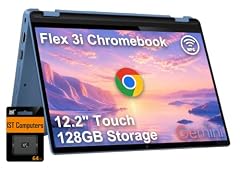
Lenovo IdeaPad Flex 3i Chromebook 12.2" 2-in-1 Laptop
- Screen size
- 12 to 13 in
- Memory
- 4 GB or less
- Processor
- Intel N-series
- 2-in-1
- Yes
The IdeaPad Flex 3i uses the modern Intel N100 processor, which is efficient for everyday tasks, and it comes as a 12.2-inch 2-in-1 with a touchscreen. It is a solid pick for students who want a current chip in a flexible form.
Pros
- Intel N100 processor is newer than Celeron alternatives
- 12.2-inch touchscreen convertible
- DDR5 RAM support mentioned in the listing
Cons
- 4GB RAM is the minimum for today's apps
- Storage capacity is not stated by the seller
Good fit if
- Budget-conscious students
- Users who want a responsive everyday web browser
Skip if
- You need more than 4GB for heavy multitasking
- You require a known amount of local storage
Verdict: The Flex 3i offers a good balance of modern processor and 2-in-1 flexibility at a reasonable size.
3 Best Celeron convertible

Samsung Chromebook Plus V2 360
- Screen size
- 12 to 13 in
- Processor
- Intel Celeron or Pentium
- 2-in-1
- Yes
This Samsung Chromebook Plus V2 360 provides a 12.2-inch 2-in-1 design with an Intel Celeron 3965Y, making it a basic but dependable option for web-based work. It is a straightforward convertible without unnecessary extras.
Pros
- Convertible design for tablet and tent modes
- 12.2-inch screen size fits the compact category
- Intel Celeron processor handles basic tasks
Cons
- RAM amount not stated by the seller
- Storage capacity not stated by the seller
- Celeron is a low-power chip
Good fit if
- Users who want a simple convertible for browsing
- Those who prefer a mainstream Samsung design
Skip if
- You need a known amount of RAM or storage
- You plan to run many Android apps
Verdict: The Plus V2 360 is a fine entry-level convertible if you can find the full spec sheet elsewhere.
4 Best classic 13.3-inch convertible

acer Chromebook R 13 Convertible
- Screen size
- 12 to 13 in
- Memory
- 4 GB or less
- Storage
- 32 GB or less
- Processor
- MediaTek
- Touchscreen
- Yes
- 2-in-1
- Yes
$354.99 price as of 2026-10-09 05:24 UTC (Details)
The Acer Chromebook R 13 offers a 13.3-inch Full HD touchscreen in a 360-degree hinge, a design that has been popular for years. Its MediaTek processor and 4GB of RAM keep it affordable for media consumption.
Pros
- 13.3-inch Full HD touchscreen
- 360-degree convertible hinge
- 4GB RAM is stated and adequate for basic use
Cons
- 32GB storage is on the lower side
- MediaTek MT8173C is an older chip
Good fit if
- Media viewers who want a large touchscreen
- Users who prefer a traditional laptop look
Skip if
- You need more than 32GB of local storage
- You want a modern fast processor
Verdict: The R 13 is a reliable, time-tested convertible for those who prioritize a big display over raw speed.
5 Best for education

Lenovo Chromebook 500e Gen 5 M89 83TA0005US 12.2" Touchscreen
- Screen size
- 12 to 13 in
- Storage
- 64 GB
- Processor
- MediaTek
- Touchscreen
- Yes
- 2-in-1
- Yes
The Lenovo 500e Gen 5 is built for school environments, with a 12.2-inch touchscreen, 64GB of storage, and a ruggedized design indicated by its 500e naming. It is a practical choice for classrooms that need durability and enough space for offline work.
Pros
- 64GB storage for class files and apps
- 12.2-inch touchscreen with 60 Hz refresh rate
- Convertible design suits note-taking and presentations
Cons
- RAM amount not stated by the seller
- MediaTek processor is not the fastest in this list
Good fit if
- Students who need a durable convertible
- Schools deploying a fleet of Chromebooks
Skip if
- You need more than 64GB for large media files
- You require a high-performance CPU for coding
Verdict: For education settings, the 500e Gen 5 delivers a balance of storage, touch, and portability.
6 Best for video calls

Samsung Chromebook Plus V2 360 2-in-1 Laptop w/Dual Webcam
- Screen size
- 12 to 13 in
- Memory
- 4 GB or less
- Storage
- 64 GB
- Processor
- Intel Celeron or Pentium
- Touchscreen
- Yes
- 2-in-1
- Yes
- For students
- Yes
This Samsung Chromebook Plus V2 360 includes a dual webcam setup, a feature that stands out for online meetings and remote learning. With 4GB RAM and 64GB storage, it covers most communication tasks well.
Pros
- Dual webcam for better video conferencing
- 12.2-inch FHD+ touchscreen
- 64GB storage and 4GB RAM are clearly stated
Cons
- Intel Celeron 3965Y is a basic processor
- 4GB RAM may limit heavy multitasking
Good fit if
- Remote workers who spend hours on video calls
- Students attending online classes
Skip if
- You prefer a more powerful processor
- You do not need the dual camera feature
Verdict: If video calls are a priority, the dual webcam makes this Samsung a standout choice.
7 Best for touch-based learning

Lenovo 500e Yoga Chromebook Gen 4 82W40009US 12.2" Touchscreen
- Screen size
- 12 to 13 in
- Storage
- 32 GB or less
- Processor
- Intel N-series
- Touchscreen
- Yes
- 2-in-1
- Yes
The Lenovo 500e Yoga Chromebook Gen 4 pairs a 12.2-inch touchscreen with a 1920x1200 resolution and a convertible design, making it ideal for interactive lessons and note-taking. Its Intel N-series processor is a good fit for education apps.
Pros
- 12.2-inch touchscreen with 1920x1200 resolution
- Intel N-series processor
- Convertible form factor for tent and tablet modes
Cons
- 32GB storage is limited
- RAM amount not stated by the seller
Good fit if
- Students who take handwritten notes
- Teachers who present interactive lessons
Skip if
- You need more than 32GB of local storage
- You require a stated RAM amount for specific apps
Verdict: The 500e Yoga is a well-rounded convertible for classrooms that value touch input and a crisp display.
8 Best 16:10 display

Samsung Chromebook Plus V2 2-in-1 Laptop- 4GB RAM
- Screen size
- 12 to 13 in
- Memory
- 4 GB or less
- Storage
- 64 GB
- 2-in-1
- Yes
This Samsung Chromebook Plus V2 features a 12.2-inch display with a 16:10 aspect ratio, which gives you more vertical space for documents and web pages. With 4GB RAM and 64GB storage, it is a practical everyday machine.
Pros
- 16:10 aspect ratio is great for reading and writing
- 64GB storage for apps and offline files
- 4GB RAM is stated
Cons
- CPU not stated by the seller
- Touchscreen capability not stated, despite the 2-in-1 label
Good fit if
- Writers who want more lines of text on screen
- Users who store a moderate amount of local files
Skip if
- You need a known processor model
- You rely on touch input
Verdict: The 16:10 screen makes this Chromebook a productive choice for document-heavy work.
9 Best detachable with OLED display

Lenovo 82QS0000US
- Screen size
- 12 to 13 in
- Memory
- 4 GB or less
- Storage
- 64 GB
- Processor
- Qualcomm
- Touchscreen
- Yes
The IdeaPad Duet 5 is the only detachable in this list, featuring a 13.3-inch OLED touch display and a Snapdragon processor. Its lightweight, keyboard-free design is perfect for travelers who want a premium screen for media.
Pros
- 13.3-inch OLED display for deep blacks
- Detachable design reduces bulk
- 64GB storage and 4GB RAM are stated
Cons
- Snapdragon SC7180 is not as fast as Intel Core
- Detachable keyboard may need separate purchase
Good fit if
- Frequent flyers who watch movies on a vibrant screen
- Users who prefer a tablet-like experience
Skip if
- You need a traditional clamshell laptop feel
- You require Windows app compatibility
Verdict: For a portable media device, the Duet 5's OLED panel makes it a standout choice.
10 Best for business and students
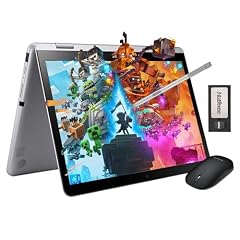
Samsung 12.2" FHD 2-in-1 Touchscreen Chromebook Plus Laptop
- Screen size
- 12 to 13 in
- Memory
- 4 GB or less
- Storage
- 64 GB
- Touchscreen
- Yes
- 2-in-1
- Yes
- Chromebook Plus
- Yes
- For students
- Yes
- For business
- Yes
This Samsung model is explicitly marketed for business and student use, with a 12.2-inch FHD touchscreen, 64GB storage, and 4GB RAM. It also includes a plus designation, which may indicate features aligned with Chromebook Plus, though it does not meet the full 8GB/128GB threshold.
Pros
- 12.2-inch FHD touchscreen
- 64GB storage and 4GB RAM are clearly stated
- Convertible design with business and student use cases
Cons
- CPU not stated by the seller
- 4GB RAM is on the lower end for multitasking
Good fit if
- Professionals who need a reliable 2-in-1 for meetings
- Students who want a device that handles schoolwork
Skip if
- You need a known processor for compatibility
- You plan to run heavy Linux containers
Verdict: A well-rounded convertible that meets the needs of both office and classroom users.
11 Best for basic tasks
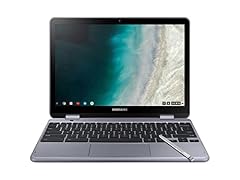
Samsung - Plus 2-in-1 12.2" Touch-Screen Chromebook
- Screen size
- 12 to 13 in
- Memory
- 4 GB or less
- Storage
- 32 GB or less
- Processor
- Intel Celeron or Pentium
- Touchscreen
- Yes
- 2-in-1
- Yes
The Samsung Plus 2-in-1 12.2 offers a touchscreen convertible at the low end of the spec range, with 4GB RAM and 32GB storage. It is simple and sufficient for web browsing, email, and lightweight Google Docs work.
Pros
- 12.2-inch touchscreen
- 32GB storage is enough for basic cloud use
- 4GB RAM is stated
Cons
- Intel Celeron is a basic processor
- 32GB storage may fill quickly with apps
Good fit if
- Users who need a simple secondary laptop
- People who mostly work in the browser
Skip if
- You install many Android apps
- You want to keep large downloaded files
Verdict: This is a no-frills Chromebook for users who just need to get online.
12 Best basic convertible

Samsung Chromebook Plus V2
- Screen size
- 12 to 13 in
- Memory
- 4 GB or less
- Storage
- 32 GB or less
- 2-in-1
- Yes
This Samsung Chromebook Plus V2 is a straightforward 2-in-1 with a 12.2-inch display, 4GB RAM, and 32GB storage. It covers the essentials without extra features, making it easy to understand and use.
Pros
- 12.2-inch display with 16:10 aspect ratio
- Convertible design
- RAM and storage amounts are stated
Cons
- CPU not stated by the seller
- 32GB storage is minimal
Good fit if
- Users who want a simple, reliable convertible
- Those who store little locally
Skip if
- You need more storage for media
- You require a known processor
Verdict: If you want a no-nonsense 2-in-1 with clear specs, this Samsung is a fine pick.
Comparison table
| # | Chromebook | Screen size | Memory | Storage | Processor | Touchscreen | 2-in-1 |
|---|---|---|---|---|---|---|---|
| 1 | SAMSUNG 13.3" Galaxy Chromebook Laptop Computer w/ 256GB Storage | 12 to 13 in | 6 to 8 GB | 256 GB | Intel Core | Yes | not stated |
| 2 | Lenovo IdeaPad Flex 3i Chromebook 12.2" 2-in-1 Laptop | 12 to 13 in | 4 GB or less | not stated | Intel N-series | not stated | Yes |
| 3 | Samsung Chromebook Plus V2 360 | 12 to 13 in | not stated | not stated | Intel Celeron or Pentium | not stated | Yes |
| 4 | acer Chromebook R 13 Convertible | 12 to 13 in | 4 GB or less | 32 GB or less | MediaTek | Yes | Yes |
| 5 | Lenovo Chromebook 500e Gen 5 M89 83TA0005US 12.2" Touchscreen | 12 to 13 in | not stated | 64 GB | MediaTek | Yes | Yes |
| 6 | Samsung Chromebook Plus V2 360 2-in-1 Laptop w/Dual Webcam | 12 to 13 in | 4 GB or less | 64 GB | Intel Celeron or Pentium | Yes | Yes |
| 7 | Lenovo 500e Yoga Chromebook Gen 4 82W40009US 12.2" Touchscreen | 12 to 13 in | not stated | 32 GB or less | Intel N-series | Yes | Yes |
| 8 | Samsung Chromebook Plus V2 2-in-1 Laptop- 4GB RAM | 12 to 13 in | 4 GB or less | 64 GB | not stated | not stated | Yes |
| 9 | Lenovo 82QS0000US | 12 to 13 in | 4 GB or less | 64 GB | Qualcomm | Yes | not stated |
| 10 | Samsung 12.2" FHD 2-in-1 Touchscreen Chromebook Plus Laptop | 12 to 13 in | 4 GB or less | 64 GB | not stated | Yes | Yes |
| 11 | Samsung - Plus 2-in-1 12.2" Touch-Screen Chromebook | 12 to 13 in | 4 GB or less | 32 GB or less | Intel Celeron or Pentium | Yes | Yes |
| 12 | Samsung Chromebook Plus V2 | 12 to 13 in | 4 GB or less | 32 GB or less | not stated | not stated | Yes |
How this list was made
We started with a pool of 12 Chromebooks with screens between 12 and 13 inches from major manufacturers. We sorted out models with outdated processors or too little storage for common use, and then compared the stated specifications: CPU family, RAM, storage, touch support, and convertible design. We also considered Google's Chromebook Plus program and the 10-year update policy, which applies to models released from 2021 onward. No device was tested by our team; all picks are based on the manufacturer and seller provided specifications and the ChromeOS platform documentation. Prices on the page are live and read directly from the store listing, so we avoid price comparisons in the text.
Choosing the right one
Screen size and resolution
The 12- to 13-inch range is ideal for ultralight travel and tight desk spaces. Check the resolution: Full HD (1920x1080) is sharp for everyday work, while higher resolutions like the Galaxy's 4K AMOLED are crisper for media. Some models, like the Duet 5, use OLED for deep blacks and vibrant colors.
Processor generations matter
The processor determines how smoothly ChromeOS runs. Newer Intel N-series chips are efficient for basic tasks, while Intel Core and some Qualcomm Snapdragon models handle more demanding apps. The older Celeron chips in some picks are fine for web browsing but may lag with many tabs or Android games.
RAM and storage: how much is enough
For a Chromebook, 4GB of RAM is the minimum for today's web apps; 8GB is better if you keep dozens of tabs open or use Android apps. Storage is mostly local caching for files that live in the cloud, but built-in storage matters for offline access. We recommend at least 64GB if you install many apps.
The 10-year update promise
Google states that Chromebooks released from 2021 onward receive automatic updates for 10 years from the platform release date. This means your 12- to 13-inch Chromebook stays secure with the latest features for a long time. Before buying, check the model's Auto Update Expiration date for older inventory.
What is Chromebook Plus?
Chromebook Plus devices meet higher hardware standards, including at least 8GB of RAM and 128GB of storage. They come with built-in AI tools from Google. None of the picks in this list are Chromebook Plus models, but you can compare their specs against those thresholds to see how they stack up.
Convertible or traditional laptop?
Most of our picks are convertibles that fold back into a tablet or tent mode. This gives you touch input and easier viewing on a plane. If you never plan to use touch, a clamshell may be lighter, but only one pick here is a clamshell (the Galaxy Chromebook). Weigh how often you will use the touchscreen.
Questions
How much RAM do I need in a 12- to 13-inch Chromebook?
For basic web browsing and Google Docs, 4GB is enough. If you often have dozens of tabs open or use Android apps, 8GB is much smoother. The picks here range from 4GB to 8GB. Check your own usage and lean toward 8GB if you multitask heavily.
Do all Chromebooks get updates for 10 years?
Models released in 2021 or later receive 10 years of automatic updates from the platform release date, according to Google's Auto Update policy. Older devices may have shorter support. Before buying, verify the Auto Update Expiration date for the specific model.
What is the best 12- to 13-inch Chromebook for a student?
For most students, a convertible like the Lenovo 500e Gen 5 balances a durable design, touch input, and adequate storage. Look for at least 4GB of RAM and 64GB of storage if you need offline work. Alternatively, the Samsung 12.2-inch model for business and students is a reliable choice.
Is a 12-inch Chromebook too small for productivity?
Not necessarily. The extra vertical space from a 16:10 aspect ratio helps with documents, and a 1080p resolution is sharp enough for most tasks. If you plan to do image editing or want a larger canvas, a 13.3-inch model like the Galaxy Chromebook gives you more room.
What changed
- : First published.