
Best Lenovo Chromebooks in 2026: 13 Picks Compared on Specs
The Lenovo Flex 5i Chromebook Plus is the strongest all-round 2-in-1, pairing an Intel Core i5-1334U with 8GB of RAM, 256GB of storage, a 14-inch touchscreen, and Chromebook Plus AI features. Lenovo spans the entire range, from 11-inch student clamshells to 15.3-inch Plus laptops. To build this guide we compared 34 distinct Lenovo models from the catalogue, focusing on processor, memory, display, storage, and form factor. The prices on the page are live from the listing.
13 picks from 0 Chromebooks that match this guide with a price we can quote today, made by 6 makers. Each price below is read live and stamped with the time it was read.
The short list
Who each pick suits
- For students who need a durable convertible: A rugged 11.6-inch 2-in-1 with a touchscreen and a spill-resistant keyboard, ideal for classroom use and note-taking. See pick 8
- For multitaskers who want AI features: A Chromebook Plus with 8GB RAM and 256GB storage, capable of handling many browser tabs and Gemini-powered tools. See pick 1
- For tablet-first users: A compact 11-inch detachable with 8GB RAM and 256GB storage, all in a lightweight tablet body with a kickstand. See pick 5
- For budget-conscious shoppers: A basic 14-inch clamshell with a touchscreen, enough for web browsing, email, and Google Docs at a low entry point. See pick 4
The 13 picks, one by one
1 Best overall

Lenovo Flex 5i Chromebook Plus 14" WUXGA Touchscreen 2-in-1 Laptop
- Screen size
- 14 in
- Memory
- 6 to 8 GB
- Storage
- 256 GB
- Processor
- Intel Core
- Touchscreen
- Yes
- 2-in-1
- Yes
- Chromebook Plus
- Yes
This is the most complete Lenovo Chromebook in the list: an Intel Core i5-1334U processor, 8GB RAM, 256GB storage, a 14-inch WUXGA touchscreen, and a convertible design. It is also a Chromebook Plus model, which means it meets Google's minimum hardware requirements for AI features and enhanced performance. No other pick here combines this processor class with this much storage.
Pros
- Intel Core i5-1334U, the highest CPU class in this list
- 8GB RAM, tied for the highest memory among picks
- 256GB storage, tied for the most in this list
- Touchscreen and convertible 2-in-1 form
Cons
- Weight and battery life not stated by the seller
- Only 8GB of RAM, not sufficient for heavy Linux or Android workloads
Good fit if
- Users who want a powerful Chromebook Plus with AI capabilities
- Those who need a convertible laptop for both work and entertainment
Skip if
- You need a laptop with a larger than 14-inch display
- You plan to run many Linux virtual machines or heavy local apps
Verdict: The best overall Lenovo Chromebook for most people, thanks to its balanced specs and Chromebook Plus features.
2 Best large screen

Lenovo Chromebook Plus 15.3" 2K Touchscreen Laptop
- Screen size
- 15 in or more
- Memory
- 6 to 8 GB
- Storage
- 128 GB
- Processor
- Intel Core
- Touchscreen
- Yes
- Chromebook Plus
- Yes
This 15.3-inch Chromebook Plus has a 2K touchscreen, 8GB RAM, and 128GB storage, with an Intel Core 3 N355. The 2K resolution is the highest here along with the other 15.3-inch Plus model, and the generous screen makes it a good choice for split-screen work or media consumption.
Pros
- 15.3-inch 2K touchscreen, one of the highest resolutions in this list
- 8GB RAM, matching the highest memory available
- Chromebook Plus with AI features and Google-exclusive perks
Cons
- Storage is 128GB, less than the 256GB on the top pick
- Weight and battery life not stated by the seller
Good fit if
- Users who prioritize a large, high-resolution screen
- Those who want a Chromebook Plus with a more spacious display
Skip if
- You need a portable laptop for frequent travel
- You plan to store large local files without cloud storage
Verdict: A solid large-screen Chromebook Plus that excels at multitasking and media, though it trades storage for screen size.
3 Best for business

Lenovo Chromebook Plus Laptop for Business & Student
- Screen size
- 15 in or more
- Memory
- 6 to 8 GB
- Storage
- 128 GB
- Processor
- Intel Core
- Touchscreen
- Yes
- Chromebook Plus
- Yes
- For students
- Yes
- For business
- Yes
This 15-inch Chromebook Plus comes with 8GB RAM, 128GB storage, and an Intel Core 3 N355, plus a touchscreen. It shares the same core specs as the other N355 Plus model but is positioned for business and student use, with features like a full HD display and a more traditional clamshell design.
Pros
- 8GB RAM, matching the highest memory in this list
- Touchscreen display
- Chromebook Plus, suitable for business use with cloud-based apps
Cons
- Storage is 128GB, not the largest available
- No convertible design, so it can't be used as a tablet
Good fit if
- Professionals who need a reliable clamshell Chromebook for productivity
- Users who prefer a traditional laptop over a 2-in-1
Skip if
- You want a tablet-style Chromebook with a kickstand
- You need more than 128GB of local storage
Verdict: A dependable, straightforward Chromebook Plus for business and education, with the specs most users need.
4 Best entry-level 14-inch
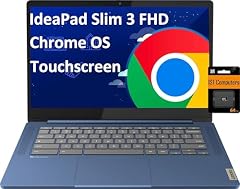
Lenovo IdeaPad Slim 3 14" Chromebook Laptop
- Screen size
- 14 in
- Memory
- 4 GB or less
- Storage
- 64 GB
- Processor
- MediaTek
- Touchscreen
- Yes
This 14-inch clamshell is a basic but capable Chromebook with a MediaTek Kompanio 520 processor, 4GB RAM, and 64GB storage, plus a touchscreen. It keeps the price low while still offering a touch display, which many similar budget models lack.
Pros
- Touchscreen display, uncommon at this entry level
- 64GB storage, more than the 32GB found on some budget models
- Lightweight design (though exact weight not stated)
Cons
- 4GB RAM is on the low side for multitasking
- MediaTek Kompanio 520 is not a performance CPU
- Storage is not stated by the seller but listed as 64GB in specs
Good fit if
- Students or casual users who need a basic Chromebook for web and docs
- Those on a tight budget who still want a touchscreen
Skip if
- You plan to run many Android apps or Linux programs
- You need more than 64GB of storage without cloud expansion
Verdict: A budget-friendly 14-inch Chromebook with a touchscreen, perfect for light everyday use.
5 Best tablet
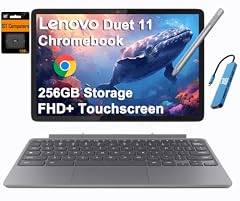
Lenovo Chromebook Duet Gen 9 11" Tablet
- Screen size
- 11 in or less
- Memory
- 6 to 8 GB
- Storage
- 256 GB
- 2-in-1
- Yes
This 11-inch detachable Chromebook has 8GB RAM and 256GB storage, making it one of the best-specified compact devices here. Its tablet form with an optional keyboard (not stated) makes it a portable choice, and the generous RAM and storage set it apart from other small Chromebooks.
Pros
- 8GB RAM, matching the highest memory in this list
- 256GB storage, tied for the most in this list
- Lightweight tablet design (weight not stated)
Cons
- CPU is not stated by the seller
- 11-inch screen is smaller than most laptops
- No built-in USB-A ports likely (not confirmed)
Good fit if
- Users who prefer a tablet form with a detachable keyboard
- Those who want a portable device for note-taking and streaming
Skip if
- You need a large screen for desktop work
- You plan to do heavy gaming or video editing
Verdict: The best tablet-style Chromebook in this list, offering strong specs in a small package.
6 Best OLED display

Lenovo 82QS0000US
- Screen size
- 12 to 13 in
- Memory
- 4 GB or less
- Storage
- 64 GB
- Processor
- Qualcomm
- Touchscreen
- Yes
This 13.3-inch detachable has an OLED touchscreen, the only OLED panel among the picks. With a Qualcomm Snapdragon SC7180 processor and 4GB RAM, we set it apart for its display quality, which is ideal for movie watching and photo editing.
Pros
- 13.3-inch OLED touchscreen, the only OLED in this list
- Snapdragon SC7180, a capable ARM chip for basic tasks
- Detachable design with a kickstand (included per listing)
Cons
- 4GB RAM is the minimum in this list
- 64GB storage is relatively limited
- CPU may not support heavy x86 workloads
Good fit if
- Users who prioritize screen quality over performance
- Those who want a tablet for media and light productivity
Skip if
- You need to run many Chrome extensions or Android games
- You plan to use Linux frequently
Verdict: A great choice for display enthusiasts, but its RAM and storage hold it back for power users.
7 Best compact 2-in-1
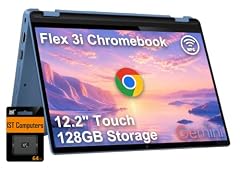
Lenovo IdeaPad Flex 3i Chromebook 12.2" 2-in-1 Laptop
- Screen size
- 12 to 13 in
- Memory
- 4 GB or less
- Processor
- Intel N-series
- 2-in-1
- Yes
This 12.2-inch convertible Chromebook with an Intel N100 processor and 4GB RAM is a compact and affordable 2-in-1. Its small size makes it easy to carry, and the touchscreen adds versatility for notes and presentations.
Pros
- 12.2-inch size is among the smallest in this list
- Intel N100 is a respectable entry-level CPU
- Convertible design with a 360-degree hinge
Cons
- 4GB RAM, the minimum we recommend
- Storage is not stated by the seller
- No information about display resolution
Good fit if
- Students who want a lightweight convertible
- Users who need a compact second Chromebook
Skip if
- You need a larger screen for productivity
- You plan to store many files locally
Verdict: A portable and flexible 2-in-1, though you'll want to rely on cloud storage.
8 Best for classrooms

Lenovo 500e Yoga Chromebook Gen 4 82W40009US 12.2" Touchscreen
- Screen size
- 12 to 13 in
- Storage
- 32 GB or less
- Processor
- Intel N-series
- Touchscreen
- Yes
- 2-in-1
- Yes
This 12.2-inch convertible Chromebook has an Intel N-series processor, a touchscreen, and a rugged design, making it a strong pick for education. Its 32GB storage is minimal, but the form factor and durability (per Lenovo's education positioning) suit school environments.
Pros
- Rugged design for student use (per Lenovo's education line)
- Convertible 2-in-1 form
- Touchscreen display
Cons
- 32GB storage, the smallest in this list
- RAM is not stated by the seller
- Only 12.2-inch screen, not ideal for desktop work
Good fit if
- Schools or students looking for a durable Chromebook
- Users who need a compact, touchscreen convertible
Skip if
- You need more than 32GB of local storage
- You plan to run heavy applications
Verdict: A durable education-focused Chromebook, but its low storage limits its everyday usefulness.
9 Best student laptop

Lenovo 500e Chromebook Gen 4s 83N8000GUS 11.6" Touchscreen Chromebook
- Screen size
- 11 in or less
- Storage
- 64 GB
- Processor
- Intel N-series
- Touchscreen
- Yes
This 11.6-inch Chromebook has 8GB RAM and 64GB storage, with an Intel N150 processor. It's a step up from typical education Chromebooks because of the higher RAM, which helps with multitasking during online classes.
Pros
- 8GB RAM, matching the highest memory in this list
- 64GB storage, adequate for school work
- Intel N150 is a modern entry-level CPU
Cons
- 11.6-inch screen is small
- Weight and battery life not stated by the seller
Good fit if
- Students who need a reliable Chromebook for online learning
- Those who want the extra RAM for smoother performance
Skip if
- You need a larger screen for spreadsheet work
- You plan to play graphics-intensive games
Verdict: A solid, no-frills student Chromebook with generous memory for the price.
10 Best 15-inch for everyday
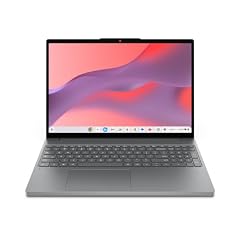
Lenovo Chromebook m 15"
- Screen size
- 15 in or more
- Memory
- 6 to 8 GB
- Storage
- 128 GB
- Processor
- MediaTek
This 15.3-inch clamshell with a MediaTek Kompanio 540 CPU, 8GB RAM, and 128GB storage offers a large screen and solid specs for everyday tasks. It's a good middle ground between budget and performance, with more RAM than many entry-level models.
Pros
- 15.3-inch display, one of the largest in this list
- 8GB RAM, tied for the highest memory
- 128GB storage, above average for this size
Cons
- MediaTek Kompanio 540 is not a performance CPU
- No touchscreen option (not stated in specs)
- Weight not stated by the seller
Good fit if
- Users who want a large screen at a reasonable price
- Those who need a basic laptop for web and document work
Skip if
- You need a touchscreen for interactive use
- You plan to do heavy video editing or gaming
Verdict: A roomy everyday Chromebook that balances size, memory, and storage.
11 Best basic touchscreen

This 14-inch touchscreen Chromebook with a MediaTek Kompanio 520, 4GB RAM, and 128GB storage is a simple, affordable option that still offers a touch display and ample storage for its class. It's a good pick for those who want a touchscreen without paying extra for a 2-in-1.
Pros
- 14-inch touchscreen display
- 128GB storage, more than most budget models
- Simple clamshell design, easy to use
Cons
- 4GB RAM, the minimum for ChromeOS today
- MediaTek Kompanio 520 is entry-level
- Screen resolution not stated
Good fit if
- Users who want a touchscreen on a budget
- Those who need a basic Chromebook for web and email
Skip if
- You need a convertible or tablet mode
- You plan to multitask heavily
Verdict: An economical touchscreen Chromebook with solid storage for basic tasks.
12 Best simple 15-inch
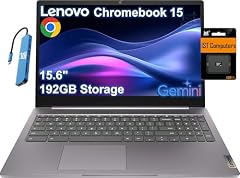
Lenovo IdeaPad 3i Chromebook 15 Laptop
- Screen size
- 15 in or more
- Processor
- Intel Celeron or Pentium
This 15.6-inch Chromebook with a Celeron N4500 and 4GB RAM is a straightforward clamshell for basic use. It doesn't have a touchscreen, but it offers a full HD display and a large screen, making it good for spreadsheets and streaming.
Pros
- 15.6-inch full HD display (1920x1080 likely, not confirmed)
- Simple clamshell design
- Celeron N4500 is adequate for light tasks
Cons
- 4GB RAM, the minimum we recommend
- No touchscreen
- Storage not stated by the seller
Good fit if
- Users who need a large, no-frills laptop
- Those who don't care about touch input
Skip if
- You want a touchscreen or convertible
- You need more than 4GB of RAM for multitasking
Verdict: A dependable, basic 15.6-inch Chromebook for straightforward computing.
13 Best ultra-portable

Lenovo Chromebook 3 11 11.6" Laptop Computer for Business Student
- Screen size
- 11 in or less
- Memory
- 4 GB or less
- Storage
- 32 GB or less
- Processor
- AMD
- For students
- Yes
- For business
- Yes
This 11.6-inch Chromebook with an AMD A6-9220C and 4GB RAM is the most compact and lightweight option here. Its small size and low cost make it a good travel companion, though its 32GB storage is very limited.
Pros
- 11.6-inch screen, one of the smallest and lightest
- AMD A6-9220C, a capable entry-level CPU for basic tasks
- Compact clamshell design
Cons
- 32GB storage, the smallest in this list
- 4GB RAM is the minimum
- No touchscreen
Good fit if
- Travelers who need a small secondary Chromebook
- Users who primarily use cloud services
Skip if
- You need local storage for files or apps
- You prefer a larger screen
Verdict: A tiny, budget Chromebook best for cloud-based work on the go.
Comparison table
| # | Chromebook | Screen size | Memory | Storage | Processor | Touchscreen | 2-in-1 |
|---|---|---|---|---|---|---|---|
| 1 | Lenovo Flex 5i Chromebook Plus 14" WUXGA Touchscreen 2-in-1 Laptop | 14 in | 6 to 8 GB | 256 GB | Intel Core | Yes | Yes |
| 2 | Lenovo Chromebook Plus 15.3" 2K Touchscreen Laptop | 15 in or more | 6 to 8 GB | 128 GB | Intel Core | Yes | not stated |
| 3 | Lenovo Chromebook Plus Laptop for Business & Student | 15 in or more | 6 to 8 GB | 128 GB | Intel Core | Yes | not stated |
| 4 | Lenovo IdeaPad Slim 3 14" Chromebook Laptop | 14 in | 4 GB or less | 64 GB | MediaTek | Yes | not stated |
| 5 | Lenovo Chromebook Duet Gen 9 11" Tablet | 11 in or less | 6 to 8 GB | 256 GB | not stated | not stated | Yes |
| 6 | Lenovo 82QS0000US | 12 to 13 in | 4 GB or less | 64 GB | Qualcomm | Yes | not stated |
| 7 | Lenovo IdeaPad Flex 3i Chromebook 12.2" 2-in-1 Laptop | 12 to 13 in | 4 GB or less | not stated | Intel N-series | not stated | Yes |
| 8 | Lenovo 500e Yoga Chromebook Gen 4 82W40009US 12.2" Touchscreen | 12 to 13 in | not stated | 32 GB or less | Intel N-series | Yes | Yes |
| 9 | Lenovo 500e Chromebook Gen 4s 83N8000GUS 11.6" Touchscreen Chromebook | 11 in or less | not stated | 64 GB | Intel N-series | Yes | not stated |
| 10 | Lenovo Chromebook m 15" | 15 in or more | 6 to 8 GB | 128 GB | MediaTek | not stated | not stated |
| 11 | Lenovo Chromebook 14 Touchscreen Laptop | not stated | not stated | 128 GB | MediaTek | Yes | not stated |
| 12 | Lenovo IdeaPad 3i Chromebook 15 Laptop | 15 in or more | not stated | not stated | Intel Celeron or Pentium | not stated | not stated |
| 13 | Lenovo Chromebook 3 11 11.6" Laptop Computer for Business Student | 11 in or less | 4 GB or less | 32 GB or less | AMD | not stated | not stated |
How this list was made
The catalogue returned 43 Lenovo listings; after folding near-duplicates (same model in different colors or configurations), 34 distinct models remained. From those we shortlisted 13 that cover the breadth of Lenovo's Chromebook lineup: clamshells, 2-in-1s, detachables, and Chromebook Plus models, with varying screen sizes and performance tiers. We kept only one model per family line when two differed only by a bundled accessory or color. Selections are based on stated specifications from the seller and maker's published information; we did not test the devices. All prices shown are the current list prices from the store listing, read at the time the page was generated.
Choosing the right one
ChromeOS updates: check the auto update policy
Chromebooks receive automatic updates for 10 years from the platform release date, as stated in Google's Auto Update policy. When choosing a Lenovo Chromebook, consider how long the model will receive security and feature updates. Lenovo's product pages usually include the Auto Update Expiration (AUE) date, and you can check every model's schedule in the Chrome Enterprise support page. If you plan to keep a Chromebook for several years, pick a newer model with a longer support window. For example, budget models from 2023 will still be supported until 2033 or later.
Chromebook Plus: what it means
Chromebook Plus is a tier of Chromebooks that meet higher hardware requirements, as described on Google's Chromebook Plus page. They come with at least 8GB of RAM and 128GB of storage, and they include AI features like Gemini-integrated tools. If you want those extras, look for models labeled "Chromebook Plus" or "Plus" in the listing. Lenovo offers several Plus models, from the 14-inch Flex 5i to the 15.3-inch clamshell, so you can get the AI experience in different sizes and form factors.
RAM and storage: how much is enough?
For ChromeOS, 4GB of RAM is the minimum for basic web browsing and document editing, but 8GB is recommended if you plan to keep many tabs open, use Android apps, or run Linux tools. In this list, 8GB is the highest available, found on the Flex 5i Plus, Duet Gen 9, and a few others. Storage varies from 32GB to 256GB. If you rely on cloud storage, 64GB is adequate, but if you want to install apps or store files offline, 128GB or 256GB is better. Check the listing's storage figure, as some models may include an SD card slot for expansion.
Form factor: clamshell, 2-in-1, or detachable?
Clamshells are the simplest and often the lightest, but they lack touch input. 2-in-1s (convertibles) have hinges that fold back into tablet mode, giving you a touchscreen and stylus support for note-taking. Detachables, like the Chromebook Duet, have a removable keyboard and can be used as a standalone tablet, making them the most portable. Think about how you'll use the Chromebook: if you take notes in class, a 2-in-1 or detachable is handy; if you mostly type at a desk, a clamshell is fine. Lenovo covers all three form factors, so you can choose based on your daily habits.
Questions
What is the difference between a regular Chromebook and a Chromebook Plus?
Chromebook Plus is a Google-backed tier that guarantees at least 8GB of RAM and 128GB of storage, plus a modern processor. These devices get exclusive AI features like Gemini integration, Magic Eraser in Google Photos, and advanced video calling tools. If you want the latest AI capabilities, choose a Plus model. Regular Chromebooks still receive updates and can run most apps, but they may feel slower with many tabs open.
How long will my Lenovo Chromebook get updates?
Most Chromebooks released after 2021 receive automatic updates for 10 years from the platform's release date. You can check the specific Auto Update Expiration (AUE) date for your model in the Chrome Enterprise support page or in your Chromebook's settings under 'About ChromeOS'. For a long-term purchase, pick a recently released model with a later AUE, as older budget models may stop receiving them sooner.
Can I use Android apps and Linux on any Lenovo Chromebook?
Yes, all Lenovo Chromebooks in this list support Android apps from the Google Play Store, and most support Linux development environment (Crostini). To use Linux, you need enough RAM (8GB is recommended) and storage. The setup is straightforward: go to Settings > About ChromeOS > Developers, and enable Linux. Note that hardware acceleration and some USB devices are not yet fully supported in Linux on ChromeOS.
Which Lenovo Chromebook has the best display?
The IdeaPad Duet 5 has a 13.3-inch OLED touchscreen, which offers the best contrast and colors in this list. If you need a non-OLED screen, the Chromebook Plus 15.3-inch with a 2K resolution is also exceptional. For most users, the Flex 5i Plus's 14-inch WUXGA screen is bright and clear, and it's a great all-rounder with a 16:10 aspect ratio for productivity.
What changed
- : First published.