
Best Chromebooks for Business in 2026: 11 Picks Compared on Specs
HP Chromebook Plus x360 14 is our top pick for business: it pairs an Intel Core i3 processor, 8GB of RAM, 256GB of storage and a touchscreen 2-in-1 design with Chromebook Plus status, making it the strongest specification sheet in this group. This guide compares 11 business Chromebooks from Lenovo, HP, ASUS and Samsung on published specifications and catalogue entries. Prices are live and read from the store listing, and the picks are not based on using any of the units.
11 picks from 0 Chromebooks that match this guide with a price we can quote today, made by 6 makers. Each price below is read live and stamped with the time it was read.
The short list
Who each pick suits
- For one-person shops and light web work: If the day is mostly Docs, Sheets, email, and web apps, a 14-inch clamshell with a touchscreen and 4GB of RAM can be enough. Start with the Lenovo 14 Touchscreen and confirm the exact storage configuration before ordering. See pick 1
- For road warriors who want a small 2-in-1: A compact convertible fits in a bag and can switch to tablet mode for notes or client demos. The Samsung 12.2-inch 2-in-1 is the smallest Chromebook Plus in this pool, though its 4GB RAM and 64GB storage sit below the Plus baseline described by Google. See pick 4
- For managed fleets and heavier workloads: Choose the HP Chromebook Plus x360 14 if you need 8GB of RAM, a Core-class processor, and a touchscreen 2-in-1. It is the best candidate in this pool for use with ChromeOS Enterprise Upgrade and for larger tab and app workloads. See pick 6
The 11 picks, one by one
1 Best 14-inch clamshell with a touchscreen

Lenovo Chromebook 14" Touchscreen Slim Laptop Business Student
- Screen size
- 14 in
- Memory
- 4 GB or less
- Storage
- 64 GB
- Processor
- MediaTek
- Touchscreen
- Yes
- For students
- Yes
- For business
- Yes
This is the only 14-inch clamshell in the pool with a touchscreen, pairing an 8-core MediaTek Kompanio 520 processor with 4GB of RAM. It covers the common business pattern of web apps and video calls without adding a convertible hinge.
Pros
- 14-inch touchscreen in a traditional clamshell layout
- MediaTek Kompanio 520 8-core processor per the seller
- Listed for business and student use
Cons
- 4GB of RAM, the entry tier in this pool
- 64GB of storage in the structured spec
- Weight not stated by the seller
Good fit if
- Someone who wants a touchscreen without a convertible hinge
- Teams that stick to Google Workspace and web apps in a browser
Skip if
- You need 8GB of RAM for many browser tabs and local Android apps
- You plan to use a convertible for tablet-style meetings
Verdict: A reasonable touchscreen clamshell for everyday business work, as long as 4GB of RAM is enough for your workload.
2 Best entry-level 14-inch HP for web work

HP Chromebook 14" HD Laptop for Business & Students
- Screen size
- 14 in
- Memory
- 4 GB or less
- Storage
- 64 GB
- Processor
- Intel Celeron or Pentium
- For students
- Yes
- For business
- Yes
HP's Celeron N4120-based 14-inch model is listed for business and students and includes a stated 14-inch screen, which makes it easier to plan for than the ASUS CX14 listing. It is best for email, calendars, and browser-based document work.
Pros
- 14-inch HD screen from the seller's name
- Intel Celeron N4120 processor
- Listed for business and student use
Cons
- 4GB of RAM, the entry tier
- 64GB of storage in the structured spec
- HD resolution, not FHD, according to the seller's headline
Good fit if
- Users who work in a browser and do not need local application performance
- A first Chromebook for a small business or satellite office
Skip if
- You frequently multitask with more than a dozen tabs
- You want a touchscreen or a convertible design
Verdict: A dependable entry-level 14-inch Chromebook for browser-based office work.
3 Best simple Chromebook for browser-based tasks

ASUS CX14 Chromebook Laptop for Business & Student
- Processor
- Intel Celeron or Pentium
- For students
- Yes
- For business
- Yes
The CX14 is the leanest listing in the pool: the seller names an Intel Celeron N50 processor and business and student use cases but does not state RAM, storage, or screen size in the structured spec. It is an option for teams that buy after confirming details, not for anyone who needs guaranteed capacity.
Pros
- Intel Celeron N50 processor
- Listed for business and student use
- ASUS CX14 series name gives a model to search for more details
Cons
- RAM not stated by the seller
- Storage not stated by the seller
- Screen size not stated by the seller
Good fit if
- Buyers who will confirm the full configuration before ordering
- Light web and document workloads in a simple clamshell
Skip if
- You need a listed RAM or storage figure in the catalogue
- You need a specific screen size for your desk or bag
Verdict: Only useful for business once you confirm the missing specs with the seller.
4 Best compact 2-in-1 for travel
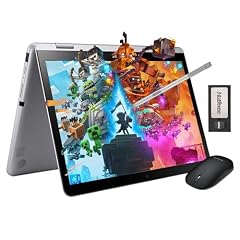
Samsung 12.2" FHD 2-in-1 Touchscreen Chromebook Plus Laptop
- Screen size
- 12 to 13 in
- Memory
- 4 GB or less
- Storage
- 64 GB
- Touchscreen
- Yes
- 2-in-1
- Yes
- Chromebook Plus
- Yes
- For students
- Yes
- For business
- Yes
Samsung's 12.2-inch convertible is the smallest Chromebook Plus in the pool, with a touchscreen and a 2-in-1 design. Its 4GB RAM and 64GB storage are below the 8GB and 128GB baseline Google describes for Chromebook Plus, so weigh portability against capacity.
Pros
- 12-13 inch touchscreen convertible, the most compact in this pool
- Chromebook Plus name from the seller
- FHD display in the seller's headline
- 2-in-1 design for notes and presentations
Cons
- 4GB of RAM in the structured spec
- 64GB of storage in the structured spec
- Both fall below the Chromebook Plus baseline Google describes
Good fit if
- Travel-heavy workers who want a small convertible
- People who need a touchscreen for taking notes or sketching during meetings
Skip if
- You need 8GB of RAM or 128GB of storage from the spec field
- A 15-inch screen is more important than portability
Verdict: A compact 2-in-1 worth considering if your priority is size, not maximum RAM and storage.
5 Best 15.6-inch Lenovo clamshell

Lenovo Chromebook Premium 15.6" FHD Slim Light Laptop Computer Business
- Screen size
- 15 in or more
- Memory
- 4 GB or less
- Storage
- 64 GB
- Processor
- Intel Celeron or Pentium
- For students
- Yes
- For business
- Yes
Lenovo's Premium clamshell pairs a 15.6-inch FHD screen with an Intel Celeron N4500 and 4GB of RAM. It is one of four 15-inch-plus models in the pool and gives desk workers a large screen without a convertible hinge.
Pros
- 15.6-inch FHD screen from the seller's headline
- Intel Celeron N4500 processor
- Listed for business and student use
- Traditional clamshell form factor
Cons
- 4GB of RAM, the entry tier
- 64GB of storage in the structured spec
- No touchscreen
Good fit if
- Desk-based employees who prefer a large screen
- Businesses standardising on simple Lenovo clamshells
Skip if
- You need a touchscreen or convertible mode
- You plan heavy multitasking that needs more than 4GB of RAM
Verdict: A straightforward large-screen clamshell for document and web-based work.
6 Best overall

HP Chromebook Plus x360 Laptop 14" 2 in 1 Touchscreen Business Laptop
- Screen size
- 14 in
- Memory
- 6 to 8 GB
- Storage
- 256 GB
- Processor
- Intel Core
- Touchscreen
- Yes
- 2-in-1
- Yes
- Chromebook Plus
- Yes
- For students
- Yes
The strongest specification sheet in the pool combines an Intel Core i3 processor, 8GB of RAM, 256GB of UFS storage, and a 14-inch touchscreen 2-in-1 with Chromebook Plus status. It is the pick to start from for business buyers who want the most capacity and a Core-class machine in this catalogue.
Pros
- Intel Core i3 processor
- 8GB of RAM, the top tier in this pool
- 256GB of UFS storage, the largest structured storage figure here
- Chromebook Plus 2-in-1 with a 14-inch touchscreen
Cons
- 14-inch screen, smaller than the 15-inch models
- Battery life not stated by the seller
- No stylus mentioned in the listing
Good fit if
- Business users who keep many tabs, documents, and video calls open
- Teams that want a convertible for meetings and demos
Skip if
- You need the largest possible screen real estate
- You are buying only for occasional web email and already know entry-level will do
Verdict: The best all-round business Chromebook in this pool on specifications.
7 Best anti-glare 14-inch display

ASUS Chromebook Laptop Student Business 2024
- Screen size
- 14 in
- Memory
- 4 GB or less
- Storage
- 64 GB
- Processor
- MediaTek
- For students
- Yes
- For business
- Yes
ASUS lists a 14-inch FHD anti-glare panel and an 8-core MediaTek Kompanio 520 processor on this 2024 model. It shares the entry-level 4GB RAM tier with other clamshells, but the anti-glare display is distinctive for bright offices and meeting rooms.
Pros
- 14-inch FHD anti-glare display in the seller's name
- 8-core MediaTek Kompanio 520 processor
- Listed for business and student use
- 2024 model year in the seller's name
Cons
- 4GB of RAM, the entry tier
- 64GB of storage in the structured spec
- No touchscreen
Good fit if
- Workers in bright offices or near windows
- Users who want an ASUS 14-inch clamshell for web apps
Skip if
- You need a touchscreen
- You need a Core-class processor or 8GB of RAM
Verdict: A sensible 14-inch option when glare on a screen is a real problem.
8 Best 15.6-inch 2-in-1 with touch

Lenovo C340 15.6" FHD Touchscreen 2-in-1 Chromebook Laptop
- Screen size
- 15 in or more
- Memory
- 4 GB or less
- Storage
- 64 GB
- Processor
- Intel Core
- Touchscreen
- Yes
- 2-in-1
- Yes
- For business
- Yes
The C340 is the only pick with a 15.6-inch touchscreen convertible design and an Intel Core-class i3 processor named by the seller. It trades a large chassis for the most flexible form factor in this pool, though its 4GB RAM and 64GB storage sit low.
Pros
- 15.6-inch FHD touchscreen
- Convertible 2-in-1 design
- Intel Core i3-class processor per the seller
- USB-C connectivity in the seller's headline
Cons
- 4GB of RAM, the entry tier in this pool
- 64GB of storage
- Weight not stated by the seller
Good fit if
- People who want a large touchscreen and can fold the laptop for presentations
- Users who need a Core-class CPU without going up to an 8GB RAM model
Skip if
- You need more than 4GB of RAM for many apps
- You prefer a lighter 14-inch or smaller chassis
Verdict: The most flexible screen option here, but pair it with lighter workloads.
9 Best 15.6-inch FHD with 128GB storage
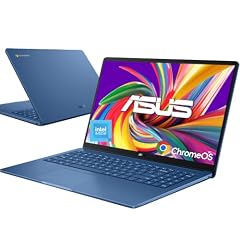
ASUS 15.6" FHD Chromebook
- Screen size
- 15 in or more
- Memory
- 4 GB or less
- Storage
- 128 GB
- Processor
- Intel Celeron or Pentium
- For students
- Yes
- For business
- Yes
ASUS pairs a 15.6-inch FHD screen with an Intel Celeron N50, 4GB of RAM, and 128GB of structured storage. In the pool it is the only 15-inch clamshell with a structured 128GB figure, giving more local room than the 64GB models for downloaded files and offline documents.
Pros
- 15.6-inch FHD display
- 128GB of storage in the structured spec, larger than the 64GB entries
- Intel Celeron N50 processor
- Seller advertises all-day battery life
Cons
- 4GB of RAM, the entry tier
- No touchscreen
- Battery claim is from the seller, not independently confirmed
Good fit if
- Users who download many files or work offline with cloud-synced folders
- Desk workers who want a big screen at the entry level
Skip if
- You need a convertible or touchscreen
- You are doing heavy multitasking that benefits from 8GB of RAM
Verdict: A large-screen clamshell with useful structured storage for browser-based work.
10 Best 11.6-inch compact clamshell

Lenovo Chromebook 3 11 11.6" Laptop Computer for Business Student
- Screen size
- 11 in or less
- Memory
- 4 GB or less
- Storage
- 32 GB or less
- Processor
- AMD
- For students
- Yes
- For business
- Yes
Lenovo's 11.6-inch model is the smallest screen in the pool and uses an AMD A6-9220C processor with 4GB of RAM. It is a bag-friendly choice for basic web work, but its 32GB-or-less storage is the smallest capacity in this article.
Pros
- 11.6-inch screen, the smallest and most portable in this pool
- AMD A6-9220C processor
- Listed for business and student use
- Clamshell design
Cons
- 32GB or less of storage, the smallest in this article
- 4GB of RAM
- Screen size is cramped for spreadsheets and side-by-side windows
Good fit if
- Someone who needs a very small secondary machine for travel
- Light users who mostly check email and calendars
Skip if
- You need to store large offline files
- Spreadsheets and multitasking are a daily part of your job
Verdict: Best treated as a compact companion Chromebook rather than a primary work machine.
11 Best large-screen Chromebook Plus

Lenovo Chromebook Plus Laptop for Business & Student
- Screen size
- 15 in or more
- Memory
- 6 to 8 GB
- Storage
- 128 GB
- Processor
- Intel Core
- Touchscreen
- Yes
- Chromebook Plus
- Yes
- For students
- Yes
- For business
- Yes
Lenovo's Plus model is the only 15-inch Chromebook Plus in the pool, with a touchscreen, an Intel Core 3 N355 processor, and 8GB of RAM in the seller's headline. The structured spec lists 128GB of storage, while the headline mentions a 640GB total, so confirm the exact configuration before ordering.
Pros
- 15-inch FHD+ touchscreen per the seller's name
- Intel Core 3 N355 processor
- Chromebook Plus name and 8GB RAM in the listing headline
- Largest screen among the Plus picks
Cons
- Structured spec lists 128GB of storage, less than the 640GB in the seller headline
- Structured RAM field says 6 to 8GB, so confirm the exact amount
- Battery life not stated by the seller
Good fit if
- Users who want Chromebook Plus features on a large touchscreen
- Businesses that can verify the exact storage configuration with the seller
Skip if
- You want a clearly unambiguous 256GB or higher storage spec
- You need a more compact 14-inch convertible like the HP Plus x360
Verdict: A capable large-screen Chromebook Plus when the seller's storage headline matches the real configuration.
Comparison table
| # | Chromebook | Screen size | Memory | Storage | Processor | Touchscreen | 2-in-1 |
|---|---|---|---|---|---|---|---|
| 1 | Lenovo Chromebook 14" Touchscreen Slim Laptop Business Student | 14 in | 4 GB or less | 64 GB | MediaTek | Yes | not stated |
| 2 | HP Chromebook 14" HD Laptop for Business & Students | 14 in | 4 GB or less | 64 GB | Intel Celeron or Pentium | not stated | not stated |
| 3 | ASUS CX14 Chromebook Laptop for Business & Student | not stated | not stated | not stated | Intel Celeron or Pentium | not stated | not stated |
| 4 | Samsung 12.2" FHD 2-in-1 Touchscreen Chromebook Plus Laptop | 12 to 13 in | 4 GB or less | 64 GB | not stated | Yes | Yes |
| 5 | Lenovo Chromebook Premium 15.6" FHD Slim Light Laptop Computer Business | 15 in or more | 4 GB or less | 64 GB | Intel Celeron or Pentium | not stated | not stated |
| 6 | HP Chromebook Plus x360 Laptop 14" 2 in 1 Touchscreen Business Laptop | 14 in | 6 to 8 GB | 256 GB | Intel Core | Yes | Yes |
| 7 | ASUS Chromebook Laptop Student Business 2024 | 14 in | 4 GB or less | 64 GB | MediaTek | not stated | not stated |
| 8 | Lenovo C340 15.6" FHD Touchscreen 2-in-1 Chromebook Laptop | 15 in or more | 4 GB or less | 64 GB | Intel Core | Yes | Yes |
| 9 | ASUS 15.6" FHD Chromebook | 15 in or more | 4 GB or less | 128 GB | Intel Celeron or Pentium | not stated | not stated |
| 10 | Lenovo Chromebook 3 11 11.6" Laptop Computer for Business Student | 11 in or less | 4 GB or less | 32 GB or less | AMD | not stated | not stated |
| 11 | Lenovo Chromebook Plus Laptop for Business & Student | 15 in or more | 6 to 8 GB | 128 GB | Intel Core | Yes | not stated |
How this list was made
The catalogue for this guide contains 11 Chromebook listings after near-duplicate configurations were combined; all 11 are covered below. To choose the picks, this article compares the stated processor family, RAM, storage, touch and convertible support, and screen size for each model. Each pick receives an award only when the stated specifications support it. Where a structured listing omits a specification, this guide says not stated by the seller rather than guessing. Prices are live values read from the store listing at the time shown next to each price and may change, so this article avoids price comparisons. The selections are based on the catalogue entries, the sellers' stated specifications, and Google's support and product documentation; they are not the result of using any of the Chromebooks.
Choosing the right one
Start with how your team will manage the fleet
ChromeOS is built for cloud-first work and can be managed through ChromeOS Enterprise Upgrade from the Google Admin console, including onboarding, policy, remote wipe, and re-enrollment. If you are buying for more than a handful of people, check that the Chromebook model supports the management features you need before you order.
RAM and storage: read the structured spec, not only the headline
In this pool, 4GB of RAM is the most common tier and suits browser-based work; 8GB is listed on the HP Chromebook Plus x360 14 and named in the Lenovo Chromebook Plus 15 headline. Google describes Chromebook Plus as 8GB or more of RAM and 128GB or more of storage. Some seller headlines advertise more storage than the structured spec field lists, so verify the configuration before buying.
Processor families and what they imply
Processor families in this pool include Intel Core on the HP Chromebook Plus x360 14, the Lenovo C340, and the Lenovo Chromebook Plus 15; Intel Celeron or Pentium-class chips on several clamshells; MediaTek Kompanio on two Lenovo and ASUS models; and one AMD A-series on the 11.6-inch Lenovo. The Core-class machines in this group pair with 8GB RAM or a convertible design, while the Celeron, MediaTek, and AMD models list less capacity. Use processor family as a rough tiering guide, not as a promise of speed.
Touchscreens and 2-in-1 designs
Five picks have touchscreens, and three of those convert to tablet or tent modes. A convertible can be useful for meetings and shared work, but it usually means a slightly different screen and chassis balance. The pool's only 15.6-inch convertible is the Lenovo C340; the largest Chromebook Plus is the 15-inch Lenovo.
Update life and Auto Update Expiration
ChromeOS devices receive 10 years of automatic updates, but the exact end date varies by platform. On a Chromebook, you can see the Auto Update Expiration date in Settings, then About ChromeOS and Additional details. For a business fleet, a longer remaining update window is safer because after the final update some enterprise policies and support may stop working.
Security features that matter for business
ChromeOS includes boot verification, a read-only operating system, data encryption, and sandboxing, and Google says there have been no documented successful virus or ransomware attacks on the OS as of 2026. Lost devices can be remotely wiped and re-enrolled from the Admin console when the device is managed with ChromeOS Enterprise Upgrade.
Questions
What does Chromebook Plus mean for a business Chromebook?
Google describes Chromebook Plus models as Chromebooks with 8GB or more of RAM and 128GB or more of storage, plus AI tools built into ChromeOS for writing, summarizing, and image editing. In this pool, the HP Chromebook Plus x360 14, the Samsung 12.2-inch 2-in-1, and the Lenovo Chromebook Plus 15 carry the Plus name, although the Samsung and Lenovo listings list specifications below or mixed with that baseline, so check the seller's exact configuration.
How long do Chromebooks receive automatic updates?
Google says ChromeOS devices receive 10 years of automatic updates. The exact end date depends on the model and its platform; you can check the Auto Update Expiration date in Settings, then About ChromeOS and Additional details. When a device stops receiving updates, some enterprise policies and technical support may no longer work, so an older or unlisted model is a bigger risk for a business fleet.
Can business users run Linux tools on a Chromebook?
Yes. Linux is a built-in ChromeOS feature that lets you install command-line tools, code editors, and IDEs from Settings, then About ChromeOS, then Developers. Your administrator can disable Linux on managed devices, so check your company policy before you rely on it. Note that Google's Linux support notes say some hardware features such as cameras and hardware acceleration are not yet supported.
How do companies manage multiple Chromebooks?
With ChromeOS Enterprise Upgrade, IT can manage devices remotely from the Google Admin console. That includes onboarding employees, applying policies, remote wiping a lost device, forcing re-enrollment, and integrating with supported security providers. ChromeOS is also designed to update in the background while a device is connected to the internet, which keeps a fleet on a current version.
Are Chromebooks secure enough for business data?
Google's ChromeOS security page lists verification at boot, a read-only OS that blocks executables, data encryption, and app sandboxing as built-in protections, and says there have been no documented, successful virus or ransomware attacks on ChromeOS as of 2026. The same page notes that companies using ChromeOS saw a positive return on investment, but those figures come from Google's commissioned research and are not a hardware specification.
What changed
- : First published.