
Best HP Chromebooks in 2026: 12 Picks Compared on Specs
HP builds one of the widest Chromebook lineups, from 11-inch clamshells to Chromebook Plus convertibles. The HP Chromebook Plus 14 is our top pick: it combines an Intel Core i3-N305, 8GB of RAM, 256GB of UFS storage, a 14-inch FHD touchscreen, a 1080p webcam and a backlit keyboard. This guide compares 12 current HP Chromebooks, chosen from 29 catalogue listings using only the stated specifications and maker-published information. Nobody on this site tested these laptops.
12 picks from 1 Chromebooks that match this guide with a price we can quote today, made by 6 makers. Each price below is read live and stamped with the time it was read.
The short list
Who each pick suits
- For students: A student-oriented 14-inch HP with webcam and HDMI covers schoolwork; pair it with cloud storage if 64GB feels tight. See pick 6
- For hybrid work: If meetings, documents and multitasking dominate, choose the HP Chromebook Plus 14 for 8GB RAM, 256GB storage and a stated 1080p webcam. See pick 1
- For display-first users: For the sharpest screen in this guide, take the 2-in-1 with a 14-inch 2K IPS touch display and 8GB RAM. See pick 3
- For a small Chromebook: The 11.6-inch MediaTek HP has the smallest screen in this guide and is a good fit for light browsing and cloud-based work. See pick 7
The 12 picks, one by one
1 Best overall

HP Chromebook Plus 14 Laptop
- Screen size
- 14 in
- Memory
- 6 to 8 GB
- Storage
- 256 GB
- Processor
- Intel Core
- Touchscreen
- Yes
- Chromebook Plus
- Yes
The HP Chromebook Plus 14 combines an Intel Core i3-N305, 8GB RAM and 256GB UFS storage with a stated 14-inch FHD touchscreen, 1080p webcam and backlit keyboard. It matches the Plus x360 on RAM and storage while adding display and webcam details that are missing from that listing.
Pros
- 256GB UFS storage, tied for the most in this guide.
- Intel Core i3-N305 processor with 8GB RAM.
- 14-inch FHD touchscreen stated in the listing.
- 1080p webcam and backlit keyboard stated.
Cons
- Not a convertible, so it cannot fold into tablet or tent positions.
- 14-inch screen is the only size offered.
- Port specifications beyond the listing are not stated by the seller.
Good fit if
- Students and professionals who want one 14-inch workhorse with 8GB RAM and 256GB storage.
- Buyers who use touch input but do not need tablet mode.
Skip if
- Anyone who needs a 2-in-1 that folds into a tablet.
- Users who need a larger display than 14 inches.
Verdict: The most complete HP Chromebook in this guide on processor, memory, storage and listed extras.
2 Best 2-in-1 Chromebook Plus

HP Chromebook Plus x360 Laptop 14" 2 in 1 Touchscreen Business Laptop
- Screen size
- 14 in
- Memory
- 6 to 8 GB
- Storage
- 256 GB
- Processor
- Intel Core
- Touchscreen
- Yes
- 2-in-1
- Yes
- Chromebook Plus
- Yes
- For students
- Yes
This is the only Chromebook Plus convertible in the guide, with an Intel Core i3-N305, 8GB RAM and 256GB UFS storage. It is a strong match for people who want Plus features and a 14-inch touch screen that folds into tablet positions.
Pros
- The only Chromebook Plus 2-in-1 among these picks.
- 8GB RAM and 256GB UFS storage, tied with the top overall pick.
- Business and student use cases are marked in the listing.
Cons
- Display resolution is not stated by the seller.
- Webcam and keyboard details are not stated by the seller.
Good fit if
- Users who want Chromebook Plus performance in a convertible 14-inch machine.
- Hybrid workers who switch between laptop, tent and tablet positions.
Skip if
- Shoppers who want a stated FHD or 2K resolution before buying.
- Users who prefer a simpler clamshell without the 2-in-1 hinge.
Verdict: The most capable convertible HP here on RAM and storage, with the Plus badge to match.
3 Best 2K touchscreen
HP 2-in-1 Chromebook Laptop
- Screen size
- 14 in
- Memory
- 6 to 8 GB
- Storage
- 64 GB
- Processor
- Intel N-series
- Touchscreen
- Yes
- 2-in-1
- Yes
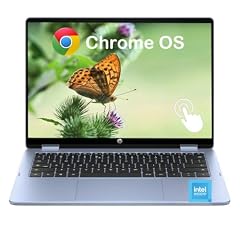
The 14-inch 2K IPS touchscreen is the highest resolution stated anywhere in this guide, and the 8GB RAM and Intel N150 keep it capable for everyday multitasking. It stands apart from the HD and FHD displays around it.
Pros
- 2K IPS touchscreen, the highest stated resolution in this guide.
- 8GB LPDDR5 RAM with an Intel N150 processor.
- Convertible 2-in-1 form for touch and tablet use.
Cons
- 64GB storage is tied for the smallest among the 8GB picks in this guide.
- No Chromebook Plus badge in the listing.
- 14-inch screen with no larger display option.
Good fit if
- Buyers who put display sharpness first and want a touchscreen 2-in-1.
- People who want 8GB RAM with a high-resolution 14-inch panel.
Skip if
- Users who need more than 64GB of built-in storage.
- Shoppers who want Chromebook Plus AI features.
Verdict: The sharpest display in the HP group, delivered in a convertible body with 8GB RAM.
4 Best 14-inch N100 with 8GB RAM

HP Chromebook 14 inch Laptop
- Screen size
- 14 in
- Memory
- 6 to 8 GB
- Storage
- 128 GB
- Processor
- Intel N-series
This 14-inch clamshell pairs an Intel N100 with 8GB RAM, 128GB UFS storage and Intel UHD Graphics, making it the strongest non-Plus N100 pick in the guide. It is a practical choice when you want more memory and storage without a touchscreen.
Pros
- 8GB RAM and 128GB UFS storage.
- Intel N100 processor with Intel UHD Graphics stated.
- Traditional 14-inch clamshell form.
Cons
- Display is HD rather than FHD or 2K.
- No touchscreen.
- Not designated as a Chromebook Plus model in the listing.
Good fit if
- Everyday multitaskers who want 8GB RAM and 128GB storage in a non-touch 14-inch laptop.
- Users who want an Intel N-series processor without a Plus badge.
Skip if
- People who need a touchscreen or convertible design.
- Users who want a Core processor and Chromebook Plus features.
Verdict: A balanced non-Plus 14-inch HP with the memory and storage most multitaskers need.
5 Best 15.6-inch

HP 15.6 HD Premium Chromebook
- Memory
- 6 to 8 GB
- Storage
- 64 GB
- Processor
- Intel Celeron or Pentium
The only 15.6-inch pick in this guide, it brings 8GB RAM and a stated 64GB SSD to a larger canvas. It suits people who want room to spread documents across a wider screen.
Pros
- 15.6-inch screen, the largest in this guide.
- 8GB RAM.
- 64GB SSD stated in the listing.
Cons
- Display resolution is listed as HD.
- Processor is in the Celeron or Pentium class.
- No touchscreen or convertible mode.
Good fit if
- Users who prefer a larger display for side-by-side windows.
- Shoppers who want 8GB RAM in a straightforward clamshell.
Skip if
- People who need a sharper FHD or 2K panel.
- Users who want a compact or touchscreen laptop.
Verdict: The roomiest screen in the guide, with 8GB RAM and a modest HD panel.
6 Best for students
HP 14" HD Chromebook Laptop for Students
- Screen size
- 14 in
- Memory
- 4 GB or less
- Storage
- 64 GB
- For students
- Yes
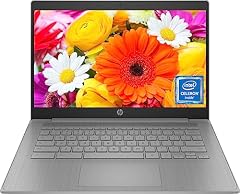
This student-marked HP 14 includes the basics that school laptops need: a quad-core Celeron N4120, 4GB RAM, 64GB eMMC, webcam and HDMI. It is a direct, straightforward choice for browser-based schoolwork.
Pros
- Marked as a student laptop in the listing.
- Intel quad-core Celeron N4120 processor.
- Webcam and HDMI are stated.
- 14-inch screen with 64GB storage.
Cons
- 4GB RAM is the minimum tier in this guide.
- HD display rather than FHD or 2K.
- No touchscreen.
Good fit if
- Students who mainly use Chrome, Google Docs and classroom web apps.
- Families that want a 14-inch HP with webcam and HDMI for remote classes.
Skip if
- Users who edit large media files or run Linux development tools.
- People who need 8GB RAM for constant heavy multitasking.
Verdict: A sensible student-oriented HP 14 built around the schoolwork apps most classes rely on.
7 Best 11-inch

HP Chromebook 11-inch Laptop
- Screen size
- 11 in or less
- Memory
- 4 GB or less
- Storage
- 32 GB or less
- Processor
- MediaTek
The 11.6-inch screen makes this the smallest HP in the guide, and the MediaTek MT8183 with 4GB RAM is aimed at light browsing and cloud work. It is the pick when you want the smallest screen in the group.
Pros
- 11.6-inch screen, the smallest in this guide.
- MediaTek MT8183 processor.
- 4GB RAM in a small, basic clamshell.
Cons
- 32GB eMMC storage is at the low end of this guide.
- 4GB RAM limits heavy multitasking.
- No touchscreen.
Good fit if
- Younger students or users who want a small HP Chromebook.
- People who keep most files in the cloud and use few local apps.
Skip if
- Users who download many apps or store large files offline.
- People who want a 14-inch screen and larger keyboard.
Verdict: A compact 11.6-inch HP where the trade-off is 32GB storage and 4GB RAM.
8 Best 14-inch with Wi-Fi 6

HP 14" HD Chromebook
- Screen size
- 14 in
- Memory
- 4 GB or less
- Storage
- 128 GB
- Processor
- Intel N-series
The Intel N200, 128GB UFS storage and stated Wi-Fi 6 make this the most network-modern clamshell in the HD 14-inch group. It stays at 4GB RAM and a non-touch HD screen, which keeps the configuration simple.
Pros
- 128GB UFS storage in a 14-inch clamshell.
- Intel N200 processor with Intel UHD Graphics.
- Wi-Fi 6 is stated in the listing.
Cons
- 4GB RAM is the minimum tier.
- HD display rather than FHD or 2K.
- No touchscreen.
Good fit if
- Users who want 128GB storage and modern wireless in a basic 14-inch HP.
- People who work mostly with web apps and do not need touch input.
Skip if
- Heavy multitaskers who need 8GB RAM.
- Buyers who want a touchscreen or convertible.
Verdict: A 14-inch clamshell that pairs 128GB storage with a newer Intel N-series chip and Wi-Fi 6.
9 Best AMD HP Chromebook

HP Chromebook 14-inch Laptop AMD Dual-Core A4-9120C Processor
- Screen size
- 14 in
- Memory
- 4 GB or less
- Storage
- 32 GB or less
- Processor
- AMD
This is the only AMD-based HP Chromebook pick in the guide, using a dual-core A4-9120C with 4GB RAM and 32GB eMMC. It gives AMD-minded buyers an HP option in a 14-inch clamshell.
Pros
- Only AMD-powered HP pick in this guide.
- 14-inch screen.
- 4GB RAM and 32GB eMMC are clearly listed.
Cons
- 32GB storage is tied for the low end in this guide.
- 4GB RAM limits multitasking.
- No touchscreen.
Good fit if
- Buyers who prefer AMD over Intel in a Chromebook.
- Users with light web and document needs who do not need large storage.
Skip if
- People who need 64GB or more storage.
- Users who want a newer Intel N-series or Core processor.
Verdict: The unique AMD entry here, with a modest RAM and storage configuration.
10 Best MediaTek 14-inch

This 14-inch HP runs on a MediaTek Kompanio 540 processor, setting it apart from the Intel-heavy group. Because the listing does not state screen resolution or storage, it should be chosen only when those details are not dealbreakers.
Pros
- MediaTek Kompanio 540 processor.
- 14-inch HP Chromebook.
- Mica Silver finish stated in the listing.
Cons
- Screen resolution is not stated by the seller.
- Storage capacity is not stated by the seller.
- 4GB RAM.
Good fit if
- Shoppers who want a 14-inch HP with a MediaTek processor.
- Users comfortable with a listing that leaves resolution and storage unspecified.
Skip if
- Buyers who need a stated storage number before purchase.
- People who require more than 4GB of RAM.
Verdict: A 14-inch MediaTek HP that works if you can look past the missing display and storage specs.
11 Best Chromebook Plus clamshell with 128GB

HP Chromebook Plus 14 inch Laptop
- Screen size
- 14 in
- Memory
- 6 to 8 GB
- Storage
- 128 GB
- Processor
- Intel Core
- Chromebook Plus
- Yes
For buyers who want Chromebook Plus in a traditional clamshell without the top 256GB configurations, this i3-N305 model adds a 14-inch FHD display and 128GB UFS storage. It keeps the Plus badge while leaving touch input off the spec sheet.
Pros
- Chromebook Plus badge with Intel Core i3-N305 and 8GB RAM.
- 14-inch FHD display.
- 128GB UFS storage.
Cons
- Storage is 128GB, half the capacity of the top Plus picks.
- No touchscreen.
- Webcam and keyboard details are not stated by the seller.
Good fit if
- Users who want Plus features in a non-touch clamshell.
- Shoppers who prefer FHD to HD and can work within 128GB.
Skip if
- People who need touch input or a convertible hinge.
- Users who want the 256GB storage of the Chromebook Plus 14.
Verdict: A solid Chromebook Plus clamshell with FHD and 128GB, minus the touchscreen.
12 Best x360 2-in-1 with 128GB

HP Chromebook X360 14b
- Screen size
- 14 in
- Memory
- 4 GB or less
- Storage
- 128 GB
- Processor
- Intel N-series
- 2-in-1
- Yes
The HP Chromebook x360 14b slots between the 64GB convertibles and the 256GB Plus models, offering 128GB storage with an Intel N100 and 4GB RAM. It is the only pick in this guide with the x360 label and exactly 128GB storage.
Pros
- 14-inch x360 convertible 2-in-1.
- 128GB storage.
- Intel N100 processor.
Cons
- 4GB RAM.
- Display resolution is not stated by the seller.
- No Chromebook Plus badge.
Good fit if
- Users who want a convertible HP with 128GB storage.
- People who can work within 4GB RAM and want the x360 form.
Skip if
- Multitaskers who need 8GB RAM.
- Buyers who want a stated FHD or 2K display.
Verdict: A 14-inch x360 with 128GB storage for users who prioritize convertible capacity over RAM.
Comparison table
| # | Chromebook | Screen size | Memory | Storage | Processor | Touchscreen | 2-in-1 |
|---|---|---|---|---|---|---|---|
| 1 | HP Chromebook Plus 14 Laptop | 14 in | 6 to 8 GB | 256 GB | Intel Core | Yes | not stated |
| 2 | HP Chromebook Plus x360 Laptop 14" 2 in 1 Touchscreen Business Laptop | 14 in | 6 to 8 GB | 256 GB | Intel Core | Yes | Yes |
| 3 | HP 2-in-1 Chromebook Laptop | 14 in | 6 to 8 GB | 64 GB | Intel N-series | Yes | Yes |
| 4 | HP Chromebook 14 inch Laptop | 14 in | 6 to 8 GB | 128 GB | Intel N-series | not stated | not stated |
| 5 | HP 15.6 HD Premium Chromebook | not stated | 6 to 8 GB | 64 GB | Intel Celeron or Pentium | not stated | not stated |
| 6 | HP 14" HD Chromebook Laptop for Students | 14 in | 4 GB or less | 64 GB | not stated | not stated | not stated |
| 7 | HP Chromebook 11-inch Laptop | 11 in or less | 4 GB or less | 32 GB or less | MediaTek | not stated | not stated |
| 8 | HP 14" HD Chromebook | 14 in | 4 GB or less | 128 GB | Intel N-series | not stated | not stated |
| 9 | HP Chromebook 14-inch Laptop AMD Dual-Core A4-9120C Processor | 14 in | 4 GB or less | 32 GB or less | AMD | not stated | not stated |
| 10 | HP Chromebook 14 | not stated | 4 GB or less | not stated | MediaTek | not stated | not stated |
| 11 | HP Chromebook Plus 14 inch Laptop | 14 in | 6 to 8 GB | 128 GB | Intel Core | not stated | not stated |
| 12 | HP Chromebook X360 14b | 14 in | 4 GB or less | 128 GB | Intel N-series | not stated | Yes |
How this list was made
To build this guide we worked from the HP-only catalogue pool: 29 priced Chromebook listings matched the brand filter. We removed obvious near-duplicates, such as multiple listings for the same model, and kept 12 machines that represent different sizes, processors, storage tiers and form factors. The shortlist prioritizes models with newer Intel N-series or Core processors, 8GB RAM where available, larger storage, Chromebook Plus designation, and clearly stated displays, while still covering AMD, MediaTek, 11-inch, 15.6-inch and convertible options. Prices on this page are live and include the time they were read from the store listing; they change and should be checked before purchase. We did not test any unit. Every pick is based on the seller's listed specifications, the catalogue data and linked reference pages.
Choosing the right one
Graphics: what the GPU name tells you
Most HP Chromebooks rely on integrated graphics built into the processor. Listings here name Intel UHD Graphics for several N-series and Core models, while some older Celeron and MediaTek listings do not name a GPU at all. The GPU matters for local 3D games, video editing and some Android apps; if you plan to stream games, the Chromebook Plus page notes that services like GeForce NOW and Xbox Cloud Gaming depend on your connection more than the local GPU.
RAM: 4GB versus 8GB
The HP models in this pool are split between 4GB and 8GB of RAM. If you stick to a few tabs, Google Docs and mail, 4GB is enough. If you keep many tabs open, use Android apps, run Linux tools or edit photos, 8GB is the safer choice. Chromebook Plus models meet a Google-defined bar that includes at least 8GB of RAM, so the badge is also a quick way to recognize a more multitasking-ready machine.
Storage: 32GB to 256GB
The HP listings here range from 32GB eMMC up to 256GB UFS. At 32GB you should plan to use cloud storage and keep few apps installed. 64GB is more comfortable for school files and Android apps. 128GB and 256GB give room for downloaded media, Linux environments and larger projects. If a listing says something like '64GB plus extra storage,' check whether the extra space is internal or a bundled external drive before you count on it.
Chromebook Plus: what it adds
Google's Chromebook Plus page describes Plus machines as having at least 8GB of RAM and 128GB of storage, along with Gemini integration and AI tools for writing and images. Plus Chromebooks also support streaming PC and console games on services such as GeForce NOW and Xbox Cloud Gaming where your connection allows. In this guide, the three Plus picks are the Chromebook Plus 14, the Chromebook Plus x360 and the Chromebook Plus clamshell with 128GB.
2-in-1 vs clamshell
A 2-in-1 adds touch input and a hinge that folds the display back 360 degrees, turning the laptop into a touch-first mode or a presentation angle. That helps with reading, drawing, presentations and touch-heavy apps. A clamshell is the simpler choice if you mostly type at a desk and do not need touch. The x360 and convertible picks in this guide differ mainly in RAM, storage and display, so compare those specs first and treat '2-in-1' as a form factor, not a guarantee of more performance.
Updates and Linux support
ChromeOS devices receive 10 years of automatic updates under Google's Auto Update policy, and the exact end date appears in Settings under About ChromeOS, Additional details and Update schedule. For an older listing, that date tells you how much supported life remains. Most current Chromebooks also let you enable Linux from Settings, which opens a Debian environment for command-line tools, code editors and IDEs. More RAM and storage make Linux use more practical.
Questions
What is Chromebook Plus and should I look for it?
Chromebook Plus is Google's higher-tier label for Chromebooks that meet a defined hardware and software bar. The Plus page says these devices have at least 8GB of RAM and 128GB of storage, and they include Gemini on ChromeOS for tasks like writing help and AI image tools. Plus models in this guide use Intel Core i3-N305 processors. If you want those capabilities, look for the Plus badge in the listing.
How long will an HP Chromebook receive updates?
Google's Auto Update policy says ChromeOS devices receive 10 years of automatic updates from the platform release date. For an older listing, you can check the exact end date in Settings under About ChromeOS, then Additional details and Update schedule. That date is the most reliable way to judge how much supported life remains on a used or older HP Chromebook.
Can I install Linux on an HP Chromebook?
Yes, if the model supports ChromeOS Linux. Open Settings, go to About ChromeOS and Developers, then set up the Linux development environment. This creates a Debian environment where you can install command-line tools, code editors and IDEs. A laptop with more RAM and storage, such as the 8GB Plus models in this guide, will have more room for Linux workloads.
How much RAM do I need in a Chromebook?
For basic browsing and Google Docs, 4GB is workable, but 8GB helps when you leave many tabs open, use Android apps, run Linux tools or work with large files. Chromebook Plus machines require at least 8GB, so that badge also indicates a more multitasking-ready spec. If your tasks are heavy, choose a model with 8GB and at least 128GB storage.
Should I buy a 2-in-1 or a clamshell HP Chromebook?
A 2-in-1 has a touchscreen and a hinge that rotates into tablet-like positions, which helps for reading, drawing and presentations. A clamshell is simpler if you mostly type at a desk and do not need touch input. Check whether the listing states HD, FHD or 2K before choosing, because convertible models in this pool vary from HD to 2K displays.
What changed
- : First published.