
Best 64 GB Chromebooks in 2026: 15 Picks Compared on Specs
The HP 2-in-1 Chromebook with Intel N150 and 8GB RAM is our top pick: it pairs 64GB of storage with the fastest processor and the most RAM among 64GB models, making it ready for heavy tab loads and Android apps. We selected these 15 from a pool of 79 Chromebooks with 64GB storage by comparing official specifications, including processor, memory, display, and convertible features.
12 picks from 15 Chromebooks that match this guide with a price we can quote today, made by 6 makers. Each price below is read live and stamped with the time it was read.
The short list
Who each pick suits
- For students: A durable 11-14 inch Chromebook with a comfortable keyboard and enough RAM for online classes and document editing. The Samsung Galaxy Chromebook Go is a solid choice with a spill-resistant keyboard and 12-hour battery life (per Samsung). See pick 3
- For frequent travelers: A lightweight, compact convertible like the Lenovo Chromebook Duet (10.1 inch, detachable) is ideal for watching media and taking notes on the go. Its 64GB storage is enough for offline files. See pick 10
- For power users: If you juggle many browser tabs, Android apps, or Linux tools, choose a 64GB Chromebook with 8GB RAM, such as the HP 2-in-1 Chromebook with the Intel N150 processor. The extra memory prevents slowdowns. See pick 1
The 12 picks, one by one
1 Best overall
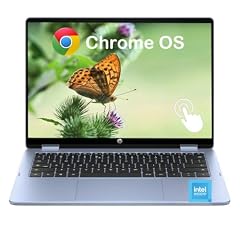
HP 2-in-1 Chromebook Laptop
- Screen size
- 14 in
- Memory
- 6 to 8 GB
- Storage
- 64 GB
- Processor
- Intel N-series
- Touchscreen
- Yes
- 2-in-1
- Yes
This HP 2-in-1 stands out with an Intel N150 processor (the most recent N-series in our pool) and 8GB of LPDDR5 RAM, double the memory of most 64GB Chromebooks. The 14-inch 2K IPS touchscreen and convertible design add versatility, and its 64GB eMMC is the same storage as the rest of the list.
Pros
- Intel N150 processor (latest N-series)
- 8GB LPDDR5 RAM, the most in this list
- 14-inch 2K IPS touchscreen
- Convertible 2-in-1 design
Cons
- 64GB eMMC storage (no SSD option)
- Heavier than some non-convertible 14-inch models
- No stated weight
Good fit if
- Users who need 8GB RAM for multitasking and Android apps
- Those who want a touchscreen for note-taking or drawing
Skip if
- You prefer a lighter clamshell laptop
- You need more than 64GB of local storage
Verdict: The best combination of processing power, memory, and display among 64GB Chromebooks.
2 Best with 8GB RAM
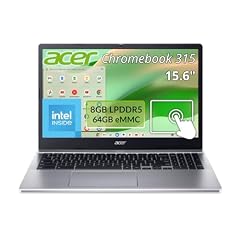
Acer Chromebook 315 Laptop Intel N100 8GB RAM 64GB Storage Touch
- Memory
- 6 to 8 GB
- Storage
- 64 GB
- Processor
- Intel N-series
- Touchscreen
- Yes
$329.00 price as of 2026-10-09 05:24 UTC (Details) Typical price: $349.99, 6% off
The Acer 315 with an Intel N100 and 8GB RAM delivers performance that matches pricier 64GB models. The touchscreen adds convenience, though the 15.6-inch display resolution is not stated by the seller; the pool listing does not specify Full HD or HD.
Pros
- Intel N100 processor (quad-core, efficient)
- 8GB RAM for smoother multitasking
- Touchscreen available
- Large 15.6-inch screen (size per name)
Cons
- Screen resolution not stated by the seller
- eMMC storage, not SSD
- No convertible hinge
Good fit if
- Users who want 8GB RAM without buying a dedicated power laptop
- Shoppers who prefer a 15-inch screen for spreadsheet work
Skip if
- You need a compact or 2-in-1 design
- You require a Full HD panel (resolution not listed)
Verdict: A strong value 15-inch Chromebook with 8GB RAM, though display details are unconfirmed.
3 Best for students

Samsung 14" Galaxy Chromebook Go Laptop PC Computer
- Screen size
- 14 in
- Memory
- 4 GB or less
- Storage
- 64 GB
- Processor
- Intel Celeron or Pentium
- For students
- Yes
Samsung built the Galaxy Chromebook Go with a spill-resistant keyboard and a 12-hour battery claim (per Samsung's product page). Its Celeron N4500 and 4GB RAM are adequate for Google Docs and web research, and the 14-inch display is large enough for multitasking.
Pros
- Spill-resistant keyboard (per Samsung)
- Up to 12 hours of battery life (per Samsung)
- 14-inch display
- Lightweight design for the size
Cons
- 4GB RAM limits heavy multitasking
- HD (1366x768) display, not Full HD
- eMMC storage
Good fit if
- Students who need an all-day battery for classes
- Families looking for a durable Chromebook for remote learning
Skip if
- You plan to run Linux or many Android apps
- You need a touchscreen for note-taking
Verdict: A well-rounded student Chromebook with long battery life and classroom-ready durability.
4 Best entry-level 15.6-inch
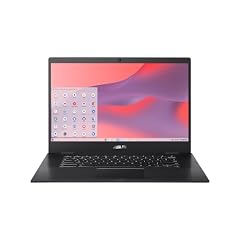
ASUS Chromebook CX1
- Screen size
- 15 in or more
- Memory
- 4 GB or less
- Storage
- 64 GB
- Processor
- Intel Celeron or Pentium
The ASUS CX1 offers a 15.6-inch Full HD NanoEdge display, which is sharper than the HD panels on many entry-level Chromebooks. Its Celeron N3350 and 4GB RAM are basic but sufficient for web browsing and video streaming.
Pros
- Full HD (1920x1080) 15.6-inch display
- NanoEdge bezels for a compact footprint
- Intel Celeron N3350
- 64GB eMMC storage
Cons
- Only 4GB RAM
- Celeron N3350 is an older dual-core
- No touchscreen
Good fit if
- Users who want a large Full HD display on a budget
- Anyone doing basic productivity and media consumption
Skip if
- You need 8GB RAM for heavy multitasking
- You prefer a smaller, more portable laptop
Verdict: A budget-friendly 15.6-inch Chromebook with a crisp display and dependable basics.
5 Best 14-inch with 8GB RAM

Lenovo's Chromebook M 14 is one of the few 64GB models with 8GB of RAM, and it uses the efficient MediaTek Kompanio 540 processor. The 14-inch WUXGA (1920x1200) IPS display is sharper and taller than typical 1080p panels, and it includes Google Gemini integration.
Pros
- 8GB RAM (double the baseline)
- WUXGA 1920x1200 IPS display
- MediaTek Kompanio 540 processor
- Google Gemini built-in (per Lenovo)
Cons
- 64GB eMMC storage, not SSD
- No touchscreen option
- MediaTek may be slower than Intel N-series in some tasks
Good fit if
- Users who want 8GB RAM and a high-resolution screen
- Those who value AI features and Google services
Skip if
- You need a convertible or touchscreen
- You plan to use x86-specific Linux applications
Verdict: A well-balanced 14-inch Chromebook with 8GB RAM and a sharp display, ideal for productivity.
6 Best 15.6-inch for multitasking

HP 15.6 HD Premium Chromebook
- Memory
- 6 to 8 GB
- Storage
- 64 GB
- Processor
- Intel Celeron or Pentium
This HP Chromebook combines 8GB RAM with a 15.6-inch display (size per name; resolution not stated) and a Celeron N processor. It is one of the few large-screen 64GB models with 8GB memory, making it suitable for heavy browser use.
Pros
- 8GB RAM for smoother multitasking
- 15.6-inch display (resolution not stated)
- Intel Celeron N processor with turbo up to 3.7GHz
- Ultra-fast WiFi (per HP)
Cons
- Screen resolution not stated by the seller
- eMMC storage
- No touchscreen
Good fit if
- Users who need a large screen and 8GB RAM
- People who keep many tabs open and use Android apps
Skip if
- You require a Full HD display (not confirmed)
- You prefer a more portable 14-inch laptop
Verdict: A powerful large-screen Chromebook for multitaskers, though display specs are unverified.
7 Best convertible 14-inch
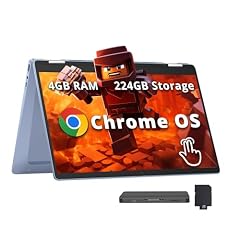
HP Chromebook x360 14" FHD Touchscreen Laptop
- Screen size
- 14 in
- Memory
- 4 GB or less
- Storage
- 64 GB
- Processor
- Intel N-series
- Touchscreen
- Yes
- 2-in-1
- Yes
The HP Chromebook x360 14 offers a 14-inch Full HD touchscreen and a 360-degree hinge, letting you use it as a laptop or tablet. Its Intel N100 processor is more capable than the Celeron N4500 found in many 64GB models, and 4GB RAM is typical for this class.
Pros
- Full HD IPS touchscreen
- Versatile 360-degree convertible design
- Intel N100 processor (newer than Celeron)
- 64GB eMMC storage
Cons
- 4GB RAM, not 8GB
- No stylus included (unless stated)
- Heavier than clamshell alternatives
Good fit if
- Users who want a touchscreen for presentations or media
- Students who need a 2-in-1 for note-taking with a stylus (sold separately)
Skip if
- You need more than 4GB RAM for heavy workflows
- You prefer a simple clamshell for durability
Verdict: A reliable 14-inch 2-in-1 with a crisp display and a modern Intel processor.
8 Best touchscreen 14-inch

Lenovo IdeaPad Slim 3 Chromebook
- Screen size
- 14 in
- Memory
- 4 GB or less
- Storage
- 64 GB
- Processor
- MediaTek
The Lenovo IdeaPad Slim 3 Chromebook 14 features a 14-inch Full HD IPS touchscreen (per product name; touch not in specs but name indicates it) and a MediaTek Kompanio 520 processor. Its 4GB RAM is standard, and the slim design (per name) makes it portable.
Pros
- 14-inch FHD IPS touchscreen (per product name)
- MediaTek Kompanio 520 processor
- Slim design (per name)
- 64GB eMMC storage
Cons
- 4GB RAM
- Touchscreen not explicitly confirmed in specs
- No convertible hinge
Good fit if
- Users who want a responsive touchscreen for casual use
- Those who prefer a thin, light laptop for daily carry
Skip if
- You need a 2-in-1 for tablet mode
- You require 8GB RAM for multitasking
Verdict: A touch-enabled 14-inch Chromebook with a bright display and balanced performance.
9 Best compact
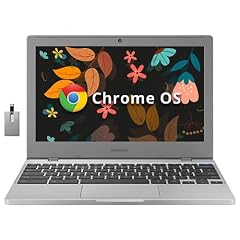
SAMSUNG Galaxy Chromebook 4 11.6” 64GB Laptop Computer w/ 4GB RAM
- Screen size
- 11 in or less
- Memory
- 4 GB or less
- Storage
- 64 GB
- Processor
- Intel Celeron or Pentium
The Samsung Galaxy Chromebook 4 is a truly portable 11.6-inch laptop with a Celeron processor and 4GB RAM. Its small size makes it easy to slip into a backpack, and the 64GB storage is enough for essential apps and offline files.
Pros
- Compact 11.6-inch display
- Lightweight and portable
- Intel Celeron processor
- Gigabit WiFi (per Samsung)
Cons
- Small screen limits multitasking
- HD (1366x768) resolution
- 4GB RAM
Good fit if
- Travelers who need a tiny laptop for basic tasks
- Students in elementary or middle school
Skip if
- You need a 14-inch or larger display
- You plan to run heavy Android games or Linux
Verdict: A tiny, budget-friendly Chromebook that excels at portability and simplicity.
10 Best detachable 2-in-1

Lenovo Chromebook Duet
- Screen size
- 11 in or less
- Memory
- 4 GB or less
- Storage
- 64 GB
- Processor
- MediaTek
- 2-in-1
- Yes
The Lenovo Chromebook Duet is a 10.1-inch detachable tablet with a MediaTek Helio P60T processor, 4GB RAM, and 64GB eMCP storage. Its compact form factor and included kickstand make it ideal for media consumption and light productivity on the go.
Pros
- Detachable design (use as tablet or laptop)
- 10.1-inch 1920x1200 WUXGA display
- MediaTek Helio P60T processor
- Lightweight and portable
Cons
- Small 10.1-inch screen
- 4GB RAM
- eMCP storage (slower than eMMC)
Good fit if
- Users who want a tablet-first Chromebook for watching videos
- Travelers who need a very light device for email and browsing
Skip if
- You need a large screen for productivity
- You require a full-sized keyboard with long travel
Verdict: A versatile detachable that prioritizes portability over performance.
11 Best 15.6-inch with MediaTek

ASUS Chromebook CM15 Laptop
- Screen size
- 15 in or more
- Memory
- 4 GB or less
- Storage
- 64 GB
- Processor
- MediaTek
The ASUS Chromebook CM15 uses the MediaTek Kompanio 540 processor, which offers efficient performance for everyday tasks. It pairs that with a 15.6-inch Full HD display (per name, but specs only say 15.6; resolution not in specs) and 4GB RAM.
Pros
- 15.6-inch display (resolution not stated)
- MediaTek Kompanio 540 processor
- Full HD (per product name, but not in specs)
- 64GB storage
Cons
- 4GB RAM
- Display resolution not confirmed in specs
- No touchscreen
Good fit if
- Users who want a large screen with MediaTek's power efficiency
- Those on a budget who prefer a 15-inch form factor
Skip if
- You need 8GB RAM for heavy multitasking
- You require a Full HD display (unverified)
Verdict: A large-screen MediaTek Chromebook that offers solid basics at a reasonable price.
12 Best 360-degree hinge

Samsung Chromebook Plus V2 360 2-in-1 Laptop w/Dual Webcam
- Screen size
- 12 to 13 in
- Memory
- 4 GB or less
- Storage
- 64 GB
- Processor
- Intel Celeron or Pentium
- Touchscreen
- Yes
- 2-in-1
- Yes
- For students
- Yes
The Samsung Chromebook Plus V2 360 is a 12.2-inch convertible with an FHD+ touchscreen, a dual webcam, and a 360-degree hinge. It includes a built-in stylus (not confirmed) and its Celeron 3965Y is adequate for note-taking and light productivity.
Pros
- 12.2-inch FHD+ touchscreen
- 360-degree convertible design
- Dual webcam (front and rear)
- Student-friendly features (per Samsung)
Cons
- Celeron 3965Y is an older dual-core
- 4GB RAM
- Small 12.2-inch display
Good fit if
- Students who need a 2-in-1 for handwritten notes
- Users who appreciate a compact convertible with a rear camera
Skip if
- You need a larger screen or more RAM
- You prefer a faster modern processor
Verdict: A compact convertible with a responsive touchscreen, ideal for note-takers on a budget.
Comparison table
| # | Chromebook | Screen size | Memory | Storage | Processor | Touchscreen | 2-in-1 |
|---|---|---|---|---|---|---|---|
| 1 | HP 2-in-1 Chromebook Laptop | 14 in | 6 to 8 GB | 64 GB | Intel N-series | Yes | Yes |
| 2 | Acer Chromebook 315 Laptop Intel N100 8GB RAM 64GB Storage Touch | not stated | 6 to 8 GB | 64 GB | Intel N-series | Yes | not stated |
| 3 | Samsung 14" Galaxy Chromebook Go Laptop PC Computer | 14 in | 4 GB or less | 64 GB | Intel Celeron or Pentium | not stated | not stated |
| 4 | ASUS Chromebook CX1 | 15 in or more | 4 GB or less | 64 GB | Intel Celeron or Pentium | not stated | not stated |
| 5 | Lenovo Chromebook m 14" | 14 in | 6 to 8 GB | 64 GB | MediaTek | not stated | not stated |
| 6 | HP 15.6 HD Premium Chromebook | not stated | 6 to 8 GB | 64 GB | Intel Celeron or Pentium | not stated | not stated |
| 7 | HP Chromebook x360 14" FHD Touchscreen Laptop | 14 in | 4 GB or less | 64 GB | Intel N-series | Yes | Yes |
| 8 | Lenovo IdeaPad Slim 3 Chromebook | 14 in | 4 GB or less | 64 GB | MediaTek | not stated | not stated |
| 9 | SAMSUNG Galaxy Chromebook 4 11.6” 64GB Laptop Computer w/ 4GB RAM | 11 in or less | 4 GB or less | 64 GB | Intel Celeron or Pentium | not stated | not stated |
| 10 | Lenovo Chromebook Duet | 11 in or less | 4 GB or less | 64 GB | MediaTek | not stated | Yes |
| 11 | ASUS Chromebook CM15 Laptop | 15 in or more | 4 GB or less | 64 GB | MediaTek | not stated | not stated |
| 12 | Samsung Chromebook Plus V2 360 2-in-1 Laptop w/Dual Webcam | 12 to 13 in | 4 GB or less | 64 GB | Intel Celeron or Pentium | Yes | Yes |
How this list was made
We started with a pool of 79 Chromebooks listed with 64GB storage. We removed near-identical configurations and kept only devices from established brands in new condition. We prioritized models with at least 4GB RAM, gave extra weight to 8GB options, and considered processor architecture (Intel Celeron vs. MediaTek vs. Intel N-series), screen resolution, and whether the device has a touchscreen or convertible hinge. Prices are read live from each listing and are not ranked in our awards; they may change. We did not physically test any of these computers; our picks rely on the specifications provided by the seller and the manufacturer's published support and feature pages.
Choosing the right one
RAM: The real multitasking bottleneck
While storage is fixed at 64GB, RAM determines how smoothly your Chromebook runs. A 4GB model is fine for a few tabs and Google Docs, but if you keep dozens of tabs open, run Android apps, or use Linux in the background, 8GB will prevent annoying slowdowns. In our pool, only four Chromebooks offer 8GB, so check the specs carefully.
Most budget Chromebooks come with 4GB, which is the minimum we recommend. If you're a power user, look for 8GB variants, which typically cost more but deliver a noticeably snappier experience.
Processor: What's behind the name
Processors in this price range fall into three families: Intel Celeron (older, dual-core), Intel N-series (newer, more efficient), and MediaTek (ARM-based). Intel N-series chips like the N100 or N150 generally outperform Celeron N4020/N4500 in multi-core tasks. MediaTek Kompanio chips are competitive in daily use and often offer better battery life, but they can struggle with x86-specific Linux packages.
If you plan to use Linux, an Intel processor is usually safer for compatibility. For pure web browsing and Android apps, MediaTek is fine.
Display and form factor
Screen resolution matters more than size for sharpness. Many 64GB Chromebooks under $300 have HD (1366x768) panels, which can look pixelated on a 15-inch screen. Try to find a model with Full HD (1920x1080) or higher, especially if you'll be reading text for hours.
Convertible Chromebooks (with a 360-degree hinge) or detachables (like the Lenovo Duet) give you tablet mode for viewing and note-taking. Touchscreens are useful for apps that rely on tapping, but they add weight and cost. Decide if you actually need that flexibility before paying extra.
Storage: 64GB is the new baseline, but check eMMC vs. SSD
64GB is enough for ChromeOS, a few Android apps, and local documents, but it fills up quickly with videos, games, or Linux containers. Most 64GB Chromebooks use eMMC storage, which is slower than SSD but cheaper. If you plan to store large files or run Linux, consider an SD card slot (some models include one) or cloud storage.
Look for models that mention 'eMMC', 'SSD', or 'eMCP' in the name; SSDs are faster but rarer at this capacity. The Lenovo Chromebook Duet uses eMCP, which is a type of integrated storage, but doesn't offer the same speed as an SSD.
Battery life and durability claims
Manufacturers often quote battery life based on their own tests, like 10 to 12 hours. Real-world use will vary with screen brightness, wireless activity, and apps. For students, a spill-resistant keyboard (like on the Samsung Galaxy Chromebook Go) is a practical feature. Look for MIL-STD-810G certification if you need extra ruggedness, though it's rare in this price range.
Built-in AI and modern features
Newer Chromebooks may include Google's Gemini AI features, like the Lenovo Chromebook M 14. These can help summarize pages, generate images, or transcribe meetings. However, check if they require an internet connection or a subscription. Chromebook Plus devices (a Google certification) guarantee a minimum of 8GB RAM and 128GB storage, but none of the 64GB models in our pool meet that bar, so you won't see that badge here.
Questions
Is 64GB storage enough on a Chromebook?
For most users, yes. ChromeOS is lightweight, and 64GB can hold the operating system, a few Android apps, and local documents. If you download movies, store large photos, or use Linux, you'll want to rely on cloud storage (Google Drive) or add an SD card if your model has a slot. 64GB is the entry point for comfortable daily use without constantly deleting files.
Why do some 64GB Chromebooks have 8GB RAM and others have 4GB?
RAM capacity is a separate specification from storage. Manufacturers often pair 64GB with 4GB to hit a low price, but some models (like the HP 2-in-1, Acer 315, Lenovo M14, and HP 15.6 Premium) offer 8GB as a step up. More RAM lets you keep more tabs open and run heavier web apps without slowdown. If your budget allows, choose 8GB for a future-proof experience.
What is the difference between eMMC, SSD, and eMCP storage?
eMMC is an embedded flash storage that is slower than SSDs but cheaper, which is why many entry-level Chromebooks use it. SSDs provide faster boot and app loading times but are more expensive. eMCP is an integrated solution that combines storage and RAM in one package, often found in small devices like the Lenovo Duet. For most daily tasks, eMMC is adequate, but if you notice lag when opening large files, an SSD (if available) would be an improvement.
How long will a 64GB Chromebook receive updates?
Google's Auto Update policy now gives 10 years of automatic updates for Chromebooks released after 2021. For older models, the update window is shorter. You can check the exact expiration date by going to Settings > About ChromeOS > Additional details on your device. The date depends on the model, not on storage capacity.
Can I run Linux apps on a 64GB Chromebook?
Yes, ChromeOS supports a Linux development environment, but it requires free disk space (at least a few GB) and enough RAM. A 64GB model with 4GB RAM can run lightweight Linux apps, but compiling software or running full IDEs may be slow. 8GB models will handle Linux better. Linux needs to be enabled in Settings and uses a Debian container. Note that hardware acceleration is not fully supported in Linux yet.
What changed
- : First published.