
Best Acer Chromebooks in 2026: 15 Picks Compared on Specs
The Acer Chromebook Plus Spin 714 is the best Acer Chromebook in this catalog: its Intel Core Ultra 5 processor, 256GB of storage, and 14-inch WUXGA touchscreen with a convertible hinge put it ahead of the other Acer models here. The picks below were chosen from the 27 Acer Chromebook listings in the current pool, using stated specifications, Acer's published model information, and each live store listing. No unit was tested by this site.
15 picks from 40 Chromebooks that match this guide with a price we can quote today, made by 6 makers. Each price below is read live and stamped with the time it was read.
The short list
Who each pick suits
- For a Plus model with the most local storage: The clamshell Plus 514 carries a 512GB SSD and an 8-core i3-N305, enough local space for large downloads and Android apps. See pick 3
- For a student who needs a big, glare-resistant screen: A 15.6-inch FHD anti-glare display and 64GB of storage cover classwork, though the RAM is not stated by the seller. See pick 12
- For a traveler who wants a small convertible: The 11.6-inch Spin 511 adds a touchscreen and convertible hinge to an Intel N100 processor, but storage tops out at 32GB or less. See pick 14
- For multitaskers who keep many tabs open: 16GB of memory, the most in this guide, makes the Plus 514 CBE594-2 the choice for heavy tab and app use. See pick 7
The 15 picks, one by one
1 Best overall

acer Chromebook Plus Spin 714 Laptop with Google AI
- Screen size
- 14 in
- Memory
- 6 to 8 GB
- Storage
- 256 GB
- Processor
- Intel Core
- Touchscreen
- Yes
- 2-in-1
- Yes
- Chromebook Plus
- Yes
$637.00 price as of 2026-10-09 05:24 UTC (Details)
This is the only pick with an Intel Core Ultra 5 processor, which places it at the top of the Acer pool on CPU. The 14-inch WUXGA touchscreen, convertible hinge, and 256GB of storage round out a Plus-class machine that the other Acer models here do not match.
Pros
- Intel Core Ultra 5 115U, the highest processor tier in this list
- 14-inch WUXGA touchscreen with a convertible hinge
- Chromebook Plus features including Google AI and Gemini tools
- 256GB of storage
Cons
- 8GB of RAM, while one Plus 514 in this guide is listed with 16GB
- No port, weight, or battery details stated by the seller
Good fit if
- Buyers who want the most powerful Acer Chromebook in the current pool
- People who plan to use keyboard and tablet modes
Skip if
- You need the 512GB SSD storage of the clamshell Plus 514
- You need the 16GB of RAM in the Plus 514 CBE594-2
Verdict: The Plus Spin 714 is the strongest all-around Acer Chromebook in this guide on stated specs.
2 Best 2-in-1 Chromebook Plus

Acer Chromebook Plus Spin 514 2-in-1 Laptop 14" WUXGA IPS Touchscreen
- Screen size
- 14 in
- Memory
- 6 to 8 GB
- Storage
- 512 GB or more
- Processor
- Intel Core
- Touchscreen
- Yes
- 2-in-1
- Yes
- Chromebook Plus
- Yes
$629.00 price as of 2026-10-09 05:24 UTC (Details)
If the Spin 714's processor is more than you need, this 14-inch machine restores the balance with a 10-core i5-1334U, 8GB of RAM, and a 512GB drive, plus a convertible touchscreen that covers 100% sRGB. It is the only 2-in-1 Plus in the list with 512GB of storage.
Pros
- 10-core Intel i5-1334U processor
- 512GB of storage, the most available on a 2-in-1 Plus in this list
- 14-inch WUXGA IPS touchscreen with stated 100% sRGB coverage
- Convertible hinge for tablet use
Cons
- 8GB of RAM, not the 16GB of the Plus 514 CBE594-2
- No weight, battery, or port details stated by the seller
Good fit if
- Buyers who want a convertible Plus with generous local storage
- Users who work with color-sensitive content
Skip if
- You prefer a clamshell without the hinge
- You want the Core Ultra processor from the Plus Spin 714
Verdict: This Plus Spin 514 combines convertible flexibility, a high-core-count i5, and 512GB of storage better than any other 2-in-1 in the Acer pool.
3 Best clamshell Chromebook Plus with 512GB SSD

acer Chromebook Plus 514 Laptop with Google AI
- Screen size
- 14 in
- Memory
- 6 to 8 GB
- Storage
- 512 GB or more
- Processor
- Intel Core
- Touchscreen
- Yes
- Chromebook Plus
- Yes
$448.00 price as of 2026-10-09 05:24 UTC (Details)
The only clamshell Plus with a 512GB SSD, this 14-inch machine pairs an 8-core i3-N305 with 8GB of LPDDR5 memory and a touchscreen. It provides the largest local storage among non-convertible Acer Plus models in this guide.
Pros
- 512GB SSD, the largest storage on a clamshell Plus in this list
- 8-core Intel i3-N305 processor
- 14-inch FHD IPS touchscreen
- Chromebook Plus features including AI tools
Cons
- 8GB of RAM
- No convertible hinge, so it cannot be used as a tablet
- No weight or battery life stated by the seller
Good fit if
- Buyers who need room for many apps or offline media
- People who want a Plus machine without a 2-in-1 hinge
Skip if
- You need a touchscreen with a full tablet mode
- You want the higher-tier Core Ultra or i5 processors
Verdict: For a clamshell Acer Plus with the most local storage, the Plus 514 with a 512GB SSD is the pick.
4 Best Chromebook Plus with AMD

Acer Chromebook Plus 514 Laptop with Google AI
- Screen size
- 14 in
- Memory
- 6 to 8 GB
- Storage
- 128 GB
- Processor
- AMD
- Chromebook Plus
- Yes
$439.97 price as of 2026-10-09 05:24 UTC (Details)
This is the only Acer Chromebook Plus in the pool built on an AMD processor, the Ryzen 3 7320C, with 8GB of LPDDR5X and a 14-inch WUXGA IPS display. It covers Plus features and a 1920 x 1200 screen in a non-touch clamshell.
Pros
- AMD Ryzen 3 7320C, the only AMD processor among the picks
- 14-inch WUXGA (1920 x 1200) IPS display
- 8GB of LPDDR5X RAM
- Chromebook Plus tier
Cons
- No touchscreen according to the seller's listing
- 128GB of storage, less than the 256GB and 512GB Plus models
Good fit if
- Buyers who prefer an AMD-based Chromebook
- Users who want a high-resolution 14-inch screen without touch
Skip if
- You want a touchscreen or convertible
- You need more than 128GB of local storage
Verdict: The AMD Plus 514 is the one to choose if you want a Ryzen processor in an Acer Chromebook Plus.
5 Best 16-inch Chromebook Plus

Acer Chromebook Plus 516-16" WUXGA Student Laptop
- Screen size
- 15 in or more
- Memory
- 6 to 8 GB
- Storage
- 128 GB
- Processor
- Intel Core
- Chromebook Plus
- Yes
- For students
- Yes
$440.00 price as of 2026-10-09 05:24 UTC (Details)
A 16-inch WUXGA screen is the largest display in this guide, and the Plus 516 pairs it with an i3-1315U, 8GB of RAM, and 128GB of UFS storage. It is the clearest option for a big-screen Plus workhorse.
Pros
- 16-inch WUXGA display, the largest in this list
- Intel Core i3-1315U processor
- 8GB of RAM and 128GB of UFS storage
- Chromebook Plus tier
Cons
- 128GB of storage, not the 256GB or 512GB found on other Plus picks
- No touchscreen per the seller's listing
- No weight or battery life stated by the seller
Good fit if
- Buyers who want the largest Acer Chromebook Plus screen
- Students or workers who keep many windows visible
Skip if
- You need touch input
- You plan to store large files locally
Verdict: The 16-inch Plus 516 is the best choice for anyone who wants maximum screen area in an Acer Chromebook Plus.
6 Best 15.6-inch Chromebook Plus touchscreen

Acer Chromebook Plus 515 Laptop
- Screen size
- 15 in or more
- Processor
- Intel Core
- Touchscreen
- Yes
- Chromebook Plus
- Yes
$599.99 price as of 2026-10-09 05:24 UTC (Details)
This Plus 515 combines a 15.6-inch touchscreen with an Intel Core i3-1305U and 8GB of RAM, and the listing name lists 384GB of storage. It is the only 15.6-inch Plus with touch in the current Acer pool.
Pros
- 15.6-inch touchscreen in a Chromebook Plus
- Intel Core i3-1305U processor
- 8GB of RAM
- 384GB of storage as stated in the listing name
Cons
- Storage is only in the listing name, not in the structured spec fields
- No convertible hinge
- No weight or battery details stated by the seller
Good fit if
- Buyers who want a large touchscreen with Plus features
- Users who want a wide work surface for split windows
Skip if
- You want a 2-in-1 form for tablet use
- You prefer the larger 16-inch Plus 516 display
Verdict: The Plus 515 is the best 15.6-inch touchscreen Plus choice in the Acer catalog.
7 Best for multitasking
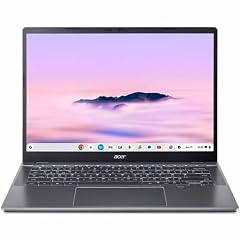
Acer Chromebook Plus 514 CBE594-2 CBE594-2-32TU 14" Chromebook
- Screen size
- 14 in
- Storage
- 256 GB
- Processor
- Intel Core
- Chromebook Plus
- Yes
With 16GB of RAM per the listing name, the Plus 514 CBE594-2 has twice the memory of most picks in this guide. It also adds a 256GB SSD and an Intel Core 3 100U, making it the strongest memory configuration among the Acer Plus models here.
Pros
- 16GB of RAM, the most in this list
- 256GB SSD
- Intel Core 3 100U processor
- Chromebook Plus tier
Cons
- RAM is stated in the listing name rather than the structured spec fields
- No touchscreen per the listing specs
- 14-inch WUXGA display has a 60 Hz refresh rate
Good fit if
- Users who keep many tabs and apps open at once
- People who run heavier web apps or Android workloads
Skip if
- You need touch or a convertible design
- You want the larger screens of the Plus 515 or Plus 516
Verdict: If memory is your priority, the Plus 514 CBE594-2 with 16GB stands apart from every other Acer pick.
8 Best non-Plus 14-inch convertible

Acer Chromebook Spin 314 CP314-2HN-30V1 Convertible Laptop
- Screen size
- 14 in
- Memory
- 6 to 8 GB
- Storage
- 128 GB
- Processor
- Intel Core
- Touchscreen
- Yes
- 2-in-1
- Yes
$499.99 price as of 2026-10-09 05:24 UTC (Details)
The Spin 314 is the strongest standard Acer convertible in this guide, with an 8-core i3-N305, 8GB of RAM, and a 14-inch WUXGA IPS touchscreen. The listing also cites Corning Gorilla Glass on the display surface, a detail none of the other convertibles state.
Pros
- Intel Core i3-N305 with 8 cores per the listing name
- 14-inch WUXGA IPS touchscreen with Corning Gorilla Glass
- 8GB of RAM
- Convertible 2-in-1 design
Cons
- 128GB of storage, below the 256GB and 512GB Plus models
- No Chromebook Plus badge, so it does not carry the Plus AI bundle
Good fit if
- Buyers who want a capable convertible without moving to Chromebook Plus
- Students who want a durable-feeling touch display
Skip if
- You want the AI features of a Chromebook Plus
- You need more than 128GB of storage
Verdict: The Spin 314 is the best non-Plus 14-inch convertible in the Acer pool on specs.
9 Best standard-line 15.6-inch touchscreen

Acer 15.6” FHD Touch Chromebook
- Screen size
- 15 in or more
- Memory
- 6 to 8 GB
- Storage
- 128 GB
- Processor
- Intel N-series
- Touchscreen
- Yes
$299.00 price as of 2026-10-09 05:24 UTC (Details)
For a touchscreen without the Plus tier, this 15.6-inch FHD Acer gives you an Intel N50 processor, 8GB of RAM, and 128GB of storage. It is the largest touchscreen clamshell in the standard Acer line included here.
Pros
- 15.6-inch FHD touchscreen
- 8GB of RAM
- 128GB of storage
- Intel N50 processor
Cons
- No convertible hinge
- Intel N50 is below the Core-class processors in the Plus picks
Good fit if
- Buyers who want a big touchscreen in a non-Plus Acer model
- Users who want 8GB of RAM without moving to Chromebook Plus
Skip if
- You need a 2-in-1 form
- You want the Chromebook Plus AI bundle
Verdict: The 15.6-inch touchscreen Acer with an N50 is the best standard-line large touch pick.
10 Best Intel N100 touchscreen
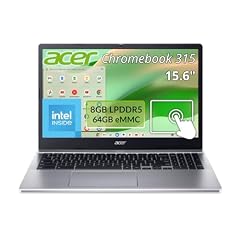
Acer Chromebook 315 Laptop Intel N100 8GB RAM 64GB Storage Touch
- Memory
- 6 to 8 GB
- Storage
- 64 GB
- Processor
- Intel N-series
- Touchscreen
- Yes
$329.00 price as of 2026-10-09 05:24 UTC (Details) Typical price: $349.99, 6% off
This is the touchscreen N100 model with the most memory and storage among the Acer picks: 8GB of RAM and 64GB of storage in a 315-series chassis. The Spin 511 also uses the N100, but with 32GB or less of storage and a smaller 11.6-inch display.
Pros
- Intel N100 processor
- 8GB of RAM
- Touchscreen
- 64GB of storage, above the 32GB-or-less Spin 511
Cons
- Screen size and resolution are not stated by the seller
- 64GB of storage is a modest amount for local files
Good fit if
- Buyers who want N100 performance with touch at the top of the N-series tier
- Cloud-first users who rarely store files locally
Skip if
- You need the 128GB storage of the N50 15.6-inch model
- You want a compact convertible like the Spin 511
Verdict: The N100 315 is the best touchscreen N-series pick in this Acer guide.
11 Best entry-level 15.6-inch

Acer Chromebook 315 Laptop
- Screen size
- 15 in or more
- Memory
- 4 GB or less
- Storage
- 128 GB
- Processor
- Intel Celeron or Pentium
$249.99 price as of 2026-10-09 05:24 UTC (Details)
This 315 keeps the entry configuration simple with a Celeron N4500, 4GB of RAM, and 128GB of storage, which is above the 64GB found on some other 315 listings. For a basic 15.6-inch FHD Acer, it offers the largest storage among the low-end 15.6-inch models in the pool.
Pros
- 15.6-inch FHD display
- 128GB of storage, more than the 64GB on several other 315 listings in this guide
- Celeron N4500 processor
- Suited to web browsing and documents
Cons
- 4GB of RAM, a tight fit for many open tabs
- No touchscreen
Good fit if
- Buyers who want a large screen at the entry level
- Students and home users doing web work
Skip if
- You need 8GB of RAM for heavier multitasking
- You want touch input
Verdict: The entry-level 315 with 128GB is the best basic 15.6-inch Acer in this guide.
12 Best student pick

Acer Chromebook 15.6" Student Laptop
- Screen size
- 15 in or more
- Storage
- 64 GB
- Processor
- Intel Celeron or Pentium
- For students
- Yes
$259.99 price as of 2026-10-09 05:24 UTC (Details) Typical price: $679.99, 62% off
This listing is aimed at student use with a 15.6-inch FHD anti-glare display and 64GB of storage. Its memory size is not stated by the seller, which makes it less transparent than the 8GB student-oriented Plus models, but it is the dedicated student clamshell in the standard line.
Pros
- 15.6-inch FHD anti-glare display
- 64GB of storage
- Listing positioned for student use
Cons
- RAM is not stated by the seller
- No touchscreen
Good fit if
- Students who spend long hours reading and typing
- Families buying a first Chromebook for school
Skip if
- You want a model with stated memory
- You need touch or a 2-in-1 design
Verdict: For a straightforward student Chromebook with a big anti-glare screen, this 15.6-inch Acer is the pick.
13 Best 11.6-inch clamshell

acer Chromebook 311 CBOA311-1H-C90F 11.6" HD Display
- Screen size
- 11 in or less
- Memory
- 4 GB or less
- Storage
- 64 GB
- Processor
- Intel Celeron or Pentium
$240.00 price as of 2026-10-09 05:24 UTC (Details)
The 311 is the compact non-touch option in the Acer pool, with an 11.6-inch HD display, Celeron N4500, 4GB of RAM, and 64GB of storage. It is the only 11.6-inch clamshell among the picks, making it the obvious small-screen choice for basic tasks.
Pros
- 11.6-inch HD display
- 64GB of storage
- Celeron N4500 processor
- Compact footprint for a backpack
Cons
- 4GB of RAM
- Small screen limits side-by-side windows
Good fit if
- Students and kids who need an entry-level small Chromebook
- Travelers who prefer a light bag
Skip if
- You want a touchscreen or convertible
- You need more than 4GB of RAM
Verdict: The 11.6-inch 311 is the best compact clamshell in this Acer guide.
14 Best compact 2-in-1

acer Chromebook Spin 511 R756T R756T-C9R9 11.6" Touchscreen 2
- Screen size
- 11 in or less
- Storage
- 32 GB or less
- Processor
- Intel N-series
- Touchscreen
- Yes
- 2-in-1
- Yes
$398.95 price as of 2026-10-09 05:24 UTC (Details)
The Spin 511 gives an Intel N100 processor, an 11.6-inch touchscreen, and a convertible hinge in a small package. Its storage is 32GB or less and its memory is not stated, which limits it to light use, but no other compact Acer convertible in this pool has the N100.
Pros
- Intel N100 processor
- 11.6-inch touchscreen
- Convertible 2-in-1 design
Cons
- Storage of 32GB or less, the lowest in this list
- RAM is not stated by the seller
- HD display resolution (1366 x 768) is on the low end
Good fit if
- People who want a small laptop that can fold into tablet mode
- Users who mainly browse and stream
Skip if
- You need more local storage or stated memory
- You do not need a touchscreen
Verdict: The Spin 511 is the best compact convertible in the Acer pool, with the caveat that its storage is minimal.
15 Best entry-level touchscreen

Acer 2022 Chromebook 315 15.6" Full HD 1080p IPS Touchscreen Laptop PC
- Screen size
- 15 in or more
- Memory
- 4 GB or less
- Storage
- 64 GB
- Processor
- Intel Celeron or Pentium
- Touchscreen
- Yes
$285.00 price as of 2026-10-09 05:24 UTC (Details) Typical price: $299.00, 5% off
This 2022 315 provides a 15.6-inch FHD IPS touchscreen on a Celeron N4020 with 4GB of RAM and 64GB of storage. It is the simplest way to add touch to a large-screen Acer without moving to the Chromebook Plus line.
Pros
- 15.6-inch FHD IPS touchscreen
- 64GB of storage
- Celeron N4020 processor
Cons
- 4GB of RAM
- Older Celeron N4020 platform
- No convertible hinge
Good fit if
- Buyers who want touch on a large screen at the entry level
- Users who prefer tapping the screen to using a trackpad
Skip if
- You need 8GB of RAM
- You want the newer N-series or Core processors
Verdict: The 2022 315 is the best entry-level touchscreen Acer in this guide.
Comparison table
| # | Chromebook | Screen size | Memory | Storage | Processor | Touchscreen | 2-in-1 |
|---|---|---|---|---|---|---|---|
| 1 | acer Chromebook Plus Spin 714 Laptop with Google AI | 14 in | 6 to 8 GB | 256 GB | Intel Core | Yes | Yes |
| 2 | Acer Chromebook Plus Spin 514 2-in-1 Laptop 14" WUXGA IPS Touchscreen | 14 in | 6 to 8 GB | 512 GB or more | Intel Core | Yes | Yes |
| 3 | acer Chromebook Plus 514 Laptop with Google AI | 14 in | 6 to 8 GB | 512 GB or more | Intel Core | Yes | not stated |
| 4 | Acer Chromebook Plus 514 Laptop with Google AI | 14 in | 6 to 8 GB | 128 GB | AMD | not stated | not stated |
| 5 | Acer Chromebook Plus 516-16" WUXGA Student Laptop | 15 in or more | 6 to 8 GB | 128 GB | Intel Core | not stated | not stated |
| 6 | Acer Chromebook Plus 515 Laptop | 15 in or more | not stated | not stated | Intel Core | Yes | not stated |
| 7 | Acer Chromebook Plus 514 CBE594-2 CBE594-2-32TU 14" Chromebook | 14 in | not stated | 256 GB | Intel Core | not stated | not stated |
| 8 | Acer Chromebook Spin 314 CP314-2HN-30V1 Convertible Laptop | 14 in | 6 to 8 GB | 128 GB | Intel Core | Yes | Yes |
| 9 | Acer 15.6” FHD Touch Chromebook | 15 in or more | 6 to 8 GB | 128 GB | Intel N-series | Yes | not stated |
| 10 | Acer Chromebook 315 Laptop Intel N100 8GB RAM 64GB Storage Touch | not stated | 6 to 8 GB | 64 GB | Intel N-series | Yes | not stated |
| 11 | Acer Chromebook 315 Laptop | 15 in or more | 4 GB or less | 128 GB | Intel Celeron or Pentium | not stated | not stated |
| 12 | Acer Chromebook 15.6" Student Laptop | 15 in or more | not stated | 64 GB | Intel Celeron or Pentium | not stated | not stated |
| 13 | acer Chromebook 311 CBOA311-1H-C90F 11.6" HD Display | 11 in or less | 4 GB or less | 64 GB | Intel Celeron or Pentium | not stated | not stated |
| 14 | acer Chromebook Spin 511 R756T R756T-C9R9 11.6" Touchscreen 2 | 11 in or less | not stated | 32 GB or less | Intel N-series | Yes | Yes |
| 15 | Acer 2022 Chromebook 315 15.6" Full HD 1080p IPS Touchscreen Laptop PC | 15 in or more | 4 GB or less | 64 GB | Intel Celeron or Pentium | Yes | not stated |
How this list was made
This guide starts from a pool of 27 Acer Chromebook listings in the current catalog, part of 42 matches before near-duplicate listings were folded together. We shortlisted the group by processor family, memory, storage, screen size, touchscreen and convertible features, and the Chromebook Plus badge, then removed near-duplicates with the same chassis and core specifications. Picks were chosen from the maker's published specifications and the seller's stated details for each listing. Prices on this page are live prices read from each store listing at the time the page was generated, so they change; no price in this guide should be treated as fixed. As with every guide on this site, nobody has used these Chromebooks, and the selections rest entirely on the stated specifications.
Choosing the right one
Chromebook Plus vs the standard Acer line
The Chromebook Plus badge is Google's tier for newer Acer models such as the Spin 714, Plus 514, Plus 515, and Plus 516. According to Google's Chromebook Plus page, Plus models come with at least 8GB of RAM and 128GB of storage, plus integrated Gemini features and access to AI tools in ChromeOS. The standard Acer line below that tier (the 311, 315, Spin 314, and Spin 511 in this guide) keeps the same ChromeOS software but without the Plus hardware minimums. If you want the AI features and the faster baseline, look for Plus in the model name.
RAM and storage: what the numbers buy you
Memory in this pool runs from 4GB on entry-level Celeron models to 8GB on most Plus machines and 16GB on the Plus 514 CBE594-2. More RAM matters most if you keep many tabs open or run Android and Linux apps. Storage choices range from 32GB or less on the compact Spin 511 to 256GB and 512GB on the Plus models, with eMMC, UFS, and SSD mixes. ChromeOS is cloud-first, so local storage is mainly for offline files, installed apps, and downloaded media; the 512GB SSD in the clamshell Plus 514 is the largest in this list.
Convertible, touchscreen, or clamshell
Acer's Spin models add a hinge that folds the keyboard behind the display, turning the Chromebook into a tablet. The Spin 511, Spin 314, Plus Spin 514, and Plus Spin 714 are the convertibles in this guide. Touchscreens are not limited to Spin models: several clamshell 315 and 15.6-inch listings also include touch. Display quality varies within the pool, from 1366 x 768 HD panels to WUXGA IPS screens; the Plus Spin 514 listing calls out 100% sRGB coverage and the Spin 314 listing cites Corning Gorilla Glass on the touch surface.
Processor families in this pool
Acer's current lineup spans several Intel families and one AMD model. The entry Celeron and N-series processors (N4020, N4500, N50, N100) are built for web apps, documents, and light Android use. The Core chips (i3-N305, i3-1305U, i3-1315U, i5-1334U, Core 3 100U) sit above them, and the Core Ultra 5 115U in the Plus Spin 714 is the only Core Ultra part in this guide. The AMD Ryzen 3 7320C in the Plus 514 gives the pool an AMD alternative. For heavier multitasking, pick a Core-class or Plus model; for basic classroom and browsing duty, the N-series and Celeron machines will do.
Updates and the AUE date
Every ChromeOS device has an Auto Update Expiration date, after which it stops receiving new software updates. Google's Auto Update policy page publishes the expiration dates for Acer models, and the ChromeOS About screen shows the date for a specific device. Older listings in resale channels may already be close to their expiration date, so check the AUE date before buying a model such as the older 11.6-inch units in this pool. For current models, Google states that ChromeOS devices receive updates for 10 years from the platform release date.
Security, Linux, and energy
ChromeOS verifies the system at boot and runs each app in a sandbox, which is part of the reason Chromebooks are managed so easily in schools and businesses. If you want to develop software, the Linux environment is built into ChromeOS and can be turned on from Settings; it provides a Debian terminal for code editors and command-line tools. For energy-minded shoppers, ENERGY STAR lists certified computers by form factor and memory, and says 14- to 16-inch laptops offer a balance of performance and portability. None of these details affect the performance claims in this guide, which come only from the stated specifications.
Questions
How long will an Acer Chromebook receive software updates?
Google's Auto Update policy gives ChromeOS devices 10 years of automatic updates from the platform release date. For a specific Acer model, Google publishes the expiration date, often called the AUE date, and you can see the exact date for your own unit in Settings under About ChromeOS, Additional details, Update schedule. Older listings may have shorter remaining support, so it is worth checking the model and its AUE date before you buy.
What is the difference between a Chromebook Plus and a regular Acer Chromebook?
Chromebook Plus models, which include the Acer Plus 514, Plus 515, Plus 516, and Plus Spin models, have to meet Google's hardware minimums of 8GB of RAM and 128GB of storage. They also come with Gemini in ChromeOS and a bundle of AI-assisted features. Standard Acer Chromebooks such as the 311 and 315 share the same ChromeOS software but do not carry those minimums or the full Plus feature set.
Can I install Linux on an Acer Chromebook?
Yes. ChromeOS includes a Linux development environment that you can enable from Settings, About ChromeOS, Developers. Setup creates a Debian environment with a terminal, the APT package manager, and support for code editors and other Linux tools. The feature is off by default and can be removed at any time. Android app developers should note that Android emulators and hardware acceleration are not yet supported inside the Linux environment.
Which Acer Chromebook has the most memory in this guide?
The Acer Chromebook Plus 514 CBE594-2 is listed with 16GB of RAM, the most among the picks. All other Chromebook Plus picks in this guide are listed with 8GB, and the entry-level Celeron models use 4GB. One Intel N100 Spin 511 listing does not state its memory. If you plan to keep many tabs and apps open, the 16GB model is the one to target.
Do I need a touchscreen Chromebook?
Not necessarily. A touchscreen is useful for tablet mode, drawing, and casual browsing, and every convertible Acer Spin model in this guide includes one. If you mostly type on a desk, a clamshell with a larger display can give you more screen area without the hinge. Some Acer clamshell 15.6-inch models also add touch if you want that option without a convertible design.
How much storage do I need on an Acer Chromebook?
ChromeOS is cloud-first, so web apps and files can live in Google Drive. Local storage helps with installed Android apps, Linux files, and offline downloads. In this guide, the compact Spin 511 has 32GB or less, many entry-level models have 64GB, mid-range models have 128GB, and the Plus models reach 256GB or 512GB. If you plan to install many apps or save videos locally, pick one of the 256GB or 512GB machines.
What changed
- : First published.