
Best Intel Celeron or Pentium Chromebooks: 15 Picks (2026)
The best Intel Celeron or Pentium Chromebook for most buyers is the ASUS Chromebook Flip CX1 with 8GB of RAM and 256GB of storage, a combination rarely seen on these entry-level chips. We selected it from a pool of 15 Celeron and Pentium Chromebooks by comparing the seller's listed specifications, with no physical testing.
15 picks from 21 Chromebooks that match this guide with a price we can quote today, made by 6 makers. Each price below is read live and stamped with the time it was read.
The short list
Who each pick suits
- For students on a budget: A compact 11.6-inch model with 4GB of RAM and 64GB of storage is enough for Google Classroom, Docs, and video calls. The Acer Chromebook 311 offers a durable clamshell design and a Celeron N4500 processor. See pick 12
- For a convertible family device: A 2-in-1 with a touchscreen lets you switch between laptop and tablet modes for watching shows or drawing. The Samsung Chromebook Plus V2 360 adds a built-in stylus and a 12.2-inch display for under 400 dollars. See pick 14
- For a desk-bound large screen: If you need a roomier display and extra storage, pick a 15.6-inch clamshell like the Lenovo IdeaPad 3i with 192GB of total storage (64GB eMMC plus a microSD card). See pick 3
- For maximum portability: An 11.6-inch model is ideal for commuting. The Acer Chromebook 311 offers a compact clamshell with a Celeron N4500 for everyday tasks. See pick 12
The 15 picks, one by one
1 Best overall

ASUS Chromebook Flip CX1
- Screen size
- 14 in
- Storage
- 256 GB
- Processor
- Intel Celeron or Pentium
- 2-in-1
- Yes
This 2-in-1 pairs a Celeron N4500 with 8GB of RAM and 256GB of storage, the most generous memory and capacity among the 15 picks. Its 14-inch FHD touchscreen and convertible hinge make it versatile for work and entertainment.
Pros
- 8GB RAM, tied for the most in this list
- 256GB storage, the largest in this list
- 14-inch FHD touchscreen and 2-in-1 design
- Celeron N4500 is a newer Jasper Lake chip
Cons
- No numeric battery life stated by the seller
- Heavier than 11.6-inch models due to the larger hinge
Good fit if
- Buyers who want a do-it-all Chromebook with enough memory for many tabs
- People who want a touchscreen and tablet mode without a separate tablet
Skip if
- You need the longest battery life; this model's battery spec is not listed
- You prefer a clamshell with a 15.6-inch screen for a desk setup
Verdict: The ASUS Flip CX1 strikes the best balance of memory, storage, and flexibility among all 15 Celeron and Pentium Chromebooks.
2 Best large-screen clamshell
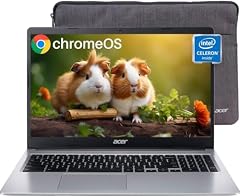
acer Chromebook 315 Laptop
- Screen size
- 15 in or more
- Memory
- 4 GB or less
- Storage
- 64 GB
- Processor
- Intel Celeron or Pentium
$235.99 price as of 2026-10-09 05:24 UTC (Details)
A 15.6-inch HD display and a Celeron N4020 processor make this Acer a solid desktop replacement for web-based work. With 4GB of RAM and 64GB of storage, it covers the basics without extra cost.
Pros
- 15.6-inch screen, the largest size available
- 64GB eMMC storage, double the entry-level 32GB
- Celeron N4020 boosts up to 2.8GHz
Cons
- HD (1366x768) resolution, not full HD
- 4GB RAM limits heavy multitasking
Good fit if
- Students who need a big screen for research and writing
- Users who keep the laptop in one place and rarely travel
Skip if
- You need a sharper full HD panel for photo editing
- You plan to run many Chrome tabs or Android apps simultaneously
Verdict: A practical, low-cost 15.6-inch Chromebook for straightforward tasks like browsing, email, and Google Docs.
3 Best for extra storage on a 15.6-inch
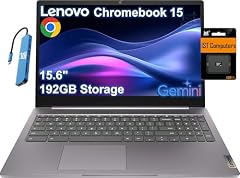
Lenovo IdeaPad 3i Chromebook 15 Laptop
- Screen size
- 15 in or more
- Processor
- Intel Celeron or Pentium
The IdeaPad 3i includes a 192GB total storage configuration (64GB eMMC plus a 128GB microSD card) and a full HD 15.6-inch display. Its Celeron N4500 is one of the newest chips in this list.
Pros
- 192GB total storage, one of the highest in this list
- 15.6-inch FHD (1920x1080) screen
- Celeron N4500 offers efficient daily performance
Cons
- The extra storage is a microSD card, which may be slower than built-in eMMC
- Only 4GB RAM, same as most competitors
Good fit if
- Users who want to store many files offline or keep a large movie library
- Those who prefer a full HD panel over a lower-resolution 15.6-inch screen
Skip if
- You need a touchscreen or convertible design
- You prefer all storage built-in rather than using a microSD card
Verdict: A capable full HD laptop with ample, expandable storage for a Celeron-based Chromebook.
4 Best for students on a 14-inch

Samsung 14" Galaxy Chromebook Go Laptop PC Computer
- Screen size
- 14 in
- Memory
- 4 GB or less
- Storage
- 64 GB
- Processor
- Intel Celeron or Pentium
- For students
- Yes
The Galaxy Chromebook Go brings a 14-inch anti-glare display and a Celeron N4500 to a lightweight clamshell. It includes 4GB of RAM and 64GB of storage, plus a MIL-STD-810G durable build (as noted by Samsung).
Pros
- 14-inch screen with anti-glare coating
- 64GB storage, double the base 32GB
- Durability claimed by Samsung (MIL-STD-810G)
Cons
- 4GB RAM may feel tight with many tabs open
- Only 64GB eMMC, not upgradeable
Good fit if
- High-school and college students who need a robust laptop for campus
- People who want a moderately sized screen without the bulk of 15.6 inches
Skip if
- You plan to use Linux or Android development tools that need more memory
- You want a touchscreen or 2-in-1 form factor
Verdict: A dependable, portable Chromebook for everyday schoolwork and web browsing on a 14-inch panel.
5 Best 14-inch clamshell

HP Chromebook 14 Laptop
- Screen size
- 14 in
- Memory
- 4 GB or less
- Storage
- 32 GB or less
- Processor
- Intel Celeron or Pentium
- For students
- Yes
This HP packs a Celeron N4000, 4GB RAM, and 32GB eMMC into a 14-inch clamshell. It is one of the lowest-priced Chromebooks in this list that still comes from a major brand.
Pros
- 14-inch screen at a low entry price
- Celeron N4000 is sufficient for basic tasks
- Lightweight design (weight not stated by seller)
Cons
- 32GB storage is the minimum in this list
- 4GB RAM and no touchscreen
Good fit if
- First-time Chromebook buyers on a strict budget
- Users who only browse the web, check email, and stream media
Skip if
- You need to store many files offline
- You want a full HD display (this is HD only)
Verdict: A no-frills 14-inch Chromebook that handles the basics without breaking the bank.
6 Best convertible with 8GB RAM

ASUS Chromebook Flip CX1 Convertible Laptop
- Screen size
- 14 in
- Memory
- 6 to 8 GB
- Storage
- 128 GB
- Processor
- Intel Celeron or Pentium
- Touchscreen
- Yes
- 2-in-1
- Yes
Unlike the base Flip CX1, this ASUS model adds 8GB of RAM and 128GB of eMMC storage while keeping the 14-inch FHD touchscreen and 360-degree hinge. It is a strong middle ground between performance and price.
Pros
- 8GB RAM, ideal for multitasking
- 128GB storage, above average among picks
- 14-inch FHD touchscreen and convertible design
Cons
- Storage is eMMC, not a faster SSD
- Battery life not stated by the seller
Good fit if
- Users who like the Flip CX1 form factor but need more memory than 4GB
- Those who want a touchscreen for note-taking or drawing
Skip if
- You need more than 128GB without relying on cloud storage
- You prefer a clamshell for a more traditional feel
Verdict: A well-rounded convertible that gives you the RAM headroom often missing on Celeron Chromebooks.
7 Best touchscreen 15.6-inch

Acer 2022 Chromebook 315 15.6" Full HD 1080p IPS Touchscreen Laptop PC
- Screen size
- 15 in or more
- Memory
- 4 GB or less
- Storage
- 64 GB
- Processor
- Intel Celeron or Pentium
- Touchscreen
- Yes
$285.00 price as of 2026-10-09 05:24 UTC (Details) Typical price: $299.00, 5% off
This Acer Chromebook 315 offers a full HD IPS touchscreen on a 15.6-inch panel, a rarity at this price level. It runs on a Celeron N4020 with 4GB of RAM and 64GB of storage.
Pros
- 15.6-inch FHD IPS touchscreen
- 64GB storage, a comfortable baseline
- Celeron N4020 handles office apps smoothly
Cons
- 4GB RAM is the entry-level amount
- Touchscreen adds weight and may reduce battery life (not specified)
Good fit if
- Users who want a large touchscreen for presentations or creative apps
- Families that share a Chromebook for casual use
Skip if
- You need a 2-in-1 hinge to fold it back
- You prefer a lighter 14-inch laptop
Verdict: A generous display and touch functionality make this Acer a great value for those who prioritize screen size.
8 Best for bundled storage extras

Lenovo Ideapad 3 15.6" FHD Chromebook
- Screen size
- 15 in or more
- Memory
- 4 GB or less
- Storage
- 64 GB
- Processor
- Intel Celeron or Pentium
This Lenovo comes with a 64GB eMMC drive plus a 160GB docking station, giving you 224GB of total storage out of the box. It also has a 15.6-inch FHD screen and a Celeron N4500.
Pros
- 224GB total storage (64GB eMMC + 160GB docking station)
- 15.6-inch FHD display
- Celeron N4500, a recent Jasper Lake chip
Cons
- The 160GB storage is external, not built-in
- 4GB RAM only, so heavy multitasking is limited
Good fit if
- People who want a large display and extra storage for media files
- Users who don't mind docking station setup
Skip if
- You need a sleek, integrated storage solution
- You rarely use external drives
Verdict: A practical pick if you need a big screen and lots of storage without paying a premium.
9 Best compact convertible (stylus not included)

Samsung Chromebook Plus V2 360
- Screen size
- 12 to 13 in
- Processor
- Intel Celeron or Pentium
- 2-in-1
- Yes
The Chromebook Plus V2 360 combines a 12.2-inch touchscreen, a 360-degree hinge, and a Celeron 3965Y. Its small size and light build make it highly portable, though RAM and storage are not stated by the seller.
Pros
- 12.2-inch touchscreen with 2-in-1 form factor
- Compact size ideal for travel
- Celeron 3965Y is a low-power dual-core chip
Cons
- RAM, storage, and battery life not stated by the seller
- Celeron 3965Y is older than Jasper Lake chips
Good fit if
- Travelers who want a small convertible for reading and notes
- Users who prefer a lightweight device over a larger screen
Skip if
- You need to know exact specs before buying
- You plan to run demanding Android apps
Verdict: A small 2-in-1 that offers flexibility, but you'll need to confirm the missing memory and storage specs with the seller.
10 Best 8GB RAM on a 15.6-inch

HP 15.6 HD Premium Chromebook
- Memory
- 6 to 8 GB
- Storage
- 64 GB
- Processor
- Intel Celeron or Pentium
This HP Chromebook pairs a 15.6-inch HD display with 8GB of RAM and 64GB of storage. It is one of only a few picks with 8GB memory, making it smoother for many tabs and Android apps.
Pros
- 8GB RAM, tied for the most in this list
- 15.6-inch screen for a spacious view
- 64GB eMMC, a solid amount for system and apps
Cons
- Display is HD (1366x768), not full HD
- Processor model is only described as 'Intel Celeron N' with no specific number
Good fit if
- Users who want a large-screen Chromebook with extra memory
- People who keep many browser extensions and Android apps open
Skip if
- You need a sharper FHD panel
- You want a portable 11.6 or 14-inch laptop
Verdict: A low-cost way to get 8GB of RAM on a big 15.6-inch clamshell, despite the lower resolution screen.
11 Best business-oriented Celeron

ASUS CX14 Chromebook Laptop for Business & Student
- Processor
- Intel Celeron or Pentium
- For students
- Yes
- For business
- Yes
The ASUS CX14 targets business and student users with a Celeron N50 processor and a durable design implied by its business focus. Specific memory and storage are not stated by the seller, so verify before buying.
Pros
- Celeron N50 is a newer Alder Lake-N chip
- Positioned for business reliability and security
- Likely offers a 14-inch screen (model name suggests CX14)
Cons
- RAM, storage, and screen size not stated in the listing
- No touchscreen or convertible option
Good fit if
- Business users who need a simple, managed ChromeOS device
- Students who want a low-maintenance laptop for classes
Skip if
- You need specific specs guaranteed before purchase
- You want a 2-in-1 or touchscreen
Verdict: A promising budget business Chromebook, but you must check the seller for RAM, storage, and display details.
12 Best 11.6-inch for students

acer Chromebook 311 CBOA311-1H-C90F 11.6" HD Display
- Screen size
- 11 in or less
- Memory
- 4 GB or less
- Storage
- 64 GB
- Processor
- Intel Celeron or Pentium
$240.00 price as of 2026-10-09 05:24 UTC (Details)
The Acer Chromebook 311 has an 11.6-inch HD display, a Celeron N4500, 4GB RAM, and 64GB storage. Its small size and rugged construction (not stated) make it a classroom favorite.
Pros
- 11.6-inch size is highly portable
- 64GB storage, double the entry-level 32GB
- Celeron N4500 offers capable performance for Google apps
Cons
- HD resolution is only 1366x768
- 4GB RAM limits heavy multitasking
Good fit if
- Elementary and middle school students
- Travelers who value compactness above all
Skip if
- You need a larger screen for spreadsheets or video editing
- You want a touchscreen
Verdict: A dependable little Chromebook that covers all the basics without extra bulk.
13 Best 2-in-1 for schools

Lenovo 500e Chromebook 2nd Gen 81MC001EUS 11.6" Touchscreen 2
- Screen size
- 11 in or less
- Memory
- 4 GB or less
- Storage
- 32 GB or less
- Processor
- Intel Celeron or Pentium
- Touchscreen
- Yes
- 2-in-1
- Yes
This Lenovo 500e is a rugged 11.6-inch convertible with a touchscreen, a Celeron N4120, 4GB RAM, and 32GB storage. It is priced very low, making it a good fit for classroom fleets.
Pros
- Touchscreen and 360-degree hinge
- Celeron N4120 is a quad-core chip (efficient for ChromeOS)
- Rugged design typical of education Chromebooks (though not confirmed in specs)
Cons
- 32GB storage is the smallest in this list
- Only 4GB RAM
Good fit if
- Schools buying in bulk for student usage
- Parents who want a durable, low-cost convertible for kids
Skip if
- You need more than 32GB of internal storage
- You prefer a clamshell for simpler handling
Verdict: A very affordable touchscreen 2-in-1 that prioritizes durability and price over storage capacity.
14 Best stylus-ready 2-in-1

Samsung Chromebook Plus V2 360 2-in-1 Laptop w/Dual Webcam
- Screen size
- 12 to 13 in
- Memory
- 4 GB or less
- Storage
- 64 GB
- Processor
- Intel Celeron or Pentium
- Touchscreen
- Yes
- 2-in-1
- Yes
- For students
- Yes
The Samsung Chromebook Plus V2 360 includes a built-in stylus (as per Samsung) and a 12.2-inch FHD+ touchscreen. It runs on an older Celeron 3965Y but offers 4GB RAM and 64GB storage, with a dual webcam for online classes.
Pros
- Built-in stylus (active pen) for note-taking
- 12.2-inch FHD+ display with touch
- 64GB storage and 4GB RAM, a balanced set for basic tasks
Cons
- Celeron 3965Y is older and less powerful than Jasper Lake chips
- Battery life not stated by seller
Good fit if
- Students who take handwritten notes
- Artists who want a budget digital sketchpad
Skip if
- You need a faster processor for heavy apps
- You want a larger 14 or 15.6-inch screen
Verdict: A feature-rich 2-in-1 with a stylus and dual cameras, but the older CPU may feel slow under load.
15 Best full HD 15.6-inch with 128GB storage

Acer Chromebook 315 Laptop
- Screen size
- 15 in or more
- Memory
- 4 GB or less
- Storage
- 128 GB
- Processor
- Intel Celeron or Pentium
$249.99 price as of 2026-10-09 05:24 UTC (Details)
This Acer Chromebook 315 gives you a 15.6-inch full HD display, a Celeron N4500, 4GB RAM, and 128GB of eMMC storage. It offers a sharper panel and more storage than many similarly priced 15.6-inch competitors.
Pros
- 15.6-inch FHD (1920x1080) display
- 128GB storage, well above the 64GB baseline
- Celeron N4500 is a recent, efficient chip
Cons
- Only 4GB RAM, so multitasking is limited
- No touchscreen (clamshell only)
Good fit if
- Users who want a large, sharp screen for movies and work
- People who store a lot of local files and apps
Skip if
- You need a convertible form factor
- You plan to run Linux or Android development with many tools
Verdict: An excellent price-to-spec ratio for a 15.6-inch FHD Chromebook with 128GB of built-in storage.
Comparison table
| # | Chromebook | Screen size | Memory | Storage | Processor | Touchscreen | 2-in-1 |
|---|---|---|---|---|---|---|---|
| 1 | ASUS Chromebook Flip CX1 | 14 in | not stated | 256 GB | Intel Celeron or Pentium | not stated | Yes |
| 2 | acer Chromebook 315 Laptop | 15 in or more | 4 GB or less | 64 GB | Intel Celeron or Pentium | not stated | not stated |
| 3 | Lenovo IdeaPad 3i Chromebook 15 Laptop | 15 in or more | not stated | not stated | Intel Celeron or Pentium | not stated | not stated |
| 4 | Samsung 14" Galaxy Chromebook Go Laptop PC Computer | 14 in | 4 GB or less | 64 GB | Intel Celeron or Pentium | not stated | not stated |
| 5 | HP Chromebook 14 Laptop | 14 in | 4 GB or less | 32 GB or less | Intel Celeron or Pentium | not stated | not stated |
| 6 | ASUS Chromebook Flip CX1 Convertible Laptop | 14 in | 6 to 8 GB | 128 GB | Intel Celeron or Pentium | Yes | Yes |
| 7 | Acer 2022 Chromebook 315 15.6" Full HD 1080p IPS Touchscreen Laptop PC | 15 in or more | 4 GB or less | 64 GB | Intel Celeron or Pentium | Yes | not stated |
| 8 | Lenovo Ideapad 3 15.6" FHD Chromebook | 15 in or more | 4 GB or less | 64 GB | Intel Celeron or Pentium | not stated | not stated |
| 9 | Samsung Chromebook Plus V2 360 | 12 to 13 in | not stated | not stated | Intel Celeron or Pentium | not stated | Yes |
| 10 | HP 15.6 HD Premium Chromebook | not stated | 6 to 8 GB | 64 GB | Intel Celeron or Pentium | not stated | not stated |
| 11 | ASUS CX14 Chromebook Laptop for Business & Student | not stated | not stated | not stated | Intel Celeron or Pentium | not stated | not stated |
| 12 | acer Chromebook 311 CBOA311-1H-C90F 11.6" HD Display | 11 in or less | 4 GB or less | 64 GB | Intel Celeron or Pentium | not stated | not stated |
| 13 | Lenovo 500e Chromebook 2nd Gen 81MC001EUS 11.6" Touchscreen 2 | 11 in or less | 4 GB or less | 32 GB or less | Intel Celeron or Pentium | Yes | Yes |
| 14 | Samsung Chromebook Plus V2 360 2-in-1 Laptop w/Dual Webcam | 12 to 13 in | 4 GB or less | 64 GB | Intel Celeron or Pentium | Yes | Yes |
| 15 | Acer Chromebook 315 Laptop | 15 in or more | 4 GB or less | 128 GB | Intel Celeron or Pentium | not stated | not stated |
How this list was made
We started with a pool of 73 Chromebook listings that matched the Intel Celeron or Pentium filter, then folded near-duplicates to 15 distinct models. We shortlisted based on memory, storage, screen size, and form factor, giving priority to established brands and new-condition units. Prices shown are live from the store listing and may change. No one at this site has tested these devices; all conclusions come from the specifications listed by the seller, the manufacturer's published information, and Google's ChromeOS support pages.
Choosing the right one
Celeron vs. Pentium: What the chip name means
Intel Celeron and Pentium processors are entry-level x86 chips found in budget Chromebooks. Celeron models like the N4020, N4120, and N4500 are common and handle web browsing, Google Docs, and video playback without issue. Pentium chips (not present in this pool) are generally a step up, but among Celeron variants, the newer Jasper Lake line (N4500) offers better efficiency and slightly faster performance than older Gemini Lake (N4000, N4020). For everyday tasks, the difference is small; check the RAM and storage first, as they affect responsiveness more than the CPU for most ChromeOS workloads.
How much RAM do you really need?
Nearly all the Chromebooks in this pool ship with 4GB of RAM, which is enough for a few tabs, email, and streaming. If you frequently keep 15 or more browser tabs open, use Android apps, or run Linux tools, consider one of the 8GB models like the ASUS Flip CX1 or the HP 15.6-inch Premium. ChromeOS is memory-efficient, but 4GB can feel limiting when multitasking. The Chromebook Plus spec (8GB+) is only found on more expensive devices, so the 8GB Celeron picks here are a rare budget-friendly alternative.
Storage: eMMC vs. SSD and how much you need
Budget Chromebooks use eMMC flash storage, which is slower than an SSD but adequate for the lightweight ChromeOS. Common capacities are 32GB, 64GB, and 128GB. If you plan to store many offline files, Android games, or Linux packages, choose 64GB or more. A few picks, like the Lenovo IdeaPad 3i, bundle a microSD card or external drive to boost capacity. Bear in mind that eMMC is not upgradeable, so buy the storage you need from the start. For most users, 64GB strikes a good balance between cost and room for apps and media.
Screen size and form factor: clamshell vs. convertible
Pick a screen size based on how you'll use the Chromebook. An 11.6-inch model is great for portability, a 14-inch is a common middle ground, and a 15.6-inch is best for a desk setup. Convertibles with 360-degree hinges add a touchscreen and tablet mode, which is useful for drawing, presentations, or watching content. Keep in mind that touchscreens and larger panels increase weight and battery consumption, although battery life is not always listed in these specifications. Decide whether you need a stylus or touch input before choosing a 2-in-1.
ChromeOS updates and longevity
All Chromebooks receive automatic updates for a fixed period, known as the Auto Update Expiration (AUE) date. Google now guarantees 10 years of updates for devices released after 2021; older models may have shorter support. Check the AUE date of the specific model before buying, especially if you look at discounted older stock. The battery and hardware could outlive the software support, so a newer Celeron (N4500) is usually safer than an older one (N4000 or N3060) for long-term use. The Google support policy page lists exact end dates for each model.
Can these Chromebooks run Linux or Android apps?
ChromeOS supports Linux (Debian) on most modern Chromebooks, including many Celeron models, but not all. You can enable Linux from Settings to install code editors and command-line tools. Android apps run through the Google Play Store on all of these picks, provided they are supported by the model. Linux can be memory-hungry, so if you plan to code or run Linux apps, choose a model with 8GB of RAM. Google's Linux setup page lists compatibility requirements, and you can check whether a specific model is supported by the maker's spec sheet.
Questions
What is the difference between Intel Celeron and Pentium in Chromebooks?
Celeron and Pentium are both entry-level x86 processors from Intel. Pentium chips generally have higher clock speeds and cache than Celeron chips of the same generation, but the real-world difference in ChromeOS is small. Most budget Chromebooks use Celeron N-series chips, which are fine for web apps, streaming, and light multitasking. If you see a Pentium model, it may offer a slight speed bump but often comes with the same RAM and storage limitations.
How much RAM do I need in a Celeron Chromebook?
Most Celeron Chromebooks come with 4GB of RAM, which is enough for a handful of tabs, Google Docs, and video calls. If you often have 15+ tabs open, use Android apps heavily, or run Linux, consider an 8GB model. Among the picks here, the ASUS Flip CX1 with 8GB RAM and the HP 15.6-inch Premium are the best fit for more demanding use. ChromeOS is designed to be efficient, but 4GB can still cause slowdowns when you push it.
Will these Chromebooks receive software updates for a long time?
Google provides 10 years of automatic updates for Chromebooks released after 2021. Older models may have a shorter Auto Update Expiration (AUE) date. For example, a Chromebook with a Celeron N4020 from 2020 might stop receiving updates sooner than one with a newer N4500. You can check the AUE date in the ChromeOS settings or on Google's official support page. When buying a budget model, choose the newest CPU generation you can afford to maximize update coverage.
Can I use Linux on a Celeron or Pentium Chromebook?
Yes, many modern Chromebooks support Linux (Debian) through ChromeOS settings. You can turn it on from Settings > About ChromeOS > Developers. This lets you install code editors, command-line tools, and other Linux apps. However, Linux requires extra RAM and storage; a 4GB Chromebook may feel constrained, and 32GB of storage can fill up quickly. Google's Linux setup page provides more details, and you should confirm that your specific model is supported before relying on it.
Are these Chromebooks good for gaming?
Celeron and Pentium Chromebooks lack discrete GPUs, so they are not suited for heavy local gaming. They can run Android games from the Play Store, such as casual puzzle or card games, and browser-based games. For cloud gaming services like GeForce NOW or Xbox Cloud Gaming, these chips have enough power to stream at lower resolutions, but you'll need a stable internet connection. If gaming is a priority, look for a Chromebook Plus model with a faster Core i3 or i5, but that goes beyond this list.
What should I check before buying a budget Celeron Chromebook?
Focus on three things: RAM, storage, and the AUE date. Aim for at least 4GB of RAM (8GB is better if you multitask), 64GB of storage (or more), and a model with a recent CPU to ensure updates continue into the next decade. Also verify the screen resolution; some budget 15.6-inch panels are only HD (1366x768), which looks less sharp than FHD. Check the manufacturer's spec sheet for battery life and weight, as these are often not listed in the store entry.
What changed
- : First published.