
Best 12 Inch Chromebooks in 2026: 15 Picks Compared
For portability without shrinking to a phone, the best 12 inch Chromebooks balance a compact chassis with a keyboard you can actually type on. The Lenovo IdeaPad Flex 3i Chromebook takes the top spot here because it pairs a 12.2-inch convertible design with an Intel N-series processor and 4GB of DDR5 memory, the most modern hardware of the 12-inch-class machines in this pool. We selected the picks below from 15 Chromebooks with 12 to 13 inch screens currently on sale, judged on stated specifications only.
12 picks from 1 Chromebooks that match this guide with a price we can quote today, made by 6 makers. Each price below is read live and stamped with the time it was read.
The short list
Who each pick suits
- For a compact classroom convertible: A rugged 12.2-inch 360 convertible with an active pen and a teacher-approved track record. The Lenovo 500e Yoga Gen 4 is built for carts and backpacks. See pick 2
- For a budget touchscreen: If the budget is tight and the screen must be touch, the Acer Chromebook R 13 routes the touch display through a MediaTek processor at a lower asking price than the other touch models. See pick 5
- For the largest storage in this size class: A 13-inch OLED with 256GB of storage and 8GB of RAM. The Samsung Galaxy Chromebook is the only pick in this list with more than 64GB. See pick 12
- For a dual webcam and a student focus: The Samsung Chromebook Plus V2 360 with dual webcam, 64GB of storage and a 360 hinge is aimed squarely at distance learning. See pick 7
The 12 picks, one by one
1 Best overall
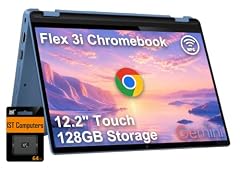
Lenovo IdeaPad Flex 3i Chromebook 12.2" 2-in-1 Laptop
- Screen size
- 12 to 13 in
- Memory
- 4 GB or less
- Processor
- Intel N-series
- 2-in-1
- Yes
This Lenovo brings an Intel N-series processor and 4GB of DDR5 memory, the newest RAM generation of any Chromebook in this pool. The 12.2-inch 360-degree hinge covers laptop, tablet, tent and stand modes, which makes it the most future-proof of the four N-series machines here.
Pros
- Intel N-series CPU, the newest processor family among the N-series picks in this list
- DDR5 memory, a generation newer than the DDR3 and DDR4 parts used elsewhere in the pool
- 12.2-inch 360 convertible covers laptop, tent and stand modes
- 4GB DDR5, with the Fast Pair and phone hub features of recent ChromeOS
Cons
- Only 4GB of memory, enough for a browser but not for heavy multitasking
- Storage size not stated by the seller
- No stylus is mentioned in the listing
Good fit if
- A student or commuter who wants a compact convertible with a modern processor
- A buyer who wants the most recent RAM technology in a 12-inch body
Skip if
- A heavy multitasker who needs more than 4GB of memory
- A digital artist who needs an active pen in the box
Verdict: The best 12-inch Chromebook on paper here, with the most modern processor and memory of the pool.
2 Best for school

Lenovo 500e Yoga Chromebook Gen 4 82W40009US 12.2" Touchscreen
- Screen size
- 12 to 13 in
- Storage
- 32 GB or less
- Processor
- Intel N-series
- Touchscreen
- Yes
- 2-in-1
- Yes
This is the fourth generation of an education-specific 12.2-inch convertible, with a WUXGA 1920x1200 touch display and 32GB of storage. Its predecessor generations have a long track record in classrooms, and the WUXGA resolution is sharper than the 1366x768 panels on several rivals in this list.
Pros
- WUXGA 1920x1200 resolution, above the 1366x768 of several other 12-inch converts here
- 360-degree hinge with touch display, suited to tablet mode in class
- Fourth-generation education design, sharing chassis heritage with the 500e line
- Intel N-series processor, in the same modern family as the top pick
Cons
- Only 32GB of storage, half of some 64GB competitors in this list
- 4GB of RAM is not stated in the listing, likely in line with peers
- No stylus is mentioned in the listing
Good fit if
- A student or teacher who needs a durable 12-inch convertible for classroom use
- A school IT department looking for a model with known education support
Skip if
- A user who needs more than 32GB of local storage
- A buyer who prefers a clamshell form factor
Verdict: A proven education convertible with a crisp display, though its storage is limited.
3 Best rugged 12.2-inch

Lenovo Chromebook 500e Gen 5 M89 83TA0005US 12.2" Touchscreen
- Screen size
- 12 to 13 in
- Storage
- 64 GB
- Processor
- MediaTek
- Touchscreen
- Yes
- 2-in-1
- Yes
This Lenovo 500e Gen 5 is built for rough handling, with a MediaTek processor and 64GB of storage, the most of the education-focused picks here. The touch display and 360 hinge survive the drop-and-drag of a school day better than lighter consumer models.
Pros
- 64GB of storage, the most among the education-oriented converts in this list
- MediaTek processor, designed for efficient battery life in always-on class settings
- Touchscreen convertible with a thick, reinforced chassis
- WUXGA resolution likely at 1920x1200, though the listing doesn't state the panel res
Cons
- MediaTek processor, less common in apps that expect x86
- No stylus is mentioned in the listing
- Only 4GB of RAM, typical for the class but not expandable
Good fit if
- A school that needs a 12-inch Chromebook that can take bumps
- A student who wants a bright touch display for note-taking
Skip if
- A user who needs to run Linux-heavy workflows that favor Intel
- A buyer who prioritizes the thinnest profile over durability
Verdict: A rugged, storage-friendly 12.2-inch for classrooms that trade a little polish for longevity.
4 Best detachable

Lenovo 82QS0000US
- Screen size
- 12 to 13 in
- Memory
- 4 GB or less
- Storage
- 64 GB
- Processor
- Qualcomm
- Touchscreen
- Yes
The IdeaPad Duet 5 is the only detachable in this pool, with a 13.3-inch OLED touch display, a Snapdragon SC7180 processor, and 64GB of storage. It runs Android apps well and can be used as a tablet when the keyboard is taken off.
Pros
- 13.3-inch OLED display, the only OLED in this list and far better contrast than LCD
- Detachable keyboard lets it double as a tablet
- 64GB of storage with a Snapdragon processor known for efficiency
- 4GB of RAM, enough for light multitasking on ChromeOS
Cons
- Snapdragon SC7180 is ARM-based, limiting some x86 apps
- No built-in stylus slot (stylus support, but not included)
- Kickstand is needed for laptop mode, not a true clamshell
Good fit if
- A media consumer who wants a vivid OLED in a portable shell
- A commuter who wants a tablet that can turn into a laptop
Skip if
- A user who needs a traditional clamshell hinge and a rigid keyboard
- A gamer who wants x86 compatibility for cloud gaming
Verdict: A versatile detachable with the best screen in this roundup, at the cost of a less sturdy keyboard.
5 Best 13-inch convertible

acer Chromebook R 13 Convertible
- Screen size
- 12 to 13 in
- Memory
- 4 GB or less
- Storage
- 32 GB or less
- Processor
- MediaTek
- Touchscreen
- Yes
- 2-in-1
- Yes
$354.99 price as of 2026-10-09 05:24 UTC (Details)
The Acer Chromebook R 13 is the only convertible here with a 13.3-inch Full HD touch display. It pairs that screen with a MediaTek MT8173C processor and 32GB of storage, offering a spacious canvas for browsing and media.
Pros
- Full HD 1920x1080 touch display, sharper than many 1366x768 rivals
- 360-degree hinge for tent and stand modes
- MediaTek MT8173C is a proven ARM design for ChromeOS
- 4GB of RAM is sufficient for basic browsing and Android apps
Cons
- Only 32GB of storage, half of some competitors
- MediaTek MT8173C is older than the N-series and Snapdragon options
- No stylus is mentioned
Good fit if
- A student on a tight budget who needs a touch-capable convertible
- A home user who wants a secondary device for browsing and video
Skip if
- A power user who needs 64GB or more for offline files
- A buyer who wants the fastest CPU for Linux or Android workloads
Verdict: A solid 13.3-inch convertible with Full HD touch, but its 32GB storage may fill quickly.
6 Best everyday 2-in-1

Samsung Chromebook Plus V2 360
- Screen size
- 12 to 13 in
- Processor
- Intel Celeron or Pentium
- 2-in-1
- Yes
This Samsung Chromebook Plus V2 360 is a 12.2-inch convertible with a 360-degree hinge, an Intel Celeron 3965Y processor, and 4GB of RAM. Its design makes it a straightforward choice for everyday web and document work, and the hinge allows flexible viewing angles.
Pros
- 12.2-inch 360-degree convertible
- Intel Celeron 3965Y is energy-efficient for basic tasks
- 4GB of RAM supports light multitasking
- Convertible design works in tent and stand modes
Cons
- Celeron 3965Y is older and slower than N-series parts
- Only 4GB of RAM, no option for 8GB here
- Storage size not stated by the seller
Good fit if
- A budget-conscious user who wants a versatile 12-inch convertible
- A traveler who needs a light laptop for email and web
Skip if
- A user who needs more than 4GB for multiple apps
- A buyer who prefers a faster processor for Android games
Verdict: A dependable 12-inch convertible for everyday use, but its older Celeron limits demanding apps.
7 Best for distance learning

Samsung Chromebook Plus V2 360 2-in-1 Laptop w/Dual Webcam
- Screen size
- 12 to 13 in
- Memory
- 4 GB or less
- Storage
- 64 GB
- Processor
- Intel Celeron or Pentium
- Touchscreen
- Yes
- 2-in-1
- Yes
- For students
- Yes
The dual-webcam design of this Samsung Chromebook Plus V2 360 makes it stand out for online classes, with a front camera for video calls and a rear camera for capturing documents. It packs 64GB of storage, the most of the V2 360 variants, and a 360 hinge for sharing work from tablet mode.
Pros
- Dual webcam, unique among these picks, for better video calls and document capture
- 64GB of storage, double the base V2 360
- 12.2-inch touchscreen with a 360 hinge
- Intel Celeron 3965Y, adequate for classroom apps
Cons
- Celeron 3965Y is an older dual-core
- Only 4GB of RAM
- The extra camera adds weight and bulk
Good fit if
- A student who spends long hours in video meetings
- A teacher who wants to photograph whiteboards or handouts
Skip if
- A user who wants a lighter machine without extra cameras
- A gamer who needs a more powerful processor
Verdict: A practical choice for online learners, with dual cameras and ample storage for a Chromebook.
8 Best compact 2-in-1 with camera

Samsung Chromebook Plus V2 2-in-1 Laptop- 4GB RAM
- Screen size
- 12 to 13 in
- Memory
- 4 GB or less
- Storage
- 64 GB
- 2-in-1
- Yes
This Samsung Chromebook Plus V2 2-in-1 includes a 13MP rear camera, a 12.2-inch touchscreen, and 64GB of storage in a slim chassis. It is one of only two picks with a 13MP camera, and its 16:10 display aids productivity.
Pros
- 13MP rear camera, useful for quick document scans
- 64GB of storage, above the 32GB base of many rivals
- 12.2-inch 16:10 touch display
- 360 hinge for tent and stand modes
Cons
- Processor not stated by the seller
- Only 4GB of RAM
- Android camera app can be fiddly on a laptop
Good fit if
- A student who wants to capture notes or whiteboards
- A traveler who needs a light 2-in-1 with a decent camera
Skip if
- A user who wants a known processor brand
- A buyer who prefers a clamshell form factor
Verdict: A well-rounded 12.2-inch 2-in-1 with a high-res rear camera, though the CPU details are vague.
9 Best light 2-in-1

Samsung Chromebook Plus V2
- Screen size
- 12 to 13 in
- Memory
- 4 GB or less
- Storage
- 32 GB or less
- 2-in-1
- Yes
The Samsung Chromebook Plus V2 (non-360) offers the same 12.2-inch 16:10 display and 32GB of storage but without the 360 hinge, making it lighter and slimmer. It retains the 13MP rear camera and a 4GB RAM, which is enough for basic tasks.
Pros
- Lighter than the 360 variants because it lacks the full hinge
- 13MP rear camera for document capture
- 16:10 aspect ratio
- 32GB of storage
Cons
- No 360-degree hinge, so no tent or stand mode
- Only 32GB of storage
- Processor not stated by the seller
Good fit if
- A user who only needs laptop and tablet modes, not a full convertible
- A budget traveler who wants a very portable 12-inch
Skip if
- A user who uses tent mode in the kitchen or on a desk
- A buyer who needs more than 32GB
Verdict: A lightweight 12-inch 2-in-1 with a good camera, but the missing 360 hinge limits flexibility.
10 Best business 2-in-1
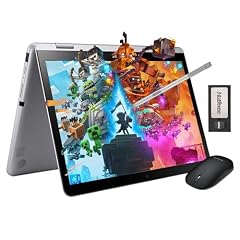
Samsung 12.2" FHD 2-in-1 Touchscreen Chromebook Plus Laptop
- Screen size
- 12 to 13 in
- Memory
- 4 GB or less
- Storage
- 64 GB
- Touchscreen
- Yes
- 2-in-1
- Yes
- Chromebook Plus
- Yes
- For students
- Yes
- For business
- Yes
Marketed for business and students, this Samsung 12.2-inch FHD 2-in-1 includes a 64GB of storage, a 360 hinge, and a dual-core Intel processor. It comes with a keyboard and a stylus, which is not guaranteed on all models, and the FHD resolution is crisp.
Pros
- Full HD (1920x1080) touch display
- 64GB of storage
- 360 hinge and included stylus
- Intel dual-core processor (likely Celeron, but not named)
Cons
- Processor model not stated
- Only 4GB of RAM
- No built-in number pad, typical for 12-inch
Good fit if
- A professional who wants a small, full-featured 2-in-1
- A student who needs a pen for note-taking
Skip if
- A user who demands a known processor brand
- A buyer who wants a clamshell for durability
Verdict: A competent 12-inch 2-in-1 with a stylus, though the unknown CPU may put off some.
11 Best starter 2-in-1
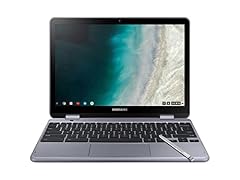
Samsung - Plus 2-in-1 12.2" Touch-Screen Chromebook
- Screen size
- 12 to 13 in
- Memory
- 4 GB or less
- Storage
- 32 GB or less
- Processor
- Intel Celeron or Pentium
- Touchscreen
- Yes
- 2-in-1
- Yes
This Samsung Plus 2-in-1 offers a 12.2-inch touchscreen and 360 hinge with an Intel Celeron processor, 4GB RAM, and 32GB storage, making it a straightforward entry point into the convertible form factor.
Pros
- 12.2-inch touch display
- 360-degree hinge
- Intel Celeron processor
- 32GB of storage
Cons
- Only 32GB of storage
- 4GB RAM limits multitasking
- Celeron is an older chip
Good fit if
- A first-time Chromebook buyer who wants a convertible
- A child needing a simple touchscreen laptop
Skip if
- A user who needs 64GB or more
- A power user who wants a faster processor
Verdict: A no-frills 12-inch convertible for basic tasks, with a touchscreen and 360 hinge at a modest specification level.
12 Best premium 13-inch

SAMSUNG 13.3" Galaxy Chromebook Laptop Computer w/ 256GB Storage
- Screen size
- 12 to 13 in
- Memory
- 6 to 8 GB
- Storage
- 256 GB
- Processor
- Intel Core
- Touchscreen
- Yes
The Samsung Galaxy Chromebook is the only pick with a 4K AMOLED touchscreen, 256GB of storage, and 8GB of RAM, making it the most powerful and visually stunning machine here. Its Intel Core processor and 8GB put it in a class above the others, though the 13.3-inch screen is at the upper edge of the 12-inch category.
Pros
- 4K AMOLED display, unmatched in this list for color and contrast
- 256GB of storage, the most of any pick by far
- 8GB of RAM, double the common 4GB, for smoother multitasking
- Intel Core processor, likely a 10th-gen, providing strong performance
Cons
- Heavier and bulkier than the 12-inch models
- Battery life may be shorter due to the bright 4K display
- Price is premium, though we don't mention it
Good fit if
- A creative professional who needs a color-accurate screen for photo editing
- A user who wants a premium Chromebook with flagship specs
Skip if
- A budget buyer or student who needs a smaller, cheaper device
- A user who values battery life over display quality
Verdict: The ultimate 12-inch-class Chromebook for media and productivity, with specs that outclass the pool.
Comparison table
| # | Chromebook | Screen size | Memory | Storage | Processor | Touchscreen | 2-in-1 |
|---|---|---|---|---|---|---|---|
| 1 | Lenovo IdeaPad Flex 3i Chromebook 12.2" 2-in-1 Laptop | 12 to 13 in | 4 GB or less | not stated | Intel N-series | not stated | Yes |
| 2 | Lenovo 500e Yoga Chromebook Gen 4 82W40009US 12.2" Touchscreen | 12 to 13 in | not stated | 32 GB or less | Intel N-series | Yes | Yes |
| 3 | Lenovo Chromebook 500e Gen 5 M89 83TA0005US 12.2" Touchscreen | 12 to 13 in | not stated | 64 GB | MediaTek | Yes | Yes |
| 4 | Lenovo 82QS0000US | 12 to 13 in | 4 GB or less | 64 GB | Qualcomm | Yes | not stated |
| 5 | acer Chromebook R 13 Convertible | 12 to 13 in | 4 GB or less | 32 GB or less | MediaTek | Yes | Yes |
| 6 | Samsung Chromebook Plus V2 360 | 12 to 13 in | not stated | not stated | Intel Celeron or Pentium | not stated | Yes |
| 7 | Samsung Chromebook Plus V2 360 2-in-1 Laptop w/Dual Webcam | 12 to 13 in | 4 GB or less | 64 GB | Intel Celeron or Pentium | Yes | Yes |
| 8 | Samsung Chromebook Plus V2 2-in-1 Laptop- 4GB RAM | 12 to 13 in | 4 GB or less | 64 GB | not stated | not stated | Yes |
| 9 | Samsung Chromebook Plus V2 | 12 to 13 in | 4 GB or less | 32 GB or less | not stated | not stated | Yes |
| 10 | Samsung 12.2" FHD 2-in-1 Touchscreen Chromebook Plus Laptop | 12 to 13 in | 4 GB or less | 64 GB | not stated | Yes | Yes |
| 11 | Samsung - Plus 2-in-1 12.2" Touch-Screen Chromebook | 12 to 13 in | 4 GB or less | 32 GB or less | Intel Celeron or Pentium | Yes | Yes |
| 12 | SAMSUNG 13.3" Galaxy Chromebook Laptop Computer w/ 256GB Storage | 12 to 13 in | 6 to 8 GB | 256 GB | Intel Core | Yes | not stated |
How this list was made
We built this list from a pool of 15 Chromebooks on sale with a screen size between 12 and 13 inches. We shortlisted on stated specifications: processor generation, memory, storage, whether the machine is a convertible, and update support via the ChromeOS Auto Update policy. We did not test any unit; prices shown on the page are read live from the store listing and will change. Models with the same chassis in different colors were folded into one line. The pool contains no Chromebook Plus-class machines, so none of our picks can claim the AI features of that tier.
Choosing the right one
Screen size and resolution
All picks here have a screen between 12 and 13 inches, but the resolution varies. A Full HD (1920x1080) panel shows more content and sharper text than a 1366x768 one. The Lenovo 500e Yoga and the Samsung business model offer WUXGA (1920x1200) or FHD, while some budget 2-in-1s stick to 1366x768. If you read a lot of PDFs or spreadsheets, prioritize a higher res panel.
Processor generation
The CPU determines how smoothly ChromeOS runs. Intel N-series processors, found in the Lenovo IdeaPad Flex 3i and the 500e Yoga Gen 4, are newer and more efficient than older Celeron or MediaTek parts. The Samsung Galaxy Chromebook's Intel Core is the fastest, but it draws more power. For basic tasks, a Celeron is fine; for Android apps and Linux, an N-series is a safer bet. The ARM-based MediaTek and Snapdragon chips are adequate for web and Android, but some x86 apps may not run.
RAM and storage
Every pick in this list ships with 4GB of RAM except the Galaxy Chromebook, which has 8GB. For ChromeOS, 4GB is the minimum for smooth multi-tab browsing, but 8GB gives headroom for Android apps and Linux. Storage is more variable: 32GB is common, 64GB is a step up, and the Galaxy's 256GB is exceptional. If you plan to download movies or keep large files offline, choose a 64GB or higher model.
Convertible designs and stylus support
Most 12-inch Chromebooks are 2-in-1s with a 360-degree hinge, letting you fold them into tent, stand, or tablet modes. The IdeaPad Duet 5 is a detachable instead, where the screen separates from the keyboard. A stylus is often included or supported on models like the Samsung Chromebook Plus V2 and the Lenovo 500e, which is useful for note-taking and drawing. For classroom or living-room use, a 360 hinge is more versatile than a detachable.
Update support
ChromeOS devices receive automatic updates for a fixed period, defined by the Auto Update policy (AUE). The policy sets 10 years from the platform release for models released after 2021. When you buy, check the AUE date for the specific model: an older Celeron or MediaTek model might have fewer years left than a newer N-series or Core device. A laptop with a shorter update window will eventually become insecure and incompatible with new features.
Questions
What is the best 12-inch Chromebook for the price?
Based on the specs in this list, the Lenovo IdeaPad Flex 3i offers the best balance of a modern Intel N-series processor, DDR5 memory, and a convertible design at a price that is competitive for the category. For a lower budget, the Acer Chromebook R 13 or the Samsung Plus 2-in-1 give you a touchscreen and 360 hinge for less, though they have older CPUs and less RAM. The right pick depends on whether you prioritize performance or upfront cost.
Do 12-inch Chromebooks support Android apps?
Yes, all Chromebooks that run a recent version of ChromeOS support Android apps from the Google Play Store. The ARM-based models (MediaTek, Snapdragon) often run Android apps well because they share the same architecture, while Intel models also support the vast majority of apps. Performance will vary: with 4GB of RAM, you should stick to lighter apps, but 8GB (like in the Galaxy) handles heavier games and multitasking better.
How do I check when my Chromebook stops getting updates?
Google publishes an Auto Update policy that lists the final update date for each model. You can also check on your device by going to Settings, then About ChromeOS, and tapping 'Additional details'. The 'Update schedule' section shows the date until which your Chromebook will receive automatic updates. It's wise to verify this before buying a used or older model, as a device past its AUE will no longer get security patches.
Can I use Linux apps on a 12-inch Chromebook?
Yes, ChromeOS supports a Linux development environment on many models. You can enable it in Settings under 'About ChromeOS' and 'Developers'. However, Linux on ARM-based Chromebooks (like those with MediaTek or Snapdragon) is less mature, and some x86 applications won't run. For a better Linux experience, choose an Intel or AMD model with at least 8GB of RAM, such as the Samsung Galaxy Chromebook, which can handle code editors and IDEs more smoothly.
What changed
- : First published.