
Best Chromebooks with 8GB RAM in 2026: 13 Picks Compared on Specs
The Acer Chromebook Plus Spin 714 is our top pick, combining an Intel Core Ultra 5 processor with a versatile convertible design and 256GB of storage for smooth multitasking. We shortlisted this list from 33 Chromebooks with 8GB RAM, comparing processor performance, storage, display quality, and form factor based on published specifications.
13 picks from 15 Chromebooks that match this guide with a price we can quote today, made by 6 makers. Each price below is read live and stamped with the time it was read.
The short list
Who each pick suits
- For students: A touchscreen and convertible design help with note-taking and group work. The Acer Chromebook Spin 314 pairs an Intel Core i3-N305 with a 14-inch touch display at a reasonable weight. See pick 13
- For travelers: A lightweight tablet with keyboard attachment is easy to slip into a bag. The Lenovo Chromebook Duet Gen 9 delivers a full ChromeOS experience on an 11-inch screen with 256GB of storage. See pick 8
- For power users: If you juggle many tabs and run demanding web apps, look for an Intel Core Ultra or i5 processor. The Acer Chromebook Plus Spin 714 offers that and a 2-in-1 format. See pick 1
The 13 picks, one by one
1 Best overall

acer Chromebook Plus Spin 714 Laptop with Google AI
- Screen size
- 14 in
- Memory
- 6 to 8 GB
- Storage
- 256 GB
- Processor
- Intel Core
- Touchscreen
- Yes
- 2-in-1
- Yes
- Chromebook Plus
- Yes
$637.00 price as of 2026-10-09 05:24 UTC (Details)
This is the most powerful Chromebook in the list, with an Intel Core Ultra 5 processor and 256GB of storage. Its convertible design and Chromebook Plus certification bring AI features and a premium experience.
Pros
- Intel Core Ultra 5 processor, the fastest CPU among these picks
- 256GB storage, adequate for most local files
- Touchscreen and convertible form factor
- Chromebook Plus certification includes AI tools
Cons
- Storage is half of the Acer Chromebook Plus 514's 512GB option
- No OLED display like the Samsung Galaxy Chromebook
Good fit if
- Users who need top performance for web and Android apps
- Professionals who want a 2-in-1 that can also handle AI features
Skip if
- You want the largest storage capacity (see the Acer Chromebook Plus 514)
- You prefer a traditional clamshell design
Verdict: The Acer Chromebook Plus Spin 714 is the best all-around Chromebook with 8GB RAM for those who want maximum performance and flexibility.
2 Best 2-in-1

Lenovo Flex 5i Chromebook Plus 14" WUXGA Touchscreen 2-in-1 Laptop
- Screen size
- 14 in
- Memory
- 6 to 8 GB
- Storage
- 256 GB
- Processor
- Intel Core
- Touchscreen
- Yes
- 2-in-1
- Yes
- Chromebook Plus
- Yes
Lenovo's Flex 5i pairs an Intel Core i5-1334U with a 14-inch touchscreen and a 360-degree hinge. It offers the same core performance as the top pick but at a slightly more affordable configuration with 256GB storage.
Pros
- Intel Core i5-1334U offers strong performance
- Convertible design with touchscreen
- 256GB storage
- Chromebook Plus certified
Cons
- Processor is one generation behind the Core Ultra 5 in the Spin 714
- Only 256GB storage, not expandable per seller specs
Good fit if
- Users who want a convertible with excellent multitasking speed
- Students who need a laptop that can flip into a tablet
Skip if
- You demand the latest Intel Core Ultra processor
- You need more than 256GB of internal storage
Verdict: The Lenovo Flex 5i Chromebook Plus is a superb 2-in-1 that balances performance and portability for most daily tasks.
3 Best Chromebook Plus

ASUS Chromebook Plus CX34 Laptop
- Screen size
- 14 in
- Memory
- 6 to 8 GB
- Storage
- 256 GB
- Processor
- Intel Core
- Touchscreen
- Yes
- Chromebook Plus
- Yes
Asus offers a Chromebook Plus with an Intel Core i5-1335U and a 14-inch touchscreen, all in a traditional clamshell. Its 256GB storage and sleek design make it a strong alternative to HP's Plus lineup.
Pros
- Intel Core i5-1335U, a fast mid-range chip
- Touchscreen display
- 256GB storage
- Chromebook Plus features enabled
Cons
- No convertible hinge, it's a clamshell
- Storage is not stated as upgradeable by the seller
Good fit if
- Productivity users who want a fast touchscreen laptop
- People who prefer a classic laptop shape
Skip if
- You want a 360-degree hinge
- You need more than 256GB storage
Verdict: The ASUS Chromebook Plus CX34 is a dependable Chromebook Plus with a responsive CPU and quality touchscreen.
4 Best for business

HP Chromebook Plus x360 Laptop 14" 2 in 1 Touchscreen Business Laptop
- Screen size
- 14 in
- Memory
- 6 to 8 GB
- Storage
- 256 GB
- Processor
- Intel Core
- Touchscreen
- Yes
- 2-in-1
- Yes
- Chromebook Plus
- Yes
- For students
- Yes
HP targets business users with this x360 model, combining an Intel Core i3-N305, 256GB storage, and a convertible design. Its Chromebook Plus status ensures it meets Google's performance bar for modern workloads.
Pros
- Intel Core i3-N305 with 8 cores
- 256GB storage
- Convertible design with touchscreen
- Chromebook Plus certified, suitable for enterprise use
Cons
- Processor is slower than the i5 and Ultra chips in other picks
- Storage is limited to 256GB
Good fit if
- Business users who need a secure, manageable device
- Remote workers who want a versatile 2-in-1
Skip if
- You need maximum CPU performance
- You prefer a non-convertible laptop for durability
Verdict: The HP Chromebook Plus x360 is a solid business-oriented Chromebook with a good blend of performance and flexibility.
5 Best storage

acer Chromebook Plus 514 Laptop with Google AI
- Screen size
- 14 in
- Memory
- 6 to 8 GB
- Storage
- 512 GB or more
- Processor
- Intel Core
- Touchscreen
- Yes
- Chromebook Plus
- Yes
$448.00 price as of 2026-10-09 05:24 UTC (Details)
This Acer Chromebook Plus stands out with 512GB of internal storage, doubling what most competitors offer. The Intel Core i3-N305 processor and 14-inch touchscreen cover productivity needs with room to spare.
Pros
- 512GB storage, the largest among these picks
- Intel Core i3-N305 processor
- Touchscreen display
- Chromebook Plus certified
Cons
- Processor is mid-range, not the fastest
- No convertible option
Good fit if
- Users who store large media libraries offline
- Creators who keep many project files on the device
Skip if
- You want a 2-in-1 form factor
- You need the absolute fastest CPU
Verdict: The Acer Chromebook Plus 514 is the right choice when storage capacity is your priority.
6 Best large screen

Lenovo Chromebook Plus 15.3" 2K Touchscreen Laptop
- Screen size
- 15 in or more
- Memory
- 6 to 8 GB
- Storage
- 128 GB
- Processor
- Intel Core
- Touchscreen
- Yes
- Chromebook Plus
- Yes
A 15.3-inch 2K touchscreen makes this Lenovo Chromebook Plus ideal for watching movies and working on detailed spreadsheets. The Intel Core 3 N355 processor handles everyday tasks well.
Pros
- 15.3-inch 2K touchscreen, the largest in this list
- Intel Core 3 N355 processor with 8 cores
- 128GB storage
- Chromebook Plus certified
Cons
- Only 128GB storage, less than many rivals
- No OLED panel
Good fit if
- Users who prioritize a big, sharp display
- People who watch a lot of video content
Skip if
- You need more than 128GB internal storage
- You want a portable 11-inch or 12-inch model
Verdict: The Lenovo Chromebook Plus 15.3 is the best large-screen Chromebook for immersive viewing and comfortable multitasking.
7 Best display

SAMSUNG 13.3" Galaxy Chromebook Laptop Computer w/ 256GB Storage
- Screen size
- 12 to 13 in
- Memory
- 6 to 8 GB
- Storage
- 256 GB
- Processor
- Intel Core
- Touchscreen
- Yes
Samsung's Galaxy Chromebook features a 13.3-inch 4K AMOLED touchscreen, the only OLED in this list. Its Intel Core processor and 256GB storage complement the stunning visuals, making it a premium choice for media lovers.
Pros
- 4K AMOLED touchscreen, unmatched color and contrast
- 256GB storage
- Intel Core processor with good performance
- Sleek, premium design
Cons
- Only 12 to 13 inches, small for some users
- Higher price point due to display
Good fit if
- Creative professionals who need accurate colors
- Streamers who want the best visual experience
Skip if
- You prefer a larger screen for productivity
- You want a convertible form factor (this is a clamshell)
Verdict: The Samsung Galaxy Chromebook is the right pick if display quality is your top priority.
8 Best tablet
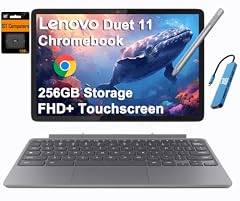
Lenovo Chromebook Duet Gen 9 11" Tablet
- Screen size
- 11 in or less
- Memory
- 6 to 8 GB
- Storage
- 256 GB
- 2-in-1
- Yes
The Lenovo Chromebook Duet Gen 9 is a detachable tablet with an 11-inch display and 256GB storage. It's the most portable option in this list, perfect for on-the-go use, though performance is modest.
Pros
- Compact 11-inch tablet design
- 256GB storage, generous for a tablet
- Comes with detachable keyboard (per seller specs)
- Lightweight and travel-friendly
Cons
- Smaller screen than most laptops
- Processor is not specified in the pool, likely weaker than Intel Core models
Good fit if
- Frequent travelers who need a lightweight secondary device
- Students who take notes and read textbooks
Skip if
- You need a traditional laptop feel for heavy typing
- You want a large, high-resolution display
Verdict: The Lenovo Chromebook Duet Gen 9 is the best tablet-form Chromebook for portability and everyday tasks.
9 Best backlit keyboard

HP Chromebook Plus 14 Laptop
- Screen size
- 14 in
- Memory
- 6 to 8 GB
- Storage
- 256 GB
- Processor
- Intel Core
- Touchscreen
- Yes
- Chromebook Plus
- Yes
HP's Chromebook Plus 14 includes a backlit keyboard, a feature not found on most other picks. Paired with an Intel Core i3-N305 and 256GB storage, it offers solid performance for typing-heavy work.
Pros
- Backlit keyboard, useful in low light
- 256GB storage
- Intel Core i3-N305 processor
- Chromebook Plus certified
Cons
- Only 128GB storage in some configurations (this listing is 256GB)
- No convertible design
Good fit if
- Writers and night owls who work in dim environments
- Professionals who appreciate the backlit keys
Skip if
- You need a touchscreen (this model has one, but check config)
- You want a 2-in-1 form factor
Verdict: The HP Chromebook Plus 14 is a top choice for those who value a backlit keyboard and reliable performance.
10 Best budget touch
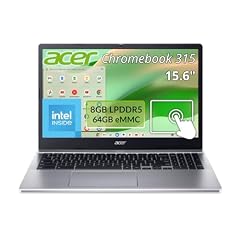
Acer Chromebook 315 Laptop Intel N100 8GB RAM 64GB Storage Touch
- Memory
- 6 to 8 GB
- Storage
- 64 GB
- Processor
- Intel N-series
- Touchscreen
- Yes
$329.00 price as of 2026-10-09 05:24 UTC (Details) Typical price: $349.99, 6% off
Acer's Chromebook 315 offers a touchscreen on a budget with an Intel N100 processor and 64GB storage. It's the most affordable way to get a touch-enabled ChromeOS device with 8GB RAM.
Pros
- Touchscreen at a low price point
- Intel N100 processor for basic tasks
- 15-inch screen (larger than many budget models)
- 8GB RAM for smooth multitasking
Cons
- Only 64GB storage, the least in this list
- Processor is entry-level, not for heavy workloads
Good fit if
- Students on a strict budget who need touch
- Users who primarily browse the web and use Android apps
Skip if
- You need to store large files offline
- You run demanding applications like video editing
Verdict: The Acer Chromebook 315 is the best budget pick with a touchscreen, offering decent performance for everyday tasks.
11 Best large-screen clamshell

ASUS Chromebook CM15 Laptop
- Screen size
- 15 in or more
- Memory
- 6 to 8 GB
- Storage
- 128 GB
- Processor
- MediaTek
If you want a big display without the 2-in-1 complexity, the ASUS Chromebook CM15 delivers a 15.6-inch FHD panel with a MediaTek Kompanio 540 processor. It's a straightforward, cost-effective large-screen laptop.
Pros
- 15.6-inch FHD display, ideal for split-screen work
- 128GB storage
- MediaTek Kompanio 540 offers good battery efficiency
- Clamshell design is durable and simple
Cons
- Processor is not as powerful as Intel Core options
- No touchscreen
Good fit if
- Users who spend long hours on spreadsheets or reading
- People who want a simple, large-screen laptop for home
Skip if
- You need a touch-enabled screen
- You want a higher-resolution display (it's Full HD, not 2K)
Verdict: The ASUS Chromebook CM15 is a solid large-screen clamshell for budget-minded buyers.
12 Best everyday 15-inch
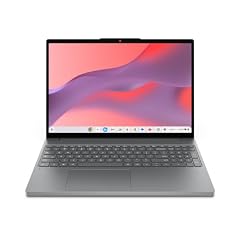
Lenovo Chromebook m 15"
- Screen size
- 15 in or more
- Memory
- 6 to 8 GB
- Storage
- 128 GB
- Processor
- MediaTek
Lenovo's m 15 Chromebook offers a 15.3-inch WUXGA IPS display, a step up in resolution from Full HD, along with 128GB storage and a MediaTek Kompanio 540 processor. It's a balanced choice for daily productivity.
Pros
- 15.3-inch WUXGA (1920x1200) IPS display, sharp and bright
- 128GB storage
- MediaTek Kompanio 540 runs cool and efficiently
- Lenovo's durable build quality
Cons
- No touchscreen
- Processor is better suited for light tasks than heavy multitasking
Good fit if
- Everyday users who appreciate a high-resolution large screen
- Students who need a reliable laptop for schoolwork
Skip if
- You want a convertible or touchscreen
- You plan to run Linux or heavy Android games
Verdict: The Lenovo Chromebook m 15 is an excellent all-rounder for everyday computing with a crisp display.
13 Best for students

Acer Chromebook Spin 314 CP314-2HN-30V1 Convertible Laptop
- Screen size
- 14 in
- Memory
- 6 to 8 GB
- Storage
- 128 GB
- Processor
- Intel Core
- Touchscreen
- Yes
- 2-in-1
- Yes
$499.99 price as of 2026-10-09 05:24 UTC (Details)
This 2-in-1 Chromebook combines an Intel Core i3-N305 processor with a 14-inch WUXGA touchscreen, making it ideal for note-taking with a stylus or sharing work in group projects. Its 128GB storage is enough for class files, and the convertible design adds flexibility for different learning environments.
Pros
- Intel Core i3-N305 processor with 8 cores
- 10-point touchscreen with Corning Gorilla Glass
- Convertible 360-degree design
- 128GB storage for apps and documents
Cons
- No stylus included (per seller specs)
- Battery life not stated by seller
Good fit if
- Students who want a versatile laptop for class and study
- Families needing a durable, multipurpose device
Skip if
- You need a larger display (this is 14 inches, not 15+)
- You plan to do heavy video editing; the processor is mid-range
Verdict: The Acer Chromebook Spin 314 is the best student-focused Chromebook with 8GB RAM, offering excellent value and functionality.
Comparison table
| # | Chromebook | Screen size | Memory | Storage | Processor | Touchscreen | 2-in-1 |
|---|---|---|---|---|---|---|---|
| 1 | acer Chromebook Plus Spin 714 Laptop with Google AI | 14 in | 6 to 8 GB | 256 GB | Intel Core | Yes | Yes |
| 2 | Lenovo Flex 5i Chromebook Plus 14" WUXGA Touchscreen 2-in-1 Laptop | 14 in | 6 to 8 GB | 256 GB | Intel Core | Yes | Yes |
| 3 | ASUS Chromebook Plus CX34 Laptop | 14 in | 6 to 8 GB | 256 GB | Intel Core | Yes | not stated |
| 4 | HP Chromebook Plus x360 Laptop 14" 2 in 1 Touchscreen Business Laptop | 14 in | 6 to 8 GB | 256 GB | Intel Core | Yes | Yes |
| 5 | acer Chromebook Plus 514 Laptop with Google AI | 14 in | 6 to 8 GB | 512 GB or more | Intel Core | Yes | not stated |
| 6 | Lenovo Chromebook Plus 15.3" 2K Touchscreen Laptop | 15 in or more | 6 to 8 GB | 128 GB | Intel Core | Yes | not stated |
| 7 | SAMSUNG 13.3" Galaxy Chromebook Laptop Computer w/ 256GB Storage | 12 to 13 in | 6 to 8 GB | 256 GB | Intel Core | Yes | not stated |
| 8 | Lenovo Chromebook Duet Gen 9 11" Tablet | 11 in or less | 6 to 8 GB | 256 GB | not stated | not stated | Yes |
| 9 | HP Chromebook Plus 14 Laptop | 14 in | 6 to 8 GB | 256 GB | Intel Core | Yes | not stated |
| 10 | Acer Chromebook 315 Laptop Intel N100 8GB RAM 64GB Storage Touch | not stated | 6 to 8 GB | 64 GB | Intel N-series | Yes | not stated |
| 11 | ASUS Chromebook CM15 Laptop | 15 in or more | 6 to 8 GB | 128 GB | MediaTek | not stated | not stated |
| 12 | Lenovo Chromebook m 15" | 15 in or more | 6 to 8 GB | 128 GB | MediaTek | not stated | not stated |
| 13 | Acer Chromebook Spin 314 CP314-2HN-30V1 Convertible Laptop | 14 in | 6 to 8 GB | 128 GB | Intel Core | Yes | Yes |
How this list was made
From a pool of 33 Chromebooks with 8GB RAM listed in our catalog, we selected 13 models that represent the range of use cases, from entry-level to premium. Our criteria focused on processor generation (Intel Core vs. Celeron, MediaTek), storage capacity, screen size and resolution, and whether the device offers a touchscreen or convertible design. All prices shown on this page are live from the store listing and may change. We did not physically test any unit; every specification comes from the published product data or the manufacturer's official product pages, which are cited in the sources below.
Choosing the right one
Understanding performance: CPU and RAM
With 8GB of RAM, your Chromebook can handle dozens of open tabs and multiple apps without stuttering. The processor matters for tasks like video editing or coding. Look for Intel Core i5 or above for heavy workloads, while Intel N-series or MediaTek chips are fine for web browsing and documents.
Storage: eMMC vs SSD, and capacity
Most Chromebooks use eMMC storage, which is slower but cheap. Some premium models include NVMe SSDs for faster boot times. Capacity ranges from 64GB to 512GB. If you download large files or install Android games, consider at least 128GB, and you can always use cloud storage.
Display: size, resolution, and touch
Screen size affects portability and productivity. 11-inch tablets are ultra-portable, 14-inch is a balanced sweet spot, and 15-inch offers more screen real estate. Resolution matters for detail: Full HD (1920x1080) is standard, but some models feature 2K or even 4K OLED. Touchscreens are useful for navigation and Android apps.
Form factor: clamshell vs convertible
Clamshell laptops are sturdy and simple. Convertibles with 360-degree hinges or detachable keyboards offer more flexibility: you can use them as tablets or prop them up for presentations. If you often consume media or take notes by hand, a convertible is worth the extra cost.
Updates and security: longevity matters
ChromeOS devices receive automatic updates for 10 years from the platform release date, but older models may have earlier expiration dates. Always check the Auto Update Expiration (AUE) date before buying. Chromebook Plus models come with enhanced AI features and are guaranteed to meet higher performance standards.
Questions
Is 8GB of RAM enough on a Chromebook?
Yes, 8GB is sufficient for most users. It allows you to keep dozens of tabs open and run Android apps smoothly. If you only browse the web and use Google Docs, even 4GB is usable, but 8GB ensures you won't feel sluggish during multitasking. For heavy Linux or Android gaming, 16GB might be needed, but 8GB is a good balance for most.
What is Chromebook Plus?
Chromebook Plus is a certification from Google that guarantees a minimum level of performance: at least 8GB RAM, 128GB storage, and a modern processor. It also unlocks exclusive AI features like Gemini integration and access to premium apps for free for a limited time. If you want a future-proof device, look for the 'Plus' label.
How long do Chromebooks get software updates?
Most Chromebooks released after 2021 receive automatic updates for 10 years from the platform release date. You can check the exact Auto Update Expiration (AUE) date in your device's settings. It's important to know this because after support ends, you won't receive security or feature updates, making the device less safe to use.
Can I run Linux apps on a Chromebook with 8GB RAM?
Yes, all Chromebooks support Linux (Crostini) if the device is listed as compatible. With 8GB of RAM, you can run code editors, IDEs, and command-line tools comfortably. However, heavy Linux applications like full desktop environments might consume a lot of resources, so stick to lightweight tools for the best experience.
What changed
- : First published.