
Best 2-in-1 Chromebooks in 2026: 12 Picks Compared on Specs
The best 2-in-1 Chromebook is the Acer Chromebook Plus Spin 714, pairing an Intel Core Ultra 5 processor with 8GB RAM and 256GB storage. To find the top convertibles, we compared 41 models from Acer, ASUS, HP, Lenovo, and Samsung. We evaluated each on processor family, RAM, storage, screen size, and Chromebook Plus certification. Our picks range from budget-friendly to performance-focused, including both 360-degree hinges and detachable designs. Prices are live from store listings and updates automatically; we did not test these devices. Our selection is based solely on published specifications and maker information.
12 picks from 10 Chromebooks that match this guide with a price we can quote today, made by 6 makers. Each price below is read live and stamped with the time it was read.
The short list
Who each pick suits
- For performance on the go: You need a fast processor and enough memory for multitasking, video calls, and cloud gaming. The Acer Spin 714 or Lenovo Flex 5i Plus with Intel Core i5 or better are strong choices. See pick 1
- For students on a budget: You want a reliable convertible for notes, research, and streaming without breaking the bank. The Lenovo IdeaPad Flex 5i Plus or Acer Spin 314 offer good specs at a reasonable cost. See pick 9
- For travelers and note-takers: You prioritize portability and tablet mode. The Lenovo Duet Gen 9 or ASUS CM30 detachable are lightweight and easy to carry, with optional stylus support. See pick 6
The 12 picks, one by one
1 Best overall

acer Chromebook Plus Spin 714 Laptop with Google AI
- Screen size
- 14 in
- Memory
- 6 to 8 GB
- Storage
- 256 GB
- Processor
- Intel Core
- Touchscreen
- Yes
- 2-in-1
- Yes
- Chromebook Plus
- Yes
$637.00 price as of 2026-10-09 05:24 UTC (Details)
The Acer Chromebook Plus Spin 714 stands out with its Intel Core Ultra 5 processor, the most powerful CPU among our picks, plus 8GB RAM and 256GB storage. It meets Chromebook Plus requirements, unlocking AI features like Gemini and enhanced video calling.
Pros
- Intel Core Ultra 5 processor, the fastest in this list
- 8GB RAM and 256GB storage meet Chromebook Plus baseline
- Chromebook Plus certification adds AI tools and 10-year updates
- 14-inch touchscreen with 360-degree hinge
Cons
- RAM is limited to 8GB, not upgradeable
- Storage is 256GB, less than some rivals offering 512GB
Good fit if
- Professionals who need solid performance for productivity and video calls
- Users who want the latest Chromebook Plus features without extra cost
Skip if
- You need more than 256GB of local storage
- You prefer a detachable tablet form factor
Verdict: The best all-around convertible Chromebook for most people.
2 Best storage

Acer Chromebook Plus Spin 514 2-in-1 Laptop 14" WUXGA IPS Touchscreen
- Screen size
- 14 in
- Memory
- 6 to 8 GB
- Storage
- 512 GB or more
- Processor
- Intel Core
- Touchscreen
- Yes
- 2-in-1
- Yes
- Chromebook Plus
- Yes
$629.00 price as of 2026-10-09 05:24 UTC (Details)
With 512GB of eMMC storage, this Acer Chromebook Plus Spin 514 offers twice the capacity of most picks, ideal for offline media, large documents, or Android apps. The 10-core Intel i5-1334U provides ample performance for productivity.
Pros
- 512GB storage, the most among our picks
- Intel Core i5-1334U runs heavy web apps smoothly
- Chromebook Plus certified with 8GB RAM
- 100% sRGB touchscreen for vivid colors
Cons
- 8GB RAM is adequate but not expandable
- Screen refresh rate is not specified, likely 60Hz
Good fit if
- Users who download movies, music, or large files
- Creators working with local media or Android apps
Skip if
- You prefer a lighter, more portable design
- You need a higher refresh rate for gaming
Verdict: A powerful convertible for those who need generous storage.
3 Best for gaming

ASUS Chromebook Plus Touchscreen Laptop Flip 2-in-1-14" WUXGA Touch
- Screen size
- 14 in
- Memory
- 6 to 8 GB
- Storage
- 256 GB
- Processor
- Intel Core
- Touchscreen
- Yes
- 2-in-1
- Yes
- Chromebook Plus
- Yes
The ASUS Chromebook Plus Flip features a 144Hz display, the highest refresh rate in our pool, which makes cloud gaming and fast-scrolling content feel fluid. Its Intel Core i5-1235U and 8GB RAM handle demanding tasks, and the Plus certification enables access to gaming services.
Pros
- 144Hz touchscreen for smooth visuals
- Intel Core i5-1235U with 8GB RAM
- 256GB SSD for quick loading
- Chromebook Plus AI features and gaming optimizations
Cons
- Storage is 256GB, less than some competitors
- No dedicated GPU, so cloud gaming is the main route
Good fit if
- Cloud gamers who want a fluid display
- Users who watch high-frame-rate videos or do light content creation
Skip if
- You need long battery life (not specified)
- You prefer a smaller, lighter machine
Verdict: The best convertible for gaming and media enthusiasts.
4 Best for business

HP Chromebook Plus x360 Laptop 14" 2 in 1 Touchscreen Business Laptop
- Screen size
- 14 in
- Memory
- 6 to 8 GB
- Storage
- 256 GB
- Processor
- Intel Core
- Touchscreen
- Yes
- 2-in-1
- Yes
- Chromebook Plus
- Yes
- For students
- Yes
The HP Chromebook Plus x360 is built for productivity with an Intel Core i3 N305 processor, 8GB RAM, and 256GB storage. Its Plus certification and business-oriented design make it a dependable choice for remote work and office tasks.
Pros
- Intel Core i3 N305 provides efficient performance
- 8GB RAM and 256GB storage meet Plus standards
- Chromebook Plus includes AI meeting features and noise cancellation
- 14-inch touchscreen with durable hinge
Cons
- Processor is slower than i5 and Core Ultra options
- No dedicated GPU; cloud services are required for heavy graphics
Good fit if
- Business users needing reliable video conferencing and email
- Students in hybrid learning environments
Skip if
- You need maximum processing power for large spreadsheets or coding
- You want a detachable form factor
Verdict: A solid professional convertible with AI-enhanced productivity.
5 Best for multitasking

Lenovo Flex 5i Chromebook Plus 14" WUXGA Touchscreen 2-in-1 Laptop
- Screen size
- 14 in
- Memory
- 6 to 8 GB
- Storage
- 256 GB
- Processor
- Intel Core
- Touchscreen
- Yes
- 2-in-1
- Yes
- Chromebook Plus
- Yes
The Lenovo Flex 5i Chromebook Plus pairs an Intel Core i5-1334U with 8GB RAM, and its 256GB storage is backed by a claimed 1.25TB when including an additional drive in the name, though the spec sheet lists 256GB. This setup handles multiple tabs and apps without slowdown.
Pros
- Intel Core i5-1334U with 10 cores
- 8GB LPDDR4x RAM for smooth multitasking
- 14-inch WUXGA touchscreen
- Chromebook Plus certified with AI features
Cons
- Storage is officially 256GB, not the 1.25TB mentioned in the name
- RAM is not upgradeable
Good fit if
- Users who keep dozens of tabs open or run Android apps
- Professionals needing reliable performance for spreadsheets and documents
Skip if
- You need more than 256GB of built-in storage
- You prefer a larger display (15 inches or more)
Verdict: A multitasking powerhouse in a 14-inch convertible body.
6 Best detachable
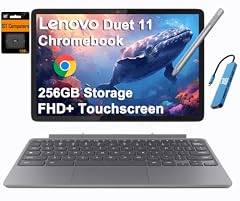
Lenovo Chromebook Duet Gen 9 11" Tablet
- Screen size
- 11 in or less
- Memory
- 6 to 8 GB
- Storage
- 256 GB
- 2-in-1
- Yes
The Lenovo Chromebook Duet Gen 9 is a true 2-in-1 with a detachable keyboard, turning it into a 11-inch tablet. It comes with 8GB RAM and 256GB storage, making it one of the few detachables that meets Chromebook Plus standards.
Pros
- Detachable design with tablet functionality
- 8GB RAM and 256GB storage for a detachable
- Lightweight and portable
- USB-C charging and optional stylus support
Cons
- 11-inch screen may be small for heavy productivity
- Keyboard and stylus may be sold separately, depending on configuration
Good fit if
- Travelers who want a tablet for reading and a laptop for typing
- Students who take notes with a stylus
Skip if
- You need a larger display for split-screen work
- You prefer a traditional clamshell with a more robust hinge
Verdict: The most versatile detachable Chromebook available.
7 Best for portability
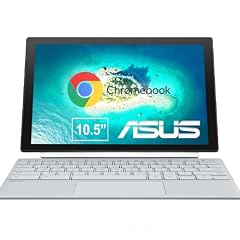
ASUS Chromebook CM30 Detachable 10.5 Inch 2-in-1 Laptop and Tablet
- Screen size
- 11 in or less
- Memory
- 4 GB or less
- Storage
- 64 GB
- Touchscreen
- Yes
- 2-in-1
- Yes
The ASUS Chromebook CM30 is a 10.5-inch detachable with a compact design that fits easily in a bag. It includes a fast-charging stylus, making it ideal for quick notes and drawing on the go.
Pros
- 10.5-inch display, the smallest in our picks
- Detachable with stylus support for note-taking
- Fast-charging stylus included
- Lightweight and easy to carry
Cons
- 4GB RAM may struggle with multiple heavy apps
- 64GB storage is limited
Good fit if
- Travelers who need a secondary device
- Artists who sketch or take handwritten notes
Skip if
- You need more RAM for serious multitasking
- You want a full-sized laptop keyboard
Verdict: The most portable 2-in-1 for on-the-move productivity.
8 Budget pick with 8GB RAM
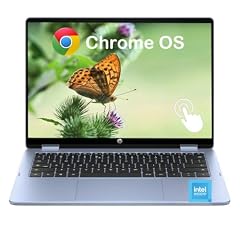
HP 2-in-1 Chromebook Laptop
- Screen size
- 14 in
- Memory
- 6 to 8 GB
- Storage
- 64 GB
- Processor
- Intel N-series
- Touchscreen
- Yes
- 2-in-1
- Yes
The HP 2-in-1 Chromebook offers 8GB LPDDR5 RAM and an Intel N150 processor at a budget-friendly price, a combination that is rare in this segment. The 14-inch 2K IPS touchscreen adds clarity without inflating the cost.
Pros
- 8GB RAM, double the typical budget requirement
- Intel N150 processor provides efficient daily performance
- 14-inch 2K IPS touchscreen
- Convertible design with 360-degree hinge
Cons
- 64GB eMMC storage is limited for large files
- No Chromebook Plus certification; lacks some AI features
Good fit if
- Budget-conscious students who need smooth multitasking
- Users who want a sharp display for media consumption
Skip if
- You need more local storage for offline content
- You want the latest AI-powered Chromebook Plus tools
Verdict: An affordable convertible that punches above its class in RAM.
9 Best for students
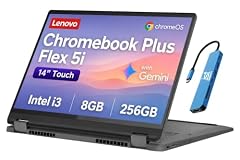
Lenovo IdeaPad Flex 5i Chromebook Plus
- Screen size
- 14 in
- Storage
- 256 GB
- Processor
- Intel Core
- 2-in-1
- Yes
- Chromebook Plus
- Yes
The Lenovo IdeaPad Flex 5i Chromebook Plus combines an Intel Core i3 processor, 8GB RAM, and 256GB storage, meeting Chromebook Plus standards for AI features. Its 14-inch touchscreen and durable hinge make it a reliable study companion.
Pros
- Intel Core i3 with 8GB RAM for smooth productivity
- 256GB storage for assignments and media
- Chromebook Plus certified with Gemini integration
- 14-inch touchscreen, ideal for note-taking
Cons
- Only 8GB RAM; not expandable
- Processor is entry-level Core i3, not i5
Good fit if
- High school and college students who need a reliable daily driver
- Users who want AI help for essays and research
Skip if
- You need a detachable form factor
- You prefer a larger display for movies
Verdict: A well-rounded convertible for education and everyday use.
10 Best budget with Intel Core

Acer Chromebook Spin 314 CP314-2HN-30V1 Convertible Laptop
- Screen size
- 14 in
- Memory
- 6 to 8 GB
- Storage
- 128 GB
- Processor
- Intel Core
- Touchscreen
- Yes
- 2-in-1
- Yes
$499.99 price as of 2026-10-09 05:24 UTC (Details)
The Acer Chromebook Spin 314 is one of the few budget convertibles with an Intel Core i3-N305 processor, offering better performance than typical Celeron or N-series chips. Its 14-inch WUXGA IPS screen with Corning Gorilla Glass adds durability.
Pros
- Intel Core i3-N305 processor, faster than Celeron options
- 6 to 8GB RAM (check seller), sufficient for daily tasks
- 14-inch WUXGA IPS touchscreen
- Gorilla Glass protection on the display
Cons
- Storage is 128GB, which may be tight for heavy users
- RAM might be 6GB in some configurations, not fully specified
Good fit if
- Budget shoppers who need a responsive processor
- Students who want a durable touchscreen
Skip if
- You need 256GB or more storage
- You want Chromebook Plus features like AI image editing
Verdict: A performance-focused budget convertible from Acer.
11 Best for everyday use

HP Chromebook X360 14b
- Screen size
- 14 in
- Memory
- 4 GB or less
- Storage
- 128 GB
- Processor
- Intel N-series
- 2-in-1
- Yes
The HP Chromebook X360 14b offers a 14-inch touchscreen and 128GB storage at a budget price, making it a practical choice for web browsing, document editing, and streaming. Its Intel N100 processor balances efficiency and performance for daily tasks.
Pros
- 14-inch touchscreen with 360-degree hinge
- 128GB storage, more than many budget models
- Intel N100 processor for smooth basic use
- HP reliability and support
Cons
- 4GB RAM may limit heavy multitasking
- No Chromebook Plus certification
Good fit if
- Budget buyers who need a reliable all-rounder
- Students who want a larger screen for homework
Skip if
- You need 8GB RAM for gaming or heavy apps
- You want the latest AI features from Chromebook Plus
Verdict: A dependable, affordable 2-in-1 for everyday tasks.
12 Best 12-inch option

Samsung Chromebook Plus V2 360
- Screen size
- 12 to 13 in
- Processor
- Intel Celeron or Pentium
- 2-in-1
- Yes
The Samsung Chromebook Plus V2 360 offers a compact 12.2-inch display that balances portability and usability. Its Intel Celeron 3965Y is modest, but the convertible design and Samsung's build quality make it a dependable secondary device.
Pros
- 12.2-inch display, easy to carry
- 360-degree hinge for tent and tablet modes
- Samsung brand reliability
- Touchscreen with stylus support (not specified, but common)
Cons
- Intel Celeron 3965Y is dated and slower than newer chips
- Storage and RAM not specified in the pool; often 4GB/64GB
Good fit if
- Users who want a small, portable convertible for browsing and email
- Those who prefer a traditional 16:9 aspect ratio
Skip if
- You need performance for modern web apps or Android games
- You require a full-sized keyboard
Verdict: A compact convertible for light, on-the-go use.
Comparison table
How this list was made
We assembled a pool of 41 convertible Chromebooks from current listings, covering brands like Acer, ASUS, HP, Lenovo, and Samsung. Each was evaluated on its stated specifications: processor model, RAM, storage, screen size, and whether it meets Google's Chromebook Plus requirements (8GB RAM and 128GB storage minimum). We prioritized models from established makers in new condition, avoided near-duplicate configurations, and verified specifications against seller data. Prices are live from the store page and update automatically, so they are not part of our selection criteria. We did not test these devices; all choices are based on published specs and maker information.
Choosing the right one
Processor: what to look for
The processor determines how smoothly your Chromebook handles everyday tasks. Intel Core i3, i5, and Core Ultra 5 offer the best performance, while Celeron and N-series chips are more budget-friendly but may struggle with heavy multitasking. For cloud gaming or video editing, choose a Core i5 or better. Chromebook Plus models often require at least an Intel Core i3 or equivalent.
RAM and storage: the real world impact
RAM affects how many tabs and apps you can run without slowdown. 4GB is the minimum for basic use, but 8GB is recommended for multitasking or using Android apps. Storage is where you keep files, apps, and offline content. 64GB is a common baseline, but 128GB or 256GB is better if you download media or install many apps. Chromebook Plus models come with at least 8GB RAM and 128GB storage.
Display and build quality
A 2-in-1’s display should be touch-sensitive and support 360-degree or detachable hinge designs. Look for IPS panels for wide viewing angles and a resolution of at least 1920x1080. Screen size ranges from 10 to 15 inches; smaller ones are more portable, larger ones better for productivity. Some models add Gorilla Glass for durability, which is useful for students.
ChromeOS features and updates
ChromeOS receives automatic updates for 10 years from platform release, ensuring security and feature additions. Chromebook Plus models add AI tools like Gemini, Magic Eraser, and advanced video meeting features. If you want these, look for the Plus label. Also consider if you need Linux support or Android app compatibility: both are standard on most modern Chromebooks.
Form factor: clamshell, convertible, or detachable?
Convertibles have a 360-degree hinge that lets you flip the screen into tent or tablet mode. Detachables, like the Lenovo Duet, separate the keyboard entirely, making them more tablet-like. Clamshells do not bend. Choose a convertible if you want a traditional laptop with occasional touch use; pick a detachable if you prefer a tablet experience with a keyboard for typing.
Battery life and connectivity
Battery life varies, but most Chromebooks last 8 to 12 hours on a charge. Look for USB-C ports for fast charging and display output, plus Wi-Fi 6 or 6E for faster connections. Some models include HDMI, microSD, and headphone jacks. Weights start at under 2 pounds for detachables, up to 3-4 pounds for 14-inch convertibles.
Questions
What is a 2-in-1 Chromebook?
A 2-in-1 Chromebook combines a laptop and a tablet into one device. It typically has a touchscreen and a hinge that rotates 360 degrees, allowing you to use it in laptop, tent, stand, or tablet mode. Some models have a detachable keyboard, making them even more tablet-like. This flexibility is great for note-taking, presenting, or watching media.
Are 2-in-1 Chromebooks good for students?
Yes, 2-in-1 Chromebooks are popular in education due to their durability, touchscreens, and affordable prices. They run ChromeOS, which is lightweight and secure, and support Google Workspace for Education. Models with 8GB RAM and 128GB storage are ideal for research, document editing, and video calls. The convertible form factor allows for easy collaboration and note-taking.
How long do Chromebooks receive updates?
ChromeOS devices receive updates for 10 years from their platform release date, as stated by Google's Auto Update policy. This includes security patches, feature updates, and stability improvements. After that, the device may no longer receive new updates, though it will still function. Always check the Auto Update Expiration (AUE) date when buying a used Chromebook.
What is Chromebook Plus, and do I need it?
Chromebook Plus is a certification that ensures a Chromebook meets minimum specs: at least 8GB RAM, 128GB storage, Intel Core i3 or better (or equivalent), and a high-res display. It adds AI features like Gemini integration, Magic Eraser, and advanced video call effects. If you want these AI tools and a guaranteed performance baseline, it's worth choosing a Chromebook Plus model. Otherwise, you can save money with a standard Chromebook.
What changed
- : First published.