
Best Touchscreen Chromebooks in 2026: 15 Picks Compared on Specs
The Acer Chromebook Plus Spin 714 is our top pick for most people, thanks to its Intel Core Ultra 5 processor, 8GB of RAM, and 256GB of storage, combined with a 360-degree hinge. We compared 15 touchscreen Chromebooks on paper, using the manufacturer's published specifications and the seller's own descriptions, and we did not test any unit.
15 picks from 17 Chromebooks that match this guide with a price we can quote today, made by 6 makers. Each price below is read live and stamped with the time it was read.
The short list
Who each pick suits
- For students: A convertible with a touch screen that can double as a tablet, plus enough storage for schoolwork. The Samsung Chromebook Plus V2 360 offers a 12.2-inch display, a 360-degree hinge, and 64GB of storage, though RAM is limited to 4GB or less. See pick 6
- For professionals: Need a fast, full-featured touchscreen for productivity? The Acer Chromebook Plus Spin 714 has an Intel Core Ultra 5, 8GB of RAM, and 256GB of storage, all in a convertible design that works in tent or tablet mode. See pick 1
- For media lovers: If you prioritize display quality, the Samsung Galaxy Chromebook's 4K AMOLED touchscreen is the standout, with 8GB of RAM and 256GB of storage for streaming and photo editing. See pick 2
The 15 picks, one by one
1 Best overall

acer Chromebook Plus Spin 714 Laptop with Google AI
- Screen size
- 14 in
- Memory
- 6 to 8 GB
- Storage
- 256 GB
- Processor
- Intel Core
- Touchscreen
- Yes
- 2-in-1
- Yes
- Chromebook Plus
- Yes
$637.00 price as of 2026-10-09 05:24 UTC (Details)
The Acer Chromebook Plus Spin 714 combines a modern Intel Core Ultra 5 processor, 8GB of RAM, and 256GB of storage, and it meets the Chromebook Plus spec. The 14-inch WUXGA touchscreen and 360-degree hinge make it versatile for work and media.
Pros
- Intel Core Ultra 5 processor
- 8GB RAM and 256GB storage
- Convertible 360-degree design
- Chromebook Plus certified
Cons
- RAM is listed as 6-8GB, not a fixed amount
- No stylus support stated
Good fit if
- Power users who need a fast, convertible touchscreen
- Those who want the latest Intel Core Ultra performance
Skip if
- You need more than 8GB of RAM for heavy multitasking
- You prefer a clamshell design without a hinge
Verdict: The Acer Chromebook Plus Spin 714 offers the best combination of performance, storage, and flexibility in this list.
2 Best display

SAMSUNG 13.3" Galaxy Chromebook Laptop Computer w/ 256GB Storage
- Screen size
- 12 to 13 in
- Memory
- 6 to 8 GB
- Storage
- 256 GB
- Processor
- Intel Core
- Touchscreen
- Yes
The Samsung Galaxy Chromebook is the only pick with a 4K AMOLED touchscreen, a feature that sets it apart for vivid colors and deep blacks. It also has 8GB of RAM and 256GB of storage, making it a strong media and productivity device.
Pros
- 4K AMOLED touchscreen
- 8GB RAM and 256GB storage
- Thin and light design
Cons
- Intel Core processor generation not specified
- No convertible hinge, clamshell only
Good fit if
- Streamers and photo enthusiasts who value display quality
- Users who want a premium clamshell touchscreen
Skip if
- You need a 2-in-1 for tablet mode
- You prefer a larger screen than 13.3 inches
Verdict: If display quality is your top priority, the Samsung Galaxy Chromebook's 4K AMOLED screen is unmatched here.
3 Best for productivity

ASUS Chromebook Plus CX34 Laptop
- Screen size
- 14 in
- Memory
- 6 to 8 GB
- Storage
- 256 GB
- Processor
- Intel Core
- Touchscreen
- Yes
- Chromebook Plus
- Yes
The ASUS Chromebook Plus CX34 packs an Intel Core i5-1335U, 8GB of RAM, and 256GB of storage, which is enough for demanding web apps and Android apps. It meets the Chromebook Plus spec and offers a 14-inch touchscreen for efficient interaction.
Pros
- Intel Core i5-1335U processor
- 8GB RAM and 256GB storage
- Chromebook Plus certified
- 14-inch touchscreen
Cons
- No convertible hinge
- Only 8GB RAM, not expandable
Good fit if
- Business users who need a fast clamshell for spreadsheets and docs
- Those who want a touchscreen without a 360-degree hinge
Skip if
- You need a 2-in-1 for presentations or tablet usage
- You require storage beyond 256GB
Verdict: The ASUS Chromebook Plus CX34 is a solid choice for productivity with a bright touchscreen and strong internals.
4 Best 2-in-1 for performance

Acer Chromebook Spin 314 CP314-2HN-30V1 Convertible Laptop
- Screen size
- 14 in
- Memory
- 6 to 8 GB
- Storage
- 128 GB
- Processor
- Intel Core
- Touchscreen
- Yes
- 2-in-1
- Yes
$499.99 price as of 2026-10-09 05:24 UTC (Details)
This Acer Spin 314 combines an Intel Core i3-N305, 8GB of RAM, and 128GB of storage in a convertible design. It's a step up from Celeron-based convertibles and offers a 14-inch WUXGA IPS screen with Gorilla Glass for durability.
Pros
- Intel Core i3-N305 processor
- 8GB RAM and 128GB storage
- 14-inch WUXGA touchscreen
- 360-degree convertible design
Cons
- Storage is limited to 128GB
- Screen resolution is WUXGA, not 4K
Good fit if
- Users who want a responsive convertible for everyday multitasking
- Students and professionals who need a durable touchscreen
Skip if
- You need more than 128GB of local storage
- You prefer a larger screen than 14 inches
Verdict: The Acer Spin 314 delivers a balanced mix of performance and flexibility at a reasonable spec level.
5 Best convertible with 8GB RAM

ASUS Chromebook Flip CX1 Convertible Laptop
- Screen size
- 14 in
- Memory
- 6 to 8 GB
- Storage
- 128 GB
- Processor
- Intel Celeron or Pentium
- Touchscreen
- Yes
- 2-in-1
- Yes
The ASUS Flip CX1 offers a 14-inch Full HD touchscreen and 8GB of RAM (specified as 6-8GB), which is more than many other convertibles in this list. Its 360-degree hinge and 128GB of storage make it a practical all-rounder.
Pros
- 14-inch Full HD touchscreen
- 8GB RAM (listed as 6-8GB)
- 128GB storage
- Convertible design
Cons
- Processor is from the Intel Celeron or Pentium line
- No stylus support stated
Good fit if
- Everyday users who want a convertible with decent RAM
- Those who need a touchscreen for note-taking and light multitasking
Skip if
- You need a more powerful processor for gaming or video editing
- You prefer a clamshell without a 360-degree hinge
Verdict: The ASUS Flip CX1 is a well-rounded convertible for price-conscious shoppers who want 8GB of RAM.
6 Best for students

Samsung Chromebook Plus V2 360 2-in-1 Laptop w/Dual Webcam
- Screen size
- 12 to 13 in
- Memory
- 4 GB or less
- Storage
- 64 GB
- Processor
- Intel Celeron or Pentium
- Touchscreen
- Yes
- 2-in-1
- Yes
- For students
- Yes
The Samsung Chromebook Plus V2 360 is designed for educational use with a 12.2-inch touchscreen, a 360-degree hinge, and a dual webcam. It has 64GB of storage and is lightweight enough for a backpack.
Pros
- 12.2-inch FHD+ touchscreen
- Convertible design
- Dual webcam
- Student-oriented
Cons
- RAM is 4GB or less
- Storage is only 64GB
Good fit if
- Students who need a durable, flexible touchscreen for classes
- Users who prefer a smaller, more portable Chromebook
Skip if
- You need more than 4GB of RAM for multitasking
- You require ample local storage for large files
Verdict: This Samsung Chromebook is a strong candidate for students who value portability and a 2-in-1 form factor.
7 Best for large-screen users

Acer 15.6” FHD Touch Chromebook
- Screen size
- 15 in or more
- Memory
- 6 to 8 GB
- Storage
- 128 GB
- Processor
- Intel N-series
- Touchscreen
- Yes
$299.00 price as of 2026-10-09 05:24 UTC (Details)
With a 15.6-inch Full HD touchscreen, the Acer Chromebook 315 gives you ample real estate for side-by-side windows. It is powered by an Intel N50 processor and includes 8GB of RAM and 128GB of storage, making it a practical home or desk machine.
Pros
- 15.6-inch Full HD touchscreen
- 8GB RAM and 128GB storage
- Intel N-series processor
Cons
- No convertible hinge
- Larger and heavier than 14-inch models
Good fit if
- Home users who want a large, clear screen for browsing and streaming
- Those who need a touchscreen without a 2-in-1 form
Skip if
- You need a portable device for travel
- You prefer a smaller footprint for your desk
Verdict: A generous screen size and solid specs make the Acer 315 a good choice for a low-cost desktop replacement.
8 Best for note-taking
HP Chromebook x360 14" FHD Touchscreen Laptop
- Screen size
- 14 in
- Memory
- 4 GB or less
- Storage
- 64 GB
- Processor
- Intel N-series
- Touchscreen
- Yes
- 2-in-1
- Yes
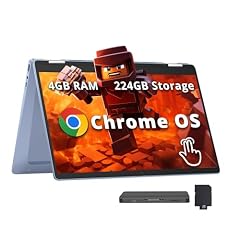
The HP Chromebook x360 14 has a 14-inch Full HD touchscreen and a 360-degree hinge, letting you fold it into tent or tablet mode for easy writing. It comes with an Intel N100 processor, 4GB of RAM, and 64GB of storage (plus 160GB docking storage, per the listing).
Pros
- 14-inch FHD touchscreen
- Convertible design
- Intel N100 processor
Cons
- 4GB RAM, which may limit multitasking
- Storage includes a 64GB eMMC plus a 160GB docking device, not purely internal
Good fit if
- Students who take handwritten notes with a stylus (sold separately)
- Users who want a budget convertible for light tasks
Skip if
- You need more than 4GB of RAM for serious work
- You require a single, simple storage solution
Verdict: This HP x360 is a functional note-taking device if you keep your tasks light.
9 Best for a large Chromebook Plus screen

Lenovo Chromebook Plus Laptop
- Screen size
- 15 in or more
- Processor
- Intel Core
- Touchscreen
- Yes
- Chromebook Plus
- Yes
The Lenovo Chromebook Plus 15.3 brings a 15.3-inch 120Hz touchscreen, which is larger and smoother than most other picks. It is Chromebook Plus certified, though the exact RAM and storage are not listed by the seller.
Pros
- 15.3-inch 120Hz touchscreen
- Chromebook Plus certified
- Intel Core 3 N355 processor
Cons
- RAM and storage not stated
- No convertible hinge
Good fit if
- Users who want a large, high-refresh display for media and productivity
- Those who trust the Chromebook Plus baseline for performance
Skip if
- You need to know exact RAM and storage amounts for buying decisions
- You want a 2-in-1 design
Verdict: A standout for its 120Hz screen, but you'll need to confirm the memory and storage before committing.
10 Best for business and students
Samsung 12.2" FHD 2-in-1 Touchscreen Chromebook Plus Laptop
- Screen size
- 12 to 13 in
- Memory
- 4 GB or less
- Storage
- 64 GB
- Touchscreen
- Yes
- 2-in-1
- Yes
- Chromebook Plus
- Yes
- For students
- Yes
- For business
- Yes
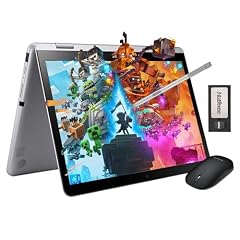
The Samsung 12.2-inch 2-in-1 Chromebook Plus is labeled for business and student use, with a convertible design and 64GB of storage. It has 4GB of RAM and a 12.2-inch FHD touchscreen, making it compact and functional.
Pros
- 12.2-inch FHD touchscreen
- 2-in-1 convertible
- Business and student oriented
Cons
- 4GB RAM
- Storage is 64GB
Good fit if
- Mobile professionals who need a small, touch-enabled Chromebook
- Students looking for an affordable 2-in-1
Skip if
- You need more RAM for complex workflows
- You prefer a larger display
Verdict: This Samsung is a capable, compact 2-in-1 for light business and school use.
11 Best for basic tasks

HP 14-inch Chromebook HD Touchscreen Laptop PC
- Screen size
- 14 in
- Memory
- 4 GB or less
- Storage
- 32 GB or less
- Processor
- Intel Celeron or Pentium
- Touchscreen
- Yes
The HP 14-inch Chromebook with HD touchscreen is a no-frills option with an Intel Celeron N3350, 4GB of RAM, and 32GB of storage. It's enough for web browsing, email, and video streaming, but not for heavy multitasking.
Pros
- 14-inch touchscreen
- Intel Celeron N3350 processor
- Low-cost entry point
Cons
- 4GB RAM
- 32GB storage, which is below the average of this list
Good fit if
- Budget-focused users who need a simple touchscreen Chromebook
- Children or seniors for basic use
Skip if
- You plan to install many apps or store large files
- You need a faster processor for productivity
Verdict: This HP is a straightforward, budget-friendly option if you accept its limited storage and RAM.
12 Best for budget-conscious learners

Lenovo Chromebook 14" Touchscreen Slim Laptop Business Student
- Screen size
- 14 in
- Memory
- 4 GB or less
- Storage
- 64 GB
- Processor
- MediaTek
- Touchscreen
- Yes
- For students
- Yes
- For business
- Yes
The Lenovo Chromebook 14 Touchscreen Slim is marketed for students and business users, with a MediaTek Kompanio 520 processor and 4GB of RAM. It offers 64GB of storage and a 14-inch touchscreen, all at a price that's easy on a wallet.
Pros
- 14-inch touchscreen
- MediaTek Kompanio 520 processor
- Student and business oriented
Cons
- 4GB RAM
- Storage is 64GB
Good fit if
- Students who need a simple, affordable touchscreen
- Users who prefer a slim, lightweight design
Skip if
- You need more RAM for Android apps or multitasking
- You require 128GB or more storage
Verdict: A practical, low-cost Chromebook for basic educational and office tasks.
13 Best for portability

ASUS Chromebook 10.5" WUXGA Touch Laptop MediaTek Kompanio 520 2.0 GHz
- Screen size
- 11 in or less
- Memory
- 6 to 8 GB
- Storage
- 128 GB
- Processor
- MediaTek
- Touchscreen
- Yes
At 10.5 inches, the ASUS Chromebook is the smallest touchscreen in this list, making it ideal for travel or tablets-like use. It still packs 8GB of RAM and 128GB of storage, which is generous for its size.
Pros
- 10.5-inch WUXGA touchscreen
- 8GB RAM and 128GB storage
- Very portable
Cons
- Small screen for extended typing
- MediaTek Kompanio 520 processor is entry-level
Good fit if
- Travelers who want a compact touchscreen
- Users who mostly consume content on the go
Skip if
- You need a full-size keyboard
- You prefer a 14-inch or larger display
Verdict: This ASUS is a compact touchscreen Chromebook with surprisingly good specs for its size.
14 Best convertible with 128GB storage

HP Convertible 2-in-1 Chromebook 14" Touch HD Intel 4-Core up to 3.40GHz
- Screen size
- 14 in
- Memory
- 4 GB or less
- Storage
- 128 GB
- Touchscreen
- Yes
- 2-in-1
- Yes
The HP Convertible 2-in-1 Chromebook offers a 14-inch HD touchscreen, 4GB of RAM, and 128GB of storage in a convertible design. Its storage capacity is above average for its price range, though the processor is not specified.
Pros
- 14-inch touchscreen
- 128GB storage
- Convertible design
Cons
- 4GB RAM
- Processor not specified by the seller
Good fit if
- Users who need more local storage for apps or downloads
- Those who want a convertible for casual use
Skip if
- You require 8GB of RAM for demanding tasks
- You need a known processor for performance assurance
Verdict: A solid convertible with ample storage, but its unspecified processor may give some buyers pause.
15 Best for cloud-only users

The Lenovo Chromebook 14 Touchscreen pairs a MediaTek Kompanio 520 with 128GB of storage, which is plenty for cloud-based workflows. Its RAM is not stated, but the product name mentions 4GB, so we assume that's the spec.
Pros
- 128GB storage
- 14-inch touchscreen
- MediaTek Kompanio 520 processor
Cons
- RAM not stated by the seller
- No convertible hinge
Good fit if
- Users who store files in Google Drive or other cloud services
- Those who want a simple touchscreen for web browsing
Skip if
- You need a confirmation of RAM before buying
- You want a 2-in-1 design
Verdict: A no-frills touchscreen Chromebook that will work well for cloud-based tasks, provided the 4GB RAM meets your needs.
Comparison table
| # | Chromebook | Screen size | Memory | Storage | Processor | Touchscreen | 2-in-1 |
|---|---|---|---|---|---|---|---|
| 1 | acer Chromebook Plus Spin 714 Laptop with Google AI | 14 in | 6 to 8 GB | 256 GB | Intel Core | Yes | Yes |
| 2 | SAMSUNG 13.3" Galaxy Chromebook Laptop Computer w/ 256GB Storage | 12 to 13 in | 6 to 8 GB | 256 GB | Intel Core | Yes | not stated |
| 3 | ASUS Chromebook Plus CX34 Laptop | 14 in | 6 to 8 GB | 256 GB | Intel Core | Yes | not stated |
| 4 | Acer Chromebook Spin 314 CP314-2HN-30V1 Convertible Laptop | 14 in | 6 to 8 GB | 128 GB | Intel Core | Yes | Yes |
| 5 | ASUS Chromebook Flip CX1 Convertible Laptop | 14 in | 6 to 8 GB | 128 GB | Intel Celeron or Pentium | Yes | Yes |
| 6 | Samsung Chromebook Plus V2 360 2-in-1 Laptop w/Dual Webcam | 12 to 13 in | 4 GB or less | 64 GB | Intel Celeron or Pentium | Yes | Yes |
| 7 | Acer 15.6” FHD Touch Chromebook | 15 in or more | 6 to 8 GB | 128 GB | Intel N-series | Yes | not stated |
| 8 | HP Chromebook x360 14" FHD Touchscreen Laptop | 14 in | 4 GB or less | 64 GB | Intel N-series | Yes | Yes |
| 9 | Lenovo Chromebook Plus Laptop | 15 in or more | not stated | not stated | Intel Core | Yes | not stated |
| 10 | Samsung 12.2" FHD 2-in-1 Touchscreen Chromebook Plus Laptop | 12 to 13 in | 4 GB or less | 64 GB | not stated | Yes | Yes |
| 11 | HP 14-inch Chromebook HD Touchscreen Laptop PC | 14 in | 4 GB or less | 32 GB or less | Intel Celeron or Pentium | Yes | not stated |
| 12 | Lenovo Chromebook 14" Touchscreen Slim Laptop Business Student | 14 in | 4 GB or less | 64 GB | MediaTek | Yes | not stated |
| 13 | ASUS Chromebook 10.5" WUXGA Touch Laptop MediaTek Kompanio 520 2.0 GHz | 11 in or less | 6 to 8 GB | 128 GB | MediaTek | Yes | not stated |
| 14 | HP Convertible 2-in-1 Chromebook 14" Touch HD Intel 4-Core up to 3.40GHz | 14 in | 4 GB or less | 128 GB | not stated | Yes | Yes |
| 15 | Lenovo Chromebook 14 Touchscreen Laptop | not stated | not stated | 128 GB | MediaTek | Yes | not stated |
How this list was made
We started with a pool of 73 touchscreen Chromebooks from major brands. From that pool, we selected 15 models that cover a range of screen sizes, processors, and form factors, ignoring color and configuration duplicates. We compared each model's stated processor, RAM, storage, display size, and features such as convertible hinges or stylus support. We also considered whether a model meets the Chromebook Plus specification, which requires at least 8GB of RAM and 128GB of storage, as published by Google. Prices on this page are live and read from the seller's listing; we did not test any of these devices, and we did not rely on customer reviews.
Choosing the right one
Touchscreen types: clamshell, convertible, detachable
Touchscreen Chromebooks come in three main form factors. Clamshells have a traditional laptop shape with a touch display, like the ASUS Chromebook Plus CX34. Convertibles (also called 2-in-1s) feature a 360-degree hinge that lets you flip the screen into tent or tablet mode, such as the Acer Spin 314. Detachable models, like the ASUS Chromebook CM30, have a keyboard that completely separates from the screen, giving you a standalone tablet. The choice depends on whether you plan to use the touchscreen mostly while typing or more often in handheld mode.
Display quality: resolution and panel type
Screen resolution and panel technology affect how sharp and vivid the display looks. Most picks here have Full HD (1920x1080) or WUXGA (1920x1200) screens, which are sharp enough for everyday tasks. The Samsung Galaxy Chromebook stands out with its 4K AMOLED panel, offering deeper blacks and wider color gamut. If you edit photos or watch HDR movies, a 4K or OLED screen may be worth the extra cost. Also consider the refresh rate: the Lenovo Chromebook Plus 15.3 has a 120Hz panel, which makes scrolling smoother.
Performance: processor and RAM
The processor and RAM determine how fast the Chromebook feels. Intel Core i3, i5, and Core Ultra models are significantly faster than Celeron or Pentium chips for multitasking and heavier web apps. Chromebook Plus models, like the Acer Spin 714 and ASUS CX34, are required to have at least 8GB of RAM and 128GB of storage, as per Google's specification. For basic tasks like browsing and email, 4GB of RAM may suffice, but 8GB is safer for running multiple tabs and Android apps. We have seven picks with 6-8GB of RAM; the rest have 4GB or less, with a few not stating a value.
Storage: eMMC, SSD, and expansion
Chromebooks use either eMMC or SSD storage. eMMC is slower but cheaper and common in budget models, while SSDs offer faster performance. The amount of storage varies from 32GB to 512GB in our picks. For most users, 128GB is a good starting point, but if you plan to install many Android apps or store media locally, consider 256GB or more. Some models, like the HP x360, combine eMMC with a docking device to expand storage, but that may not be as integrated as a single SSD. None of these Chromebooks allow internal storage upgrades, so choose accordingly.
Connectivity and ports
Look for at least two USB-C ports for charging and data transfer, as most modern Chromebooks use USB-C. The HP Chromebook x360 14 has a 14-inch FHD screen and a docking storage expansion, but its exact port list is not detailed here. Check the seller's listing for the specific number of USB-A, USB-C, HDMI, and audio jacks. If you need to connect to a monitor, ensure the Chromebook has HDMI or USB-C with DisplayPort support. Also consider Wi-Fi 6 support for faster wireless speeds.
Stylus and pen support
Not all touchscreen Chromebooks support a stylus, and when they do, it may be sold separately. Convertibles like the Acer Spin 314 and Samsung Chromebook Plus V2 360 are often compatible with USI pens, which you can buy separately. Detachables like the ASUS CM30 include a stylus in the box. If you plan to take handwritten notes or draw, check whether the model lists USI or specific stylus support. The pool entries do not consistently document stylus compatibility, so you may need to confirm with the seller.
Questions
How long will my Chromebook receive software updates?
Google has extended Chromebook update support to 10 years from the platform release date. You can check the exact expiration date on your device by going to Settings, About ChromeOS, Additional details. Older models released before 2021 may have a different support window, so always verify the Auto Update Expiration (AUE) date before purchasing.
What is Chromebook Plus?
Chromebook Plus is a specification that guarantees at least 8GB of RAM, 128GB of storage, and a more capable processor, along with advanced AI features through Google Gemini. Models with the Plus badge, such as the Acer Spin 714 and ASUS CX34, are designed to handle more demanding apps and provide a faster experience.
Can I use Android apps on a touchscreen Chromebook?
Yes, most modern Chromebooks can run Android apps from the Google Play Store. The touchscreen makes it easy to interact with mobile-style apps. However, some older or low-spec models may not support all apps. Check the specific model's compatibility list if you have concerns.
Does a touchscreen Chromebook support a stylus?
Some models support USI (Universal Stylus Initiative) pens, but the stylus is often sold separately. Detachable Chromebooks like the ASUS CM30 may include one. For convertibles, check the product description for 'USI' or 'stylus' to confirm compatibility. The pool entries rarely specify stylus support, so you'll need to check the seller's listing.
Can I upgrade the RAM or storage on a Chromebook?
Most Chromebooks have fixed components that cannot be upgraded after purchase. The RAM and storage are typically soldered to the motherboard. This means you should buy a model with the storage and memory you need from the start. If you need more space, consider using cloud storage or an external USB drive.
What changed
- : First published.